How to repurpose old email campaigns
Here is how you can repurpose old email campaigns:
1. Audit your existing emails
Your archive likely includes years of campaigns, so the goal is to separate the emails still capable of delivering value from those that no longer serve your messaging.
Start by scanning for campaigns that generated solid engagement in the past. Opens, clicks, replies, conversions, or even strong qualitative feedback can help you spot winners.
If you’re using an ESP like Mailmodo, its analytics dashboard stores records of past campaigns, making it easy to spot your top-performing emails and gather all the relevant data.
2. Refresh and modernize content
Once you’ve identified your strongest emails, the next step is updating them so they fit today’s context. This is where AI can support you in bringing older content up to date.
It can help you adjust messaging, fill in missing details, and refine tone to match your present communication style. This is particularly useful when your industry, product, or brand voice has changed since the original email was created.
3. Personalize for different segments
Instead of crafting new content for each audience, you can reshape existing material to speak directly to the needs of different groups. Start by identifying the segments that matter most to your business.
Once you have those, adapt the email so it addresses their unique context. This could mean changing the opening hook, reframing your value, or replacing examples with ones that feel more relevant to that segment’s world.
Useful segmentation angles include:
Pain points that differ among customer types
Industry or vertical specific priorities
Levels of experience with your product or category
Position in the buyer journey
Regional or cultural considerations
4. Convert emails into other content formats
A single email can fuel an entire multi-channel content strategy. Repurposing your email content into different formats helps you stay consistent across platforms while reducing the effort required to create assets from scratch.
You can take one strong email and turn it into:
Social posts for X, LinkedIn, Instagram, or TikTok
A blog article that expands the main idea
A video, webinar, or podcast outline
A lead magnet su,ch as a checklist or short guide
5. Build new email sequences from old ones
Older campaigns hold a wealth of material that can be merged, reorganized, or expanded into full sequences. This is especially useful when creating onboarding flows, nurture sequences, event promos, or product education series.
You can:
Merge several old emails into a new sequence with a smoother narrative flow
Break a longer email into a short drip campaign that delivers value in smaller pieces
Refresh subject lines and plan new variations for testing
Improve message clarity, structure, pacing, or persuasion techniques
If you’re looking to apply all these tactics, it can be useful to use an ESP that supports them and provides an AI model or built-in AI capabilities to simplify the process. One such tool is Mailmodo, so let’s take a look at how you can do this using it.
How to repurpose old email campaigns using Mailmodo
Mailmodo comes with powerful built-in AI features designed specifically for email creation. Here are three powerful ways you can use Mailmodo to turn your old campaigns into new ones.
Method 1: Rephrase and refresh the copy in old campaigns
If you have a campaign that worked well in the past — but needs a fresh angle — here’s how to quickly update the copy:
- Duplicate the original campaign.
- Edit the template in the drag-and-drop editor.
- Select the text block you want to update
- Choose the Rephrase text option and define the parameters to generate different versions of the content.
- You can also use Custom Prompts to define the changes you want in the copy.
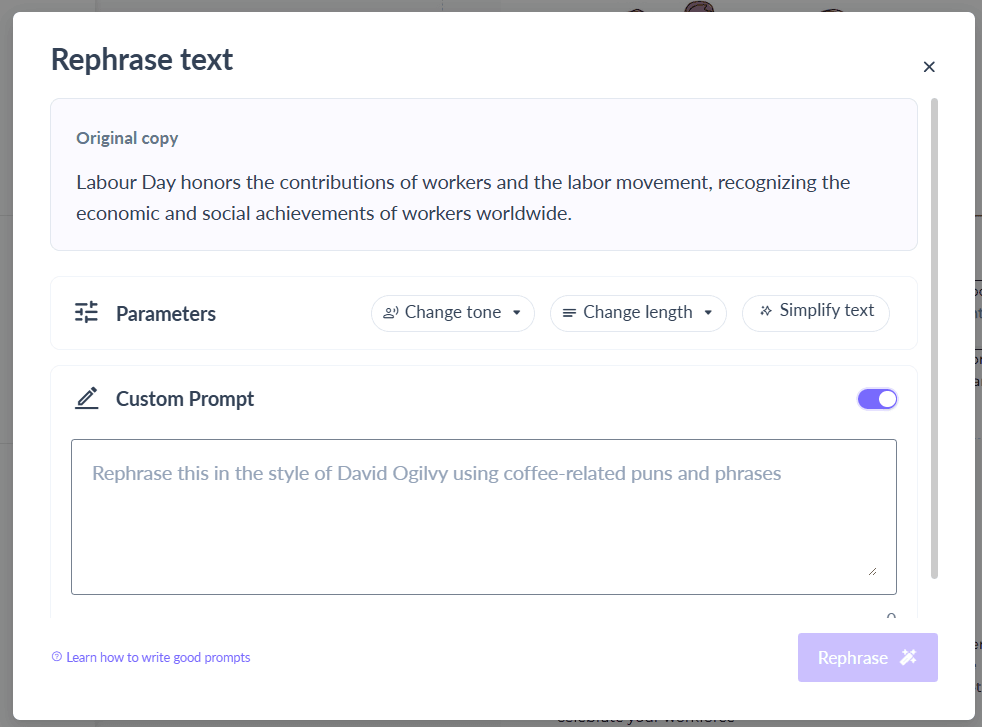
This lets you keep the core message and structure, while adapting the tone and language to your current goal.
Method 2: Generate new content for existing templates
You can also take a successful idea or a template layout that worked very well and completely rewrite it for a new segment or intent.
Here’s how to do it:
- Start with a previous campaign that performed well
- Open the template and click into a content block you want to populate and delete the existing content.
- Choose Generate Copy option.
- Define the purpose of the section to guide the AI to generate the relevant copy for the block.
Example: “Write a launch email for the same product, but for returning users instead of new signups.”
- Choose from the copies created or regenerate till you get the desired copy.
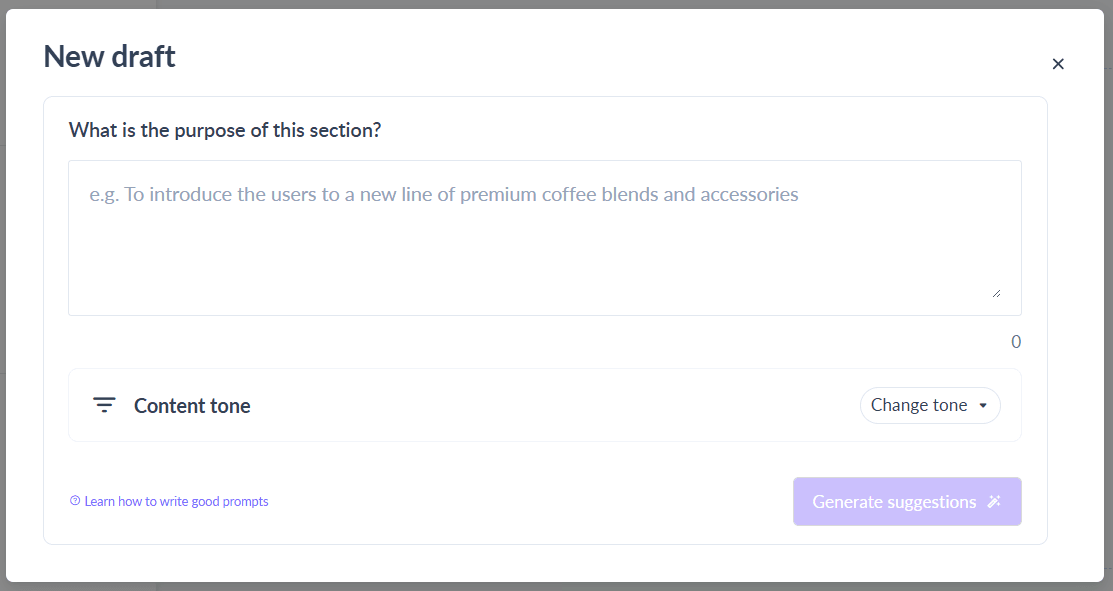
This is perfect when you want to shift messaging strategy — from urgency to education, new leads to loyal users, or one persona to another.
Method 3: Remix entire email templates using AI
This is the fastest way to repurpose. Let Mailmodo AI handle both the content and the visuals through its Remix with AI feature.
Here’s how the Remix with AI feature works:
- Pick any template you want from the template gallery.
- Click the Remix with AI button.
- Define what you want to update in your email template. You can also give a sample copy or example of your desired outcome.
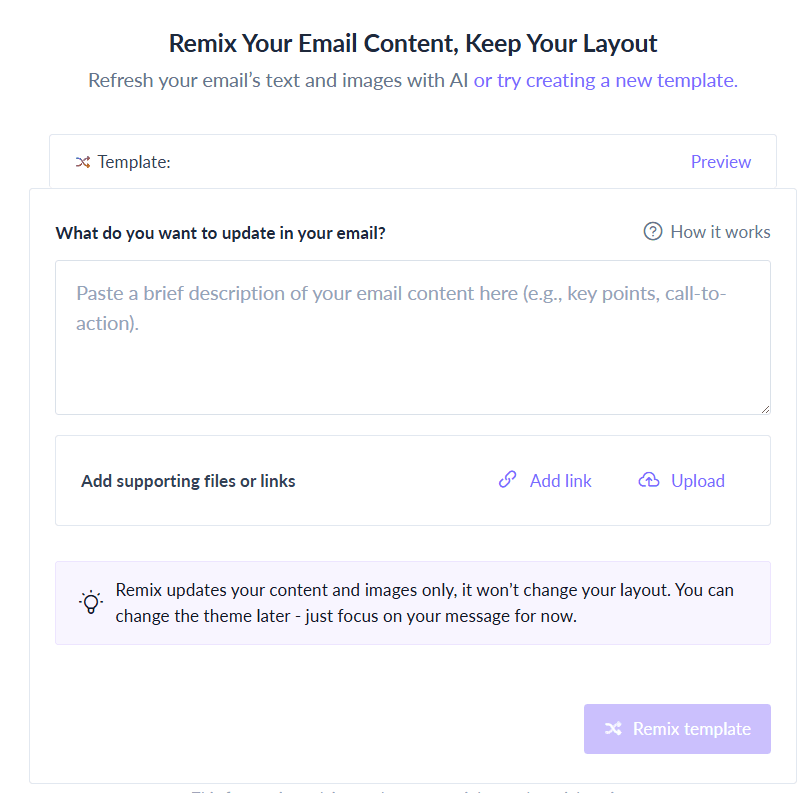
- Review the generated template with the updated copy and visuals.
- You can then tweak the individual blocks or ask AI to regenerate if you don’t like the template at all.
Example prompt:
“Turn this summer sale promo into a Cyber Monday email for returning users. Use bold CTAs and add urgency.”
Whether you’re rebranding a template, changing the offer, or simply refreshing the look, Remix with AI gives you a fully repurposed version in seconds.
Takeaways
Repurposing old email campaigns using AI helps marketers save time, improve ROI, and maintain message consistency. Instead of building new campaigns from scratch, teams can reuse high-performing templates and adapt them for new goals, audiences, or formats. AI tools make this process easier by rephrasing copy, generating fresh content, and updating visuals—all based on custom prompts.
Whether you're adjusting tone, shifting the campaign type, redesigning the layout or revamping the entire campaign, you can use Mailmodo to transform existing emails into effective new ones with minimal effort.











