What is click data, and why is it important?
Click data is a record of how recipients interact with the hyperlinks or CTAs inside your emails. Understanding click behavior answers questions such as:
Which links attract the most attention?
How many links are being clicked per subscriber?
Are subscribers exploring product pages, blog posts, or special offers?
By analyzing this information, marketers can create content and campaigns that resonate, boosting engagement and ROI. Click data also helps prioritize high-intent users for further nurturing, ensuring marketing efforts focus on those most likely to convert.
Collecting click data is the first step in understanding how subscribers interact with your emails. Here are some proper collection methods that help you have accurate and actionable insights for optimization:
Collect click data
Collecting click data is the first step in understanding how subscribers interact with your emails. Here are some proper collection methods that help you have accurate and actionable insights for optimization.
Method 1: Use UTM parameters
UTM parameters are short codes added to the end of your URLs to track email performance beyond the inbox. UTM links contain the following elements: the source (newsletter), medium (email), and specific campaign (summer_sale).
When a subscriber clicks a UTM-tagged link, tools like GA4 read the UTM parameters embedded in the URL. The platform then records data such as:
Number of clicks from that source or campaign
Which pages does the user visit on your website
Conversions, purchases, or other goal completions linked to that click
Method 2: Use ESPs
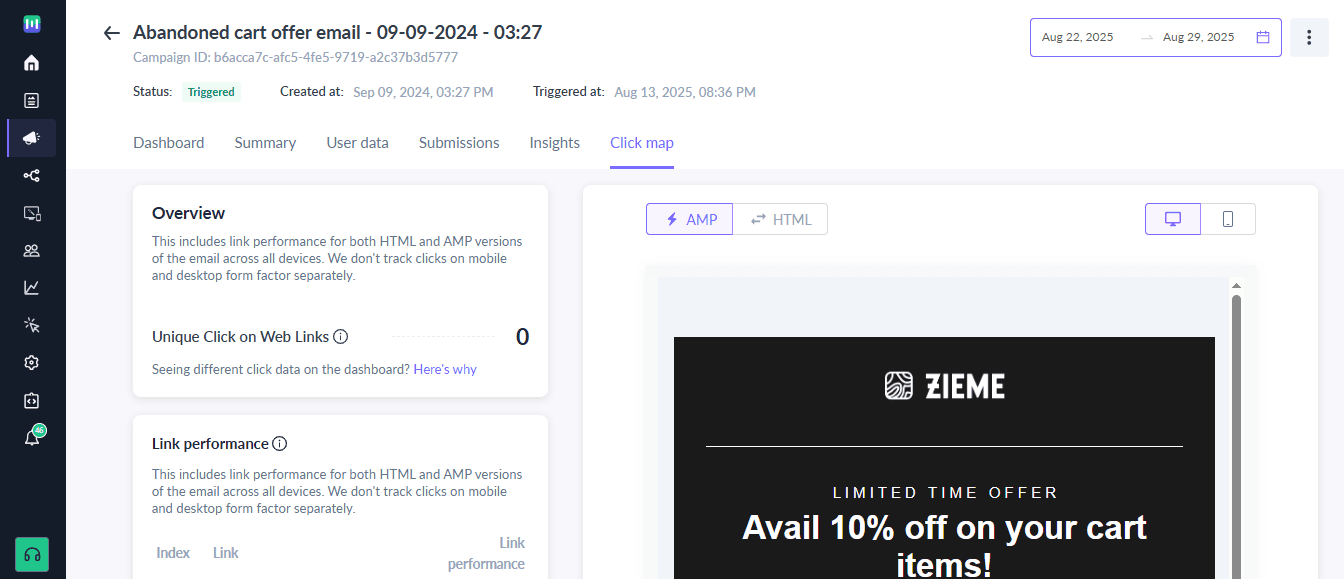
This is the easier method. You can use an ESP’s built-in click-tracking functionality to automatically track link interactions. For instance, Mailmodo’s clickmap feature provides an overview of click activity, unique clicks, and link performance.
2. Segment based on click behavior
Click data provides a powerful foundation for advanced email segmentation. By grouping subscribers based on how they interact with your emails, you can deliver messages that align with their interests and engagement levels.
Here are some common segments you can create:
Highly engaged users: Subscribers who frequently click links tend to respond well to early access, exclusive offers, or loyalty perks.
Interest-based segments: Group users according to the types of links they click, such as product categories, blog topics, or content themes.
Dormant subscribers: Recipients who haven’t clicked in weeks or months may require re-engagement campaigns to reignite their interest.
For example, a subscriber who consistently clicks links about email marketing tips could be enrolled in an automated series that shares advanced strategies, case studies, or industry insights.
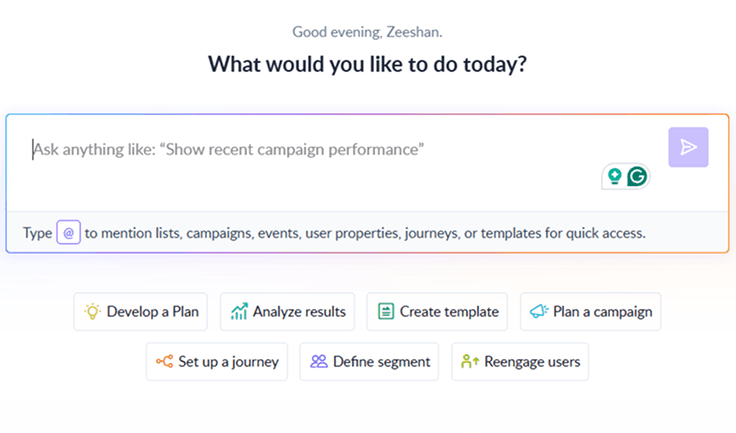
The easiest way of building such segments is to ask Mailmodo AI to create the segment for you in natural language and it does so for you in seconds.
Your AI Assistant for Everything Email Marketing
3. Refine content and design
Click patterns reveal which elements of your emails resonate with readers and which may be underperforming. For instance, if images are drawing a high number of clicks, that indicates strong interest in visual elements and you can introduce visual CTAs, banners, or product highlights that match this preference.
If your primary CTA receives few clicks, try small changes to the button copy, placement, or shape to improve its visibility and encourage interaction.
You can also set up A/B tests to keep improving your emails. Test variations in placement, visuals, copy, or layout to understand what encourages more clicks.
4. Optimize send timing and frequency
By analyzing click patterns, you can also determine the best times to send emails and the ideal frequency to maximize subscriber interaction. You can consider timing, such as:
Morning vs. afternoon vs. evening engagement
Weekday vs. weekend activity
Seasonal or campaign-specific trends
Many email platforms, like Mailmodo, offer send-time optimization features. These tools analyze historical click behavior and automatically suggest the best time to send each email to individual subscribers.
Additionally, click data can also guide how frequently you should send emails. Some subscribers interact more with weekly updates, while others prefer monthly digests.
Final thoughts
This is one of the easiest ways to start making your emails more effective, and the payoff can be huge over time. Every time you see which links get clicked most or which content drives engagement, you’re gathering insights that can guide personalization, automation, and design decisions.
Tools like Mailmodo make this even easier. With built-in click tracking, clickmaps, and automation features, you can see exactly how your audience interacts with your emails without extra manual work.