







Unbounce is a popular platform that helps marketers and businesses create landing pages effortlessly for marketing campaigns, eliminating the need for complex coding skills.
This article explains how to connect forms built on Unbounce with Mailmodo using webhooks. By doing so, you can smoothly bring in form submissions from your website to Mailmodo's database and trigger journeys or send bulk campaigns right from the Mailmodo dashboard
Step by step guide on how to integrate Unbounce with Mailmodo
Step 1 : Go to Integrations page and select Web Forms and landing pages -> Add New Form -> Select Unbounce -> Click on Continue



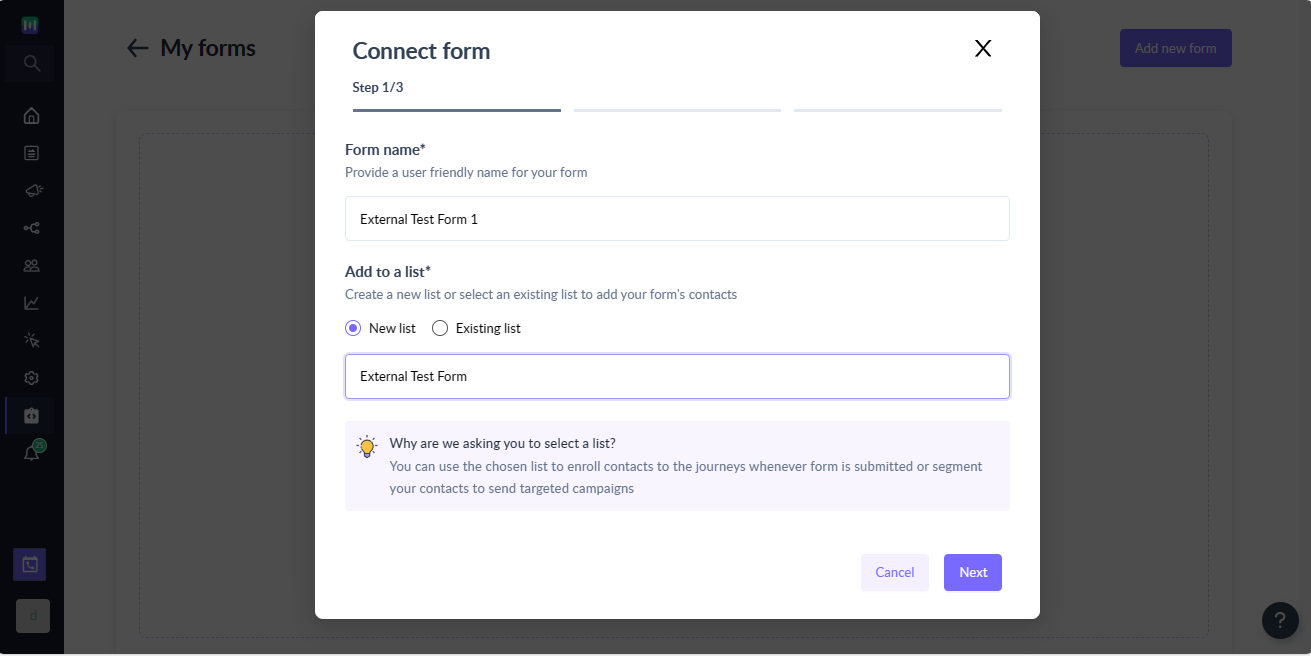
Step 2 : On the step 1 of the wizard, provide following details:
- Form name -> Provide a user-friendly name to uniquely identify the form.
- Choose a list -> Whenever submission is made in Unbounce, we will add the contact to a list in Mailmodo as well. You can either create a new list or use existing list for the Unbounce submission.
You can use the chosen list to enroll contacts to the journeys whenever submission in made or segment your contacts to send targeted campaigns.
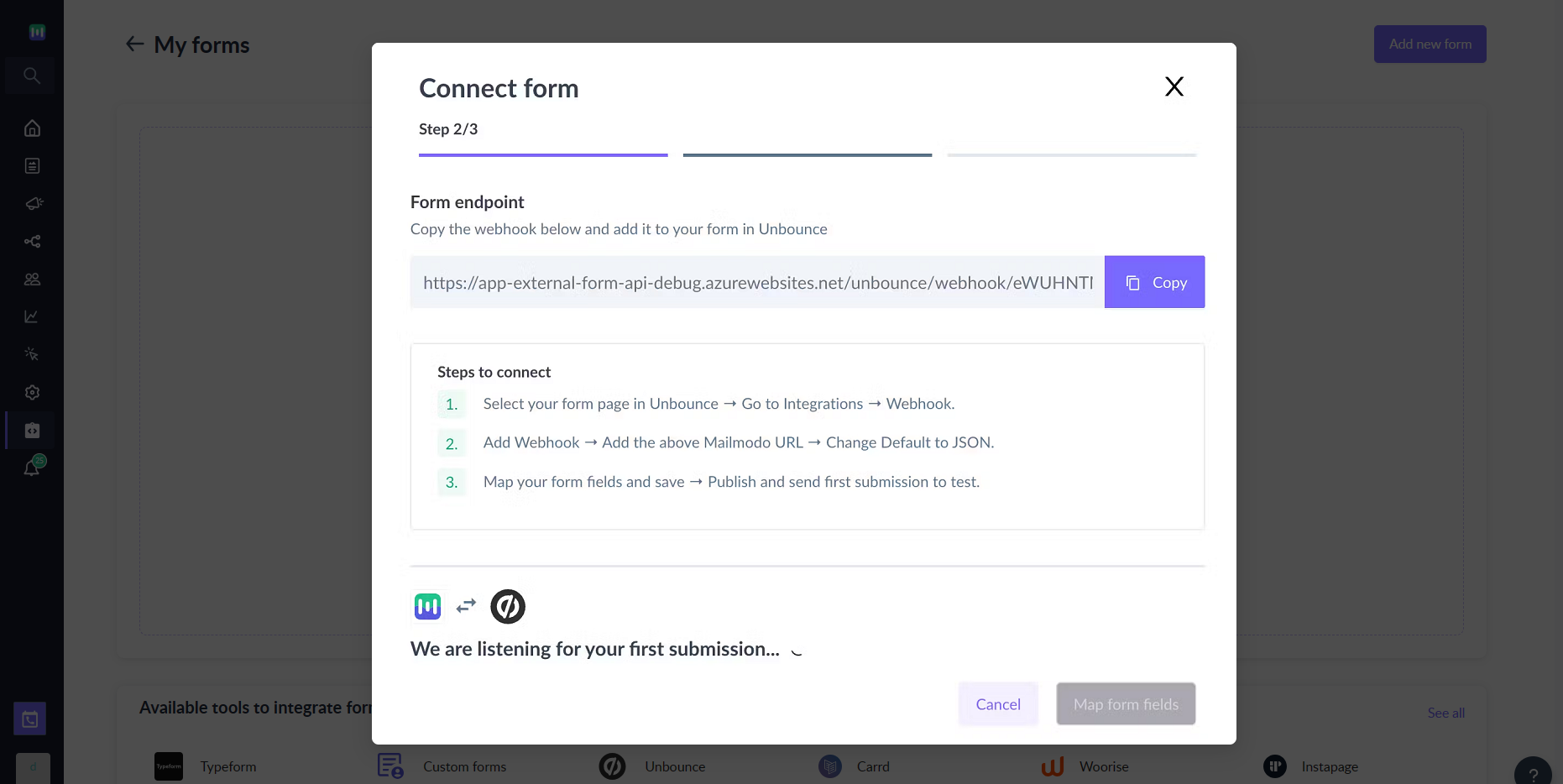
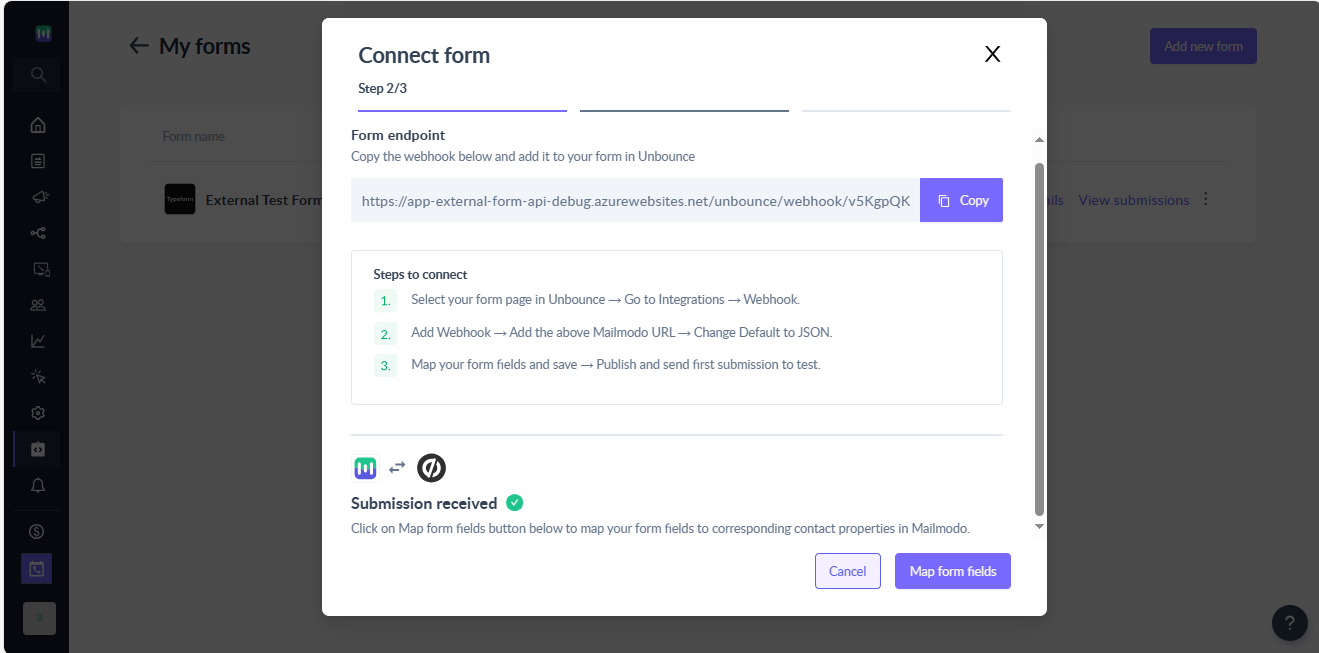
Step 3 : Click next and you will see the webhook endpoint which needs to be configured in your Unbounce account. At this point, Mailmodo is waiting for a test submission to map the Unbounce form fields with Mailmodo contact properties and complete the integration.
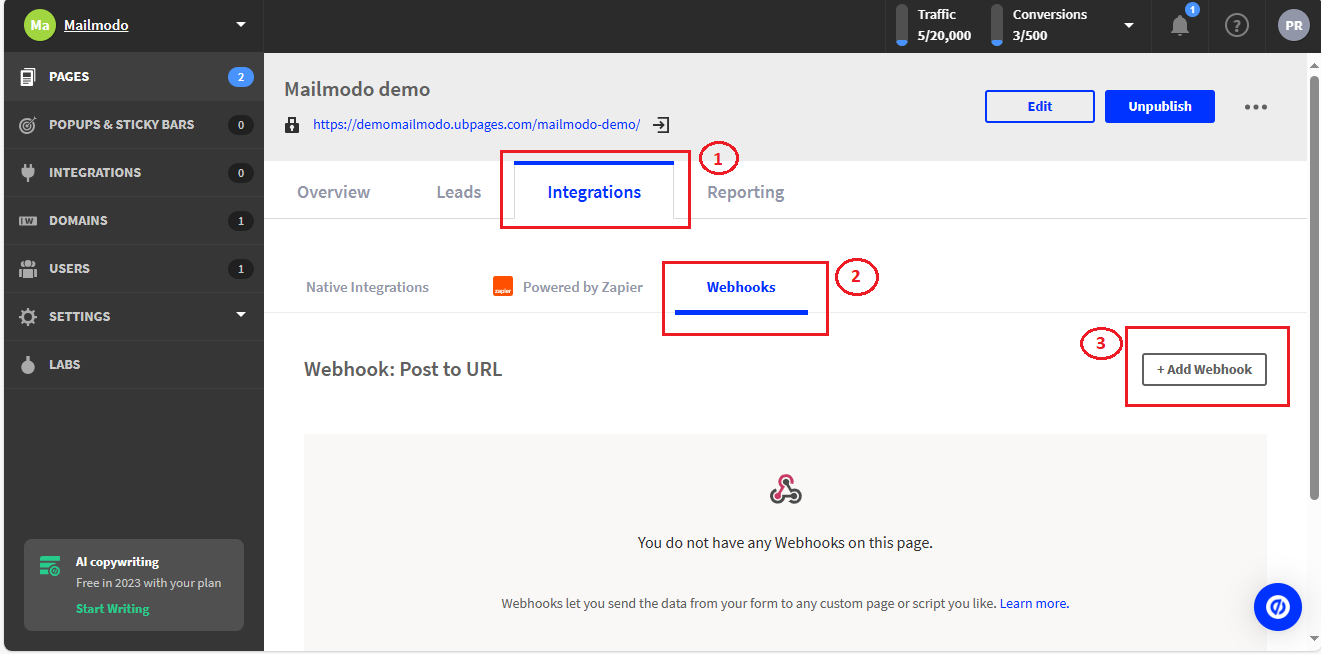
Step 4 : Go to your Unbounce account and select the landing page containing the form for which you want to send submission to Mailmodo
Step 5 : For the select landing page -> Go to integrations -> Webhooks -> Add Webhook
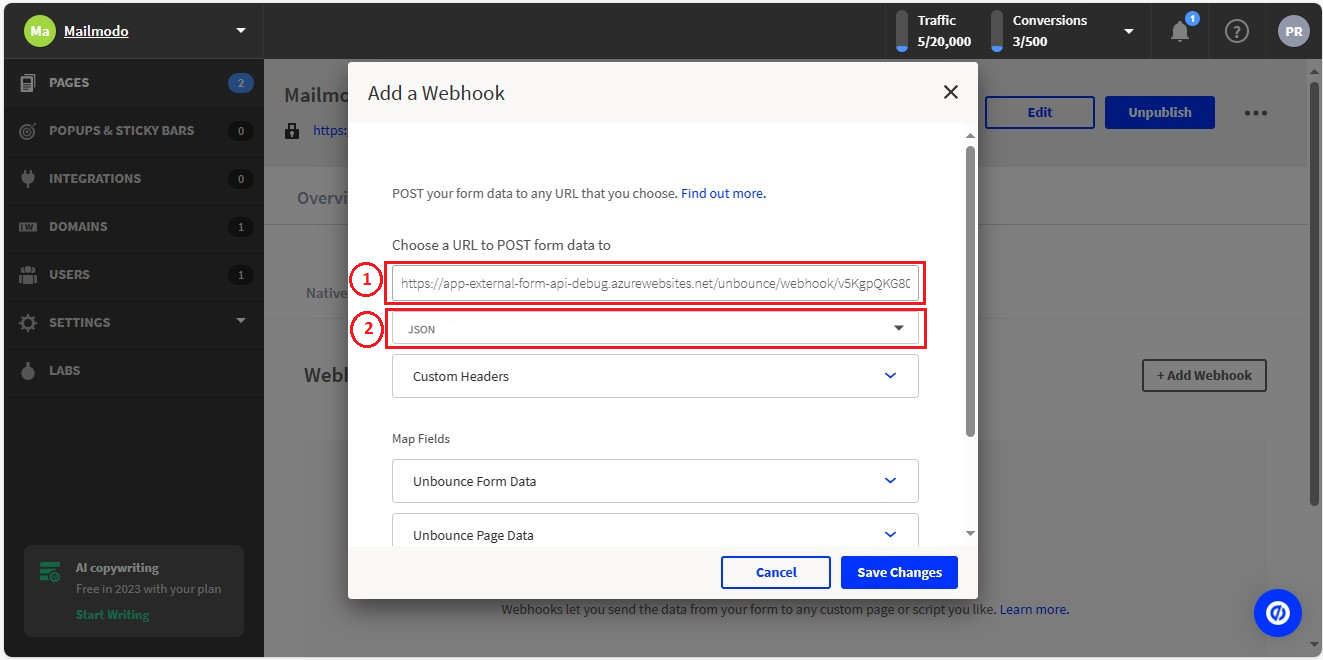
Step 6 : Now, add the webhook endpoint from Step 3 into the URL text box and change the payload format option from Default to JSON.
Step 7 (Optional) : You can change the naming convention for the Unbounce Form / Page data or add custom fields if required.
‘Unbounce Field ID ’ is corresponding to form fields in Unbounce and ‘Field to map to’ is what you will be shown in Mailmodo for mapping. So, make sure you keep the fields simple and easy to recognise.
Step 8 : Save changes and open the landing page in the browser to send a test submission.
Step 9 : Once a test submission is received. You will have to map form field with contact property in Mailmodo
Step 10 : While mapping, you can choose to map form fields to existing contact properties or create new properties. Also, you can choose to not import the Unbounce field as contact properties in Mailmodo.
Make sure each Unbounce field in uniquely mapped to the appropriate data type in Mailmodo. For e.g. if you mapped Unbounce date field to a string field in Mailmodo then it will be stored as string and not as date.
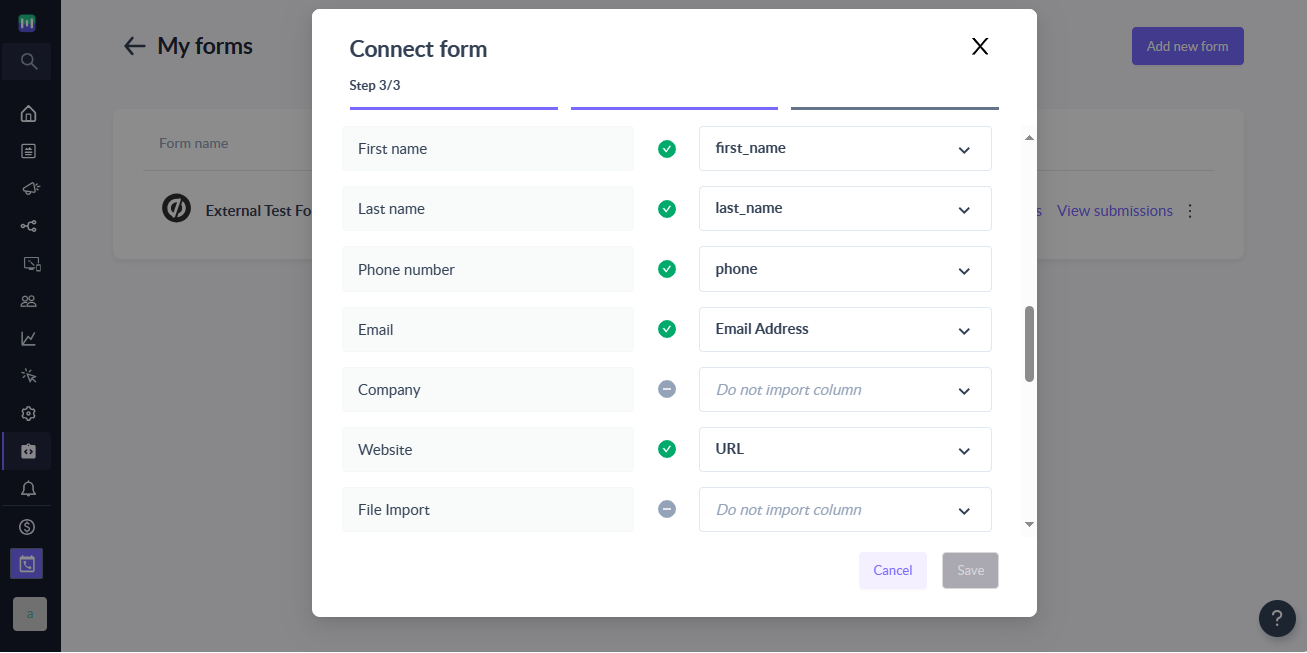
Step 11 : Once the mapping is complete, click on Save to complete the setup.
Save button will not be enabled until email address field is mapped.
Step 12 : That's it. Once the form goes into Connected state, any new submissions on your Unbounce will be added as contacts in Mailmodo.
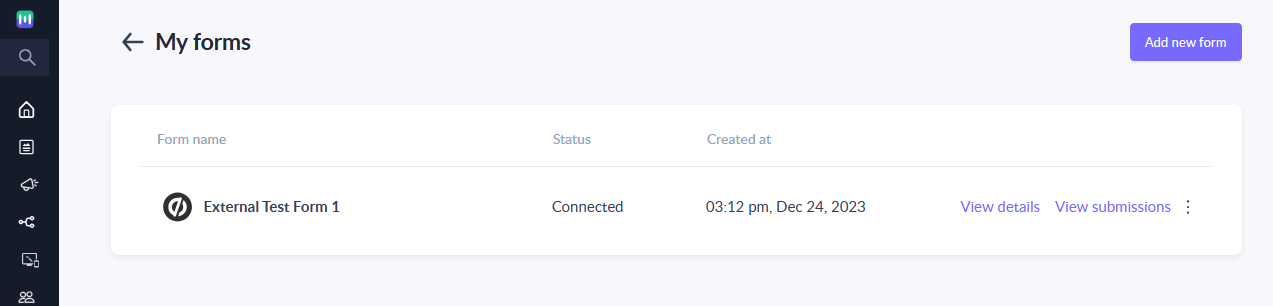
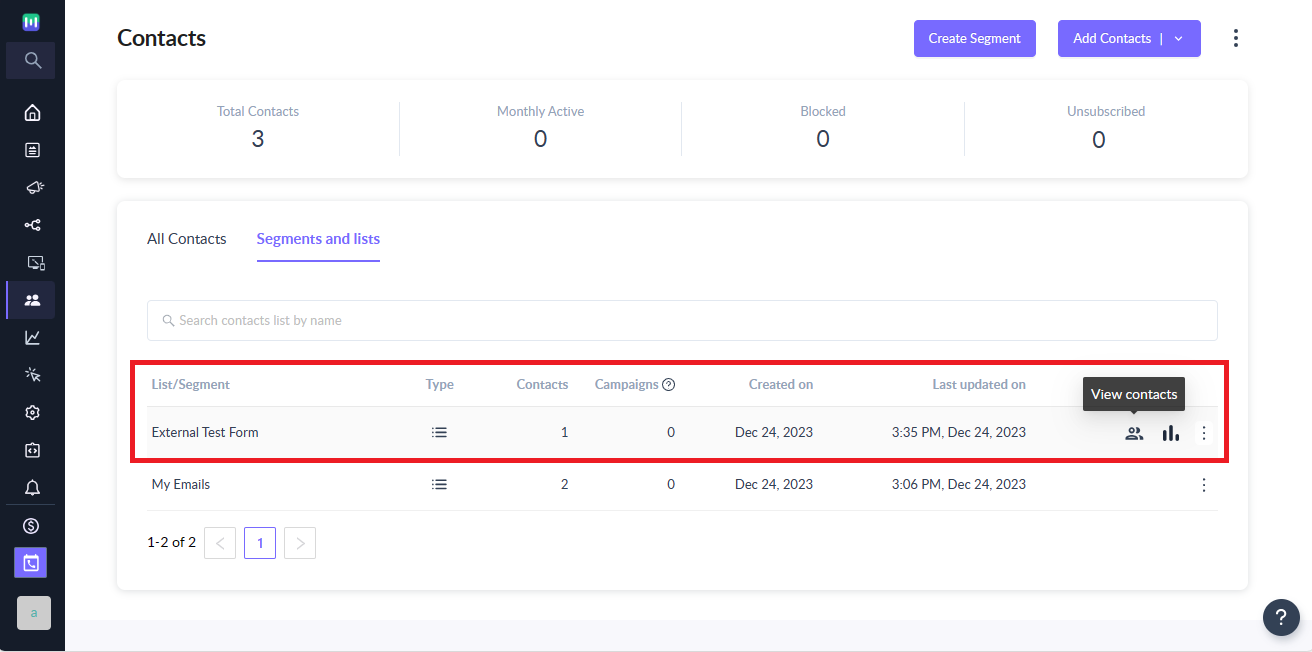
Contacts added to Mailmodo via Unbounce will have Source set to Unbounce.
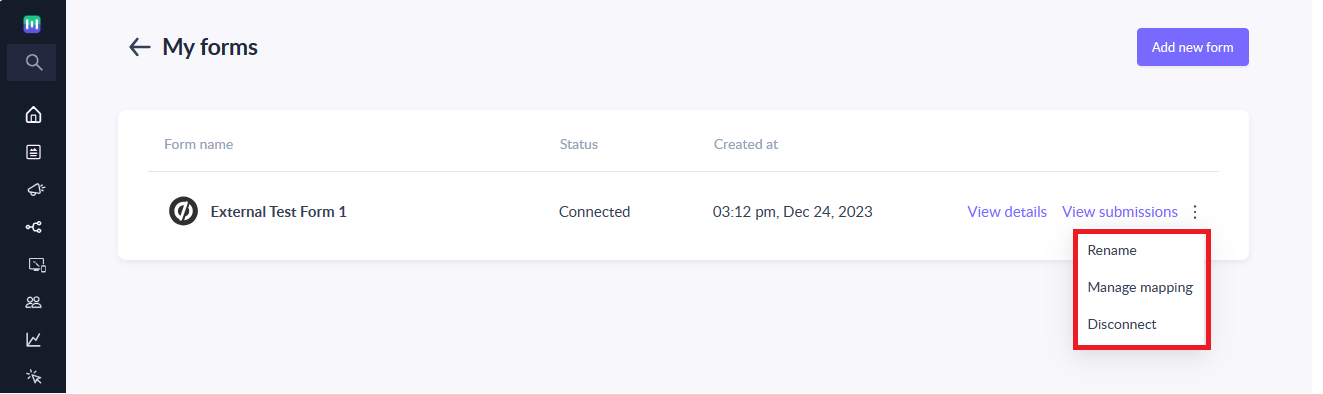
Step 13 : You can manage the connected form or view details about the imported contacts as per your needs.
It is recommended to create and connect a different form URLs for each landing page in your Unbounce account to prevent any unforeseen issues.
Frequently Asked Questions
I made the submission in Unbounce but it is not reflecting as contacts in Mailmodo. What can be the reason?
If you are making submission in Unbounce but they are not reflecting in Mailmodo then it can be due to the following reasons:
- Form is not in Connected state i.e. current state of the form is either submission pending or disconnected.
- Unbounce submission doesn't have a valid email address.
- Unbounce has been edited after initial connection and now fields are not properly mapped in Mailmodo
- Webhook URL entered in Unbounce is not mapping the endpoint for the form in Mailmodo
Why is the number of submissions in Unbounce is not matching the contacts imported count in Mailmodo?
The number of submissions in Unbounce may not match the number of contacts in Mailmodo due to the following reasons:
- Duplicate submission with the same email address is made. In such cases, contact properties in Mailmodo are updated with recent submissions.
- Submission didn't have a valid email address.
- Unbounce form has submission prior to the integration setup -> Mailmodo doesn't sync form submission made prior to the connection.
I have edited the form for a landing page in the Unbounce account. How do I change the form mapping in Mailmodo?
You will need to perform the following steps whenever you want to make changes to your Unbounce:
- Publish the changes you want to make to your form in the Unbounce landing page.
- Once published, open the updated Unbounce landing page in the browser and make a test submission.
- Go to your Mailmodo account, click on the Manage mapping option for the connect form.
- You will see the latest submission available for mapping. Make changes as appropriate and click on Save.
- That's it. You have successfully updated the mapping. All new submissions will be imported to Mailmodo as per the new mapping.
Until you change the mapping, Mailmodo will continue to add or update contacts as per the mapping done previously. Any mismatch between the submission and mapped field will be ignored.
Can I use the same Mailmodo webhook endpoint URL in multiple forms in the Unbounce landing page?
It is recommended to create a separate Mailmodo form (aka different endpoint) for each of your form in Unbounce landing page.



