Behavioral segmentation lets you group users based on how they’ve interacted with your brand. This can go far beyond simple opens or clicks.
Here are some key behavioral signals you can use:
Link clicks — Users who clicked on specific links (e.g., “Pricing”, “Features”, “Book a demo”)
Engagement level — Active users vs. inactive users over a period of time
Campaign activity — Opened, clicked, submitted a form, etc.
Signup date — New users who joined in the last X days
Custom event triggers — Actions taken inside your app (e.g., completed onboarding)
Mailmodo allows you to create segments using all of these behavior types — giving you the control and flexibility to personalize at scale.
How to set up behavior-based segmentation in Mailmodo
You can create behavior-driven segments in Mailmodo using a simple, guided workflow — whether you're targeting based on link clicks, engagement levels, signup dates, or custom conditions.
Here’s how it works:
Step 1: Go to Contacts → Create Segment. Here, you can choose to create a segment with a builder or using Mailmodo AI
Step 2: If you’re choosing to create using Mailmodo AI, describe the segment you want to create.

If you’re going to build it using the builder, you can choose from one of the prebuilt segments or start from scratch.
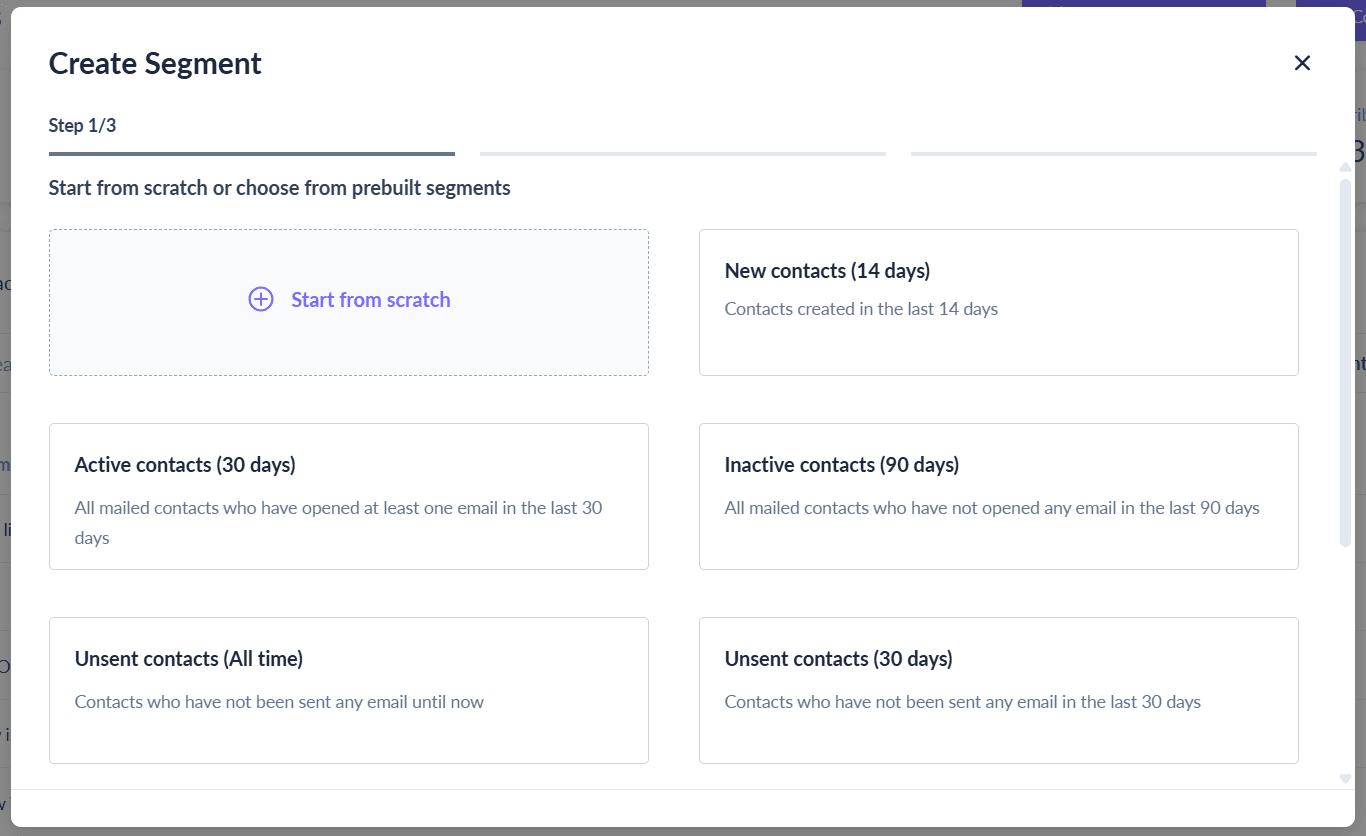
Step 3: In case of Mailmodo AI, you’ll get a preview of the segment. Click on Edit using builder to make your final tweaks.

For the manual version, fill the details as shown in the image below.

Step 4: Define your conditions based on the kind of behavior you want to segment your users on.

Step 5: Click on Create segment
You can now use this segment in any campaign — automated journeys, broadcast emails, or triggered follow-ups.
Final recommendations
Behavioral segmentation doesn’t have to be complex — but it should be intentional.
By segmenting based on what users actually do — not just who they are — you’ll create more relevant campaigns, improve conversions, and get more value out of every send.
Ready to build your first behavior-based segment in Mailmodo? Start with your latest email campaign and create a segment of users who clicked on a high-intent link. That’s your most qualified audience, waiting for the next step.