- Platform

- Resources
Learn Marketing

Guides

Email Templates

Email Flows

Ebooks & Reports

Marketing Videos

Newsletter
See More Resources ->
Free Tools
Email Marketing 101 FREE
Read Now ->






Campaign Monitor vs Mailmodo
Email tool should be sharp not its learning curve
Tired of restricted customization, frustrating interface, and poor customer support? Introducing Mailmodo, the better alternative with AI functionalities and interactive emails for higher ROI

300+ customizable templates
Simple and Intuitive UI
Dedicated human support
Users are not happy with Campaign Monitor
@CampaignMonitor Extremely tired with the lack of support. Unable to get into the tool even when the invoices are cleared. All my campaigns and data is stuck.
— Rohan Mahajan (@ronnniewolf) March 21, 2023
Request immediate connect with a direct person who can assist on this
@CampaignMonitor What has happened to the campaign monitor brand? This has gone backwards 10 years. pic.twitter.com/KPLiC4cKhq
— Clifford Milne (@becomingenoch) February 21, 2023
@CampaignMonitor Hi! Do you have a phone number I can reach? I'm trying to get some assistance and nobody is responding to my support emails or messages. This is really urgent.
— Kate Taylor Battle (@ktbattle) March 15, 2023
Mailmodo is a better choice for growth-hungry companies
Here’s a summary and non-biased comparison between Campaign Monitor and Mailmodo on the basis of email marketing features
 |  | |
|---|---|---|
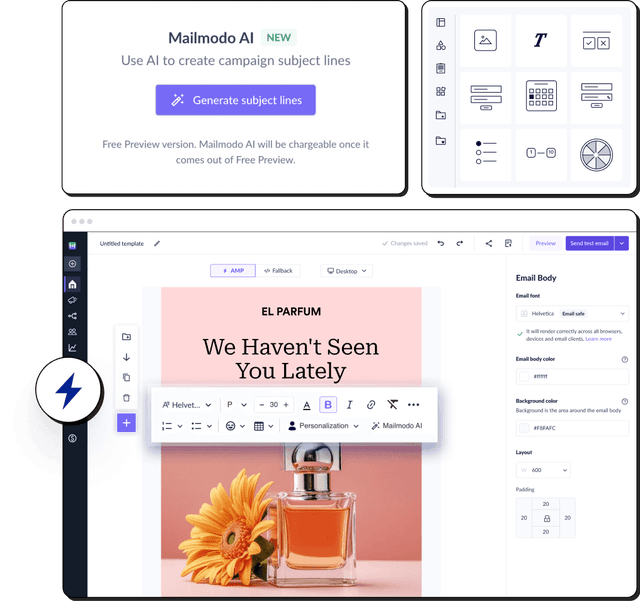
Email editing and creation | Provides a WYSIWYG email creator for both HTML and AMP emails. Allows you to create email templates from scratch using AI. | Provides a basic email editor, HTML editor and a text editor. Editor can create HTML emails only. |
Automation | Provides a visual journey builder with a drag-and-drop interface and an AI to create complete email journeys from scratch. | Automations have basic email handling cabability along conditions to perform basic email marketing. |
Integration | 21 native integrations, 4000+ with Zapier, Make, etc. | 290 integrations |
Transactional emails | Included in all plans | Yes |
Ease of Access | Easy account setup and intuitive tool interface. Chat-based interface for executing tasks using AI. | Basic email marketing software with every other requirement but lacks at places where we expect automation triggered from 3rd party. Also, creating email editing capability is low |
Customer Support | Email, chat, phone, video tutorials | Email Support, In-App dedicated support, In-App Knowledge base, Customer Support |
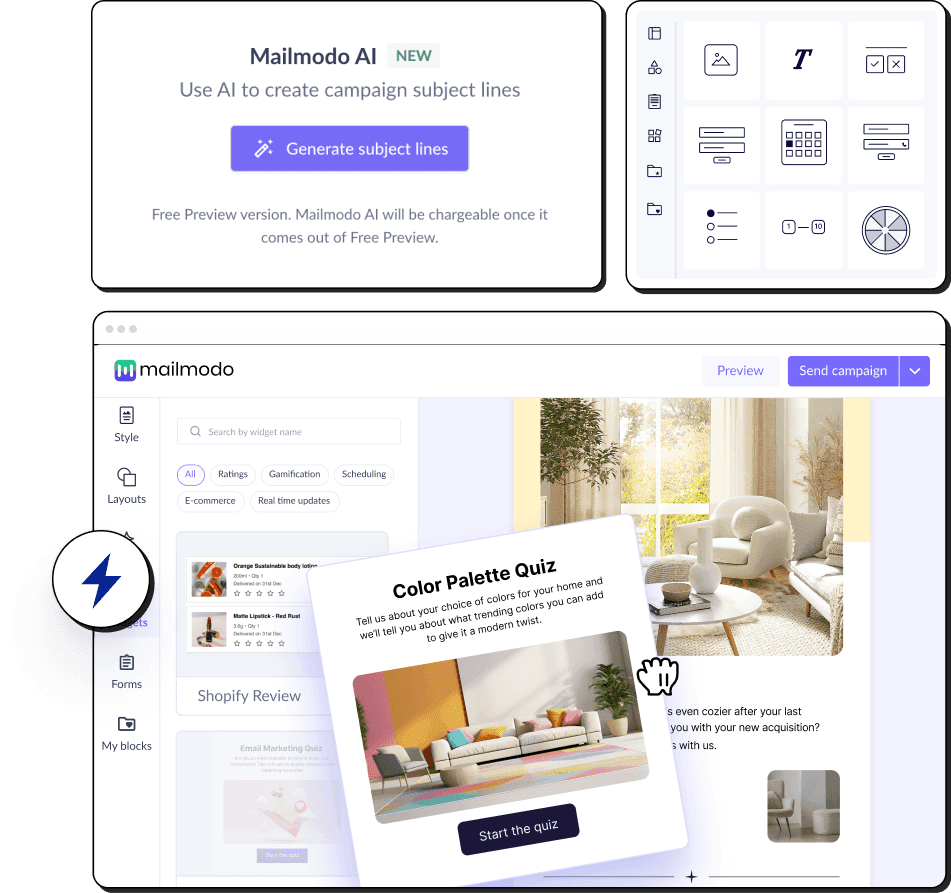
Interactive emails | Let's you create and send AMP-powered interactive emails with widgets such as games, forms, surveys, quizzes, etc. | No |
AI features | AI Email Assistant to plan campaigns, generate and repurpose email templates, create email segments, set up email automations and customer journeys, and analyse past campaigns. | AI features, including an AI subject line generator and send-time optimisation, to enhance email engagement. |
Affordable alternative to Campaign Monitor
Compared to Campaign Monitor pricing plans, Mailmodo has a better price to performance ratio, AI Automated email workflows, backed by limitless customizations, interactivity email and better integrations.
| Contacts | Mailmodo | Campaign Monitor |
|---|---|---|
| 10,000 | $79/mo | $109/mo |
| 25,000 | $149/mo | $224/mo |
| 50,000 | $249/mo | $369/mo |
Based on Campaign Monitor pricing on 12/22/25.
Features of Mailmodo that will upgrade your email marketing
Mailmodo helps you in creating email workflow effortlessly through it's AI email assistant.
✅ Intuitive email marketing
Create and send emails effortlessly with bug-free email marketing platform for improved user experience
✅ Create highly featured interactive emails
Bring interactivity within your emails using AMP features like forms, carousal, calendars and widgets
✅ Fully customizable email templates and AI automation email workflows
Use 300+ customizable templates, pre-built sequences, or just write a prompt and Mailmodo AI generates your email workflow.

Here's a detailed non-biased feature-wise breakdown of how Campaign Monitor compares with Mailmodo
| Feature | Mailmodo | campaignmonitor |
|---|---|---|
| Trial Period | Free forever plan available | Yes, free trial available |
| Customer support | Includes video tutorials, knowledge base, ticketing system, live chat, email support, personalised kick-off call and a dedicated onboarding manager for paid plans | Email Support, Phone Support, Deliverability support, Help center, Training videos, Email academy |
| Account activation | Email verification | Email verification |
| Onboarding form | Onboarding form requires:
| Onboarding form requires:
|
| Product education |
| Dashboard links to help documentation, knowledge-base, and training resources. |
| Feature | Mailmodo | campaignmonitor |
|---|---|---|
| In-product templates | 100+ and growing templates | 120 and growing templates |
| Has a template inspiration gallery | Yes, free inspiration gallery | Yes, free inspiration gallery |
| Inspirational Templates count | 300+ templates | 108 templates |
| Feature | Mailmodo | campaignmonitor |
|---|---|---|
| AMP email creation | Supports AMP email creation with no code WYSIWYG editor. | No |
| Whitelisting support | Provides dedicated whitelisting support | No |
| Automatic HTML fallback | Yes | Yes |
| Customize HTML fallback | Yes | Yes |
| Sending AMP emails | Yes | No |
| Feature | Mailmodo | campaignmonitor |
|---|---|---|
| AI Email Automation Assistant | Provides an AI Email Assistant to plan campaigns, create templates, build segments, set automations, and analyze performance | Provides an AI Email Assistant that helps plan campaigns. |
| Template editor | Can create from scratch or select a pre-built template from the library. Can also use Mailmodo AI to generate email templates. | Can create from scratch or select template from library,Added support to upload/import custom HTML templates |
| Drag and Drop | The selection-based template editor allows stacking new layouts | Elements can be dragged and dropped any where within the email |
| Email Dimensions | 3 Width options(600px, 700px, 800px) are provided(that resemble industry standards). Rich text emails can be sent with full width email | Have fixed width of 600 px |
| Pre-made layouts | 7 variations of layouts to select from | 4 layout to select from - Newsletter, Welcome, Annoucements and Update |
| Pre-made blocks/modules |
| Not Applicable |
| Ability to save & reuse blocks | Can save any layout block | Not Applicable |
| Design Options | Common options like pading, email body and email bg color options are provided | Common options like email bg color options are provided but email padding doesn't exist |
| Supported Email Fonts | Total 46 fonts
| Total 37 fonts |
| If non-standard font is used | Prompts are provided for Web Safe fonts while editing. In case, non-email safe font is use, then Mailmodo replaces it with a fallback font for clients where the fonts are not supported | No prompt |
| Template preview | HTML and AMP are displayed together with toggle between desktop and mobile screens | Only HTML email with side by side display of desktop and mobile screens |
| Template testing | HTML and AMP versions are different, supports unlimited testing | Only HTML and supports unlimited testing. |
| Adding custom HTML code | Yes | Yes |
| Rich text editor | Yes | Builder supports WYSIWYG editing for content blocks + HTML for advanced use |
| Feature | Mailmodo | campaignmonitor |
|---|---|---|
| Interactive AMP widgets | 25 AMP elements | No AMP elements |
| Carousel/Image Carousel | Yes | No |
| Accordion | Yes, on request | No |
| Basic Event invitation | Yes,with forms | No |
| Add to calendar | Yes | No |
| Calendly | No | No |
| Zoom Webinar | Yes | No |
| Shopify Card Abandoment | Yes | No |
| Shopify Product Recommendation | Yes | No |
| Poll | Yes | No |
| Live Price Ticker | Yes | No |
| Star Rating | Yes | No |
| NPS Rating | Yes | No |
| Thumbs up or down | Yes | No |
| Emoji Rating | Yes | No |
| Chip selection | Yes | No |
| Spin the Wheel | Yes | No |
| Quiz | Yes | No |
| Gokwik | Yes | No |
| Form | Yes | No |
| Feature | Mailmodo | campaignmonitor |
|---|---|---|
| Form Submission capture | Automatic collection and storage of form submission data. Export options available | No |
| Conditional forms | Yes | No |
| Step wise forms | Yes | No |
| Hidden field | No | No |
| Form fields | 15 field options | No |
| Dropdown | Yes | No |
| Radio | Yes | No |
| Checkbox | Yes | No |
| Emoji | Yes | No |
| Thumbs up or down | Structured for case specific | No |
| Text | Yes | No |
| Multiline | Yes | No |
| Image Link | Structured for case specific | No |
| Date picker | Yes | No |
| Time picker | Yes | No |
| Phone number | Yes | No |
| Single chip | Yes | No |
| Multichip | Yes | No |
| Star Rating | Yes | No |
| Nps Rating | Yes | No |
| Feature | Mailmodo | campaignmonitor |
|---|---|---|
| Smart AI segmentation | Yes | No |
| Dynamic segments | Yes | Yes |
| Static segments | Yes | Yes |
| Segment on basis of campaign activity | Yes | Yes |
| Pre-built segments | Yes | Yes |
| Contact-level campaign data | Yes | Yes |
| Add contacts via | Manually, CSV, API, Apps, CRM, etc. | Manually, CSV import, API, Integrations |
| Feature | Mailmodo | campaignmonitor |
|---|---|---|
| Triggered/Transactional emails | Yes | Yes |
| Automation Campaigns | Yes | Limited |
| Bulk Campaigns | Yes | Yes |
| Feature | Mailmodo | campaignmonitor |
|---|---|---|
| Opens | Yes | Yes |
| Clicks | Yes | Yes |
| CTOR | Yes | No |
| Submissions | Yes | No |
| Bounces | Yes | Yes |
| Blocked | Yes | Yes |
| Unsubscribe | Yes | Yes |
| Spam complaints | Yes | Yes |
| Forwards | Yes | Yes |
| Device usage | Yes | Yes |
| Email clients | Yes | Yes |
| Link click tracking | Yes | Yes |
| Click heatmap | Yes | Yes |
| Custom analytics dashboard | No, upcoming | Limited, only built-in dashboard |
| Graphical representation | No | Yes |
| Feature | Mailmodo | campaignmonitor |
|---|---|---|
| End-to-end AI automation | Yes, Mailmodo’s AI Agents streamline the full email workflow from strategy to journey building for efficient, optimized execution. | Provides limited AI-assisted features, not end-to-end automation. |
| Journey Advancement | Offers advanced journey features, AI-enhanced journey features with powerful triggers, conditions, actions, and full webhook support. | Basic email handling with very limited trigger and automations |
| Drag & drop journey builder | Yes | Yes |
| Trigger options | 12 trigger options and 5 Categories of start point
| 8 trigger options
|
| Rules/Conditions | 9 Rules
| 5 Rules
|
| Actions | 8 Actions Send campaign, Webhook, Add contact to a list, Remove contact from a list, Update contact property, Update Subscription journey, exit journey | 2 actions Email, Delay |
| Limitations | Only one trigger point, also post webhook you cannot proceed further with journey. There is only API entry point and no webhook trigger | Only one trigger point and limited actions |
| Web/App/External event triggers | Yes | Yes |
| CRM triggers | Yes | Yes |
| Pre-made email flows | Yes | Yes |
| Email flows Inspiration | Yes, have a dedicated industry wise research to send engaging drips. | No |
| Feature | Mailmodo | campaignmonitor |
|---|---|---|
| Dynamic data | Yes | Yes, but complex |
| Spam testing | No | Yes |
| Integrations | 21 integrations More details. | 107 Integrations More details. |
| Content optimization | Yes | No |
| AB testing subject line | Yes | Yes |
| Sending Schedule | Supports email sending by send now, schedule later and fragmented scheduling | Send and Schedule are two different options |
| Fragmented/Batch Scheduling | Yes | No |
| Send time optimization | Yes | No |
| Product theme | Light Theme | Light theme |
| REST API | Has basic email marketing properties, and Campaign and automation level details Refer this page to understand in detail. | Yes Has email, campaign and journey level APIs Refer this page to understand in detail. |
Is Campaign Monitor the right email marketing tool for you?
Campaign Monitor is the right solution for you:
- If you are an agency focused only on e-commerce campaigns
- If you’ve experience in creating email templates from scratch
- If you’re not low in time budget, and afford a learning curve
Campaign Monitor isn't recommended for you:
- If you send both B2B and B2C campaigns
- If you want to create and send interactive emails without coding
- If you’re looking for pre-built email templates and automation sequences


Mailmodo is your one-stop email marketing need
Mailmodo can help you with any email marketing use-case you have. It’s a complete email marketing platform.


Visual Journey Builder
Create and send targeted automated email workflows with multiple trigger points and conditions

Easy Integrations
Integrate with popular CRMs and marketing tools like Hubspot, Zapier, Google Sheets, Zoom and more

Transactional Emails
Send bulk transactional AMP emails using API and webhook triggers based on user behaviors

Contact List Management
Segment users based on attributes or past campaign activities like opens, clicks and form submissions

Complete Email Analytics
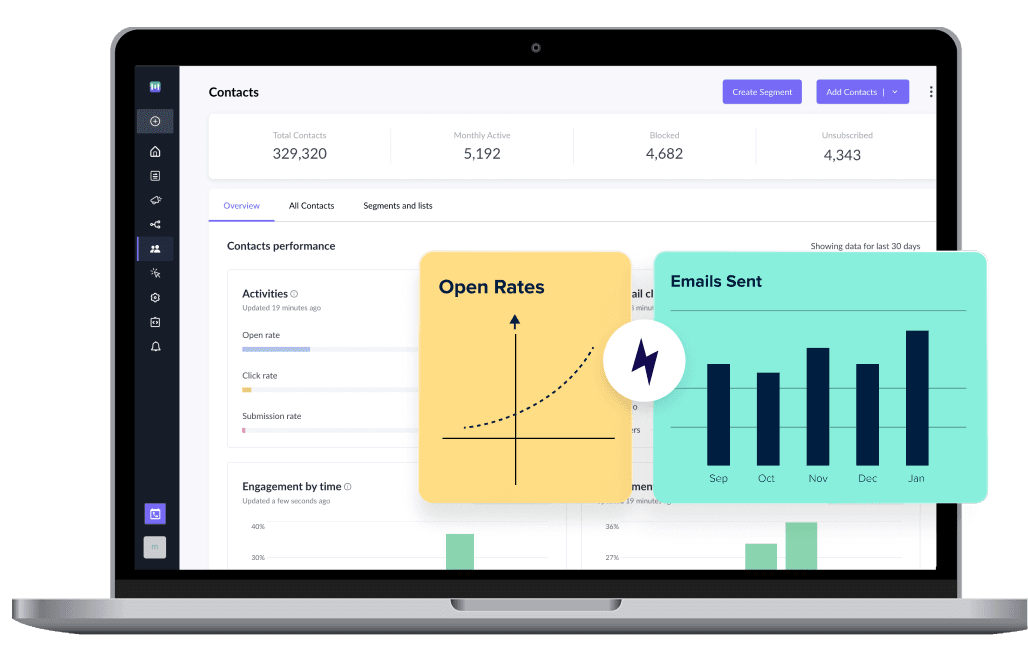
Analyze your campaigns and track opens, clicks, submissions, bounces and more in a single dashboard


High Deliverability
Get high deliverability with well managed and dedicated IPs and 1:1 guidance from our deliverability experts
Hear it from our customers
Starting with Mailmodo is easy and worth it
Easy to use
We’re ramping up our email volume with Mailmodo as the platform is intuitive and collaborative.


AMP email interactivity
Our campaigns saw a visible increase in numbers with Mailmodo’s interactive emails. The convenience of customer actions in the email is unparalleled.

Powerful integrations
With the Mailmodo-Zapier-Slack integration, each time a user fills up the AMP feedback form, responses are posted on our Slack channel. We got 6% CTR and 15% open rates.

Frequently Asked Questions
You can create an account for free to try Campaign Monitor and send an email campaign to five contacts. If you exceed the contact limit, you will have to buy the paid plan starting from $9/month, where you can send emails to 500 contacts. For a more affordable alternative, you can consider using Mailmodo.
Campaign Monitor is not HIPAA compliant. Although they’ve signed a Business Associate Agreement (BAA), Campaign Monitor won't allow you to utilize their service to send emails containing Protected Health Information (PHI). If you’re looking for a HIPAA compliant ESP, consider using Mailmodo.
Subscribers have frequently expressed frustration with Campaign Monitor for its high spam rates and occasionally blocked servers. Use Mailmodo if you want a higher deliverability rate. We assist clients with domain warming, stop spammers, and provide advice on increasing deliverability rates.
If you use Campaign Monitor, you will be set back by $89 per month for sending emails to 10,000 contacts. If this sounds pricy, consider using a more affordable alternative like Mailmodo and make the most of your budget.
Import contact info into Mailmodo to ensure the data on Campaign Monitor you want to maintain will still be available when the migration is finished. However, only import clean lists, and for testing reasons, send an email to an engaged list right away.
What product experts say about Mailmodo?








Trusted by brands worldwide
Get 3X email conversion
with Mailmodo

Create & send interactive emails without coding
Put revenue on auto-pilot with pre-built journeys
Save time with AI-powered email content creation
Experience world’s only interactive email marketing platform
Trusted by 10000+ brands