- Platform

- Resources
Learn Marketing

Guides

Email Templates

Email Flows

Ebooks & Reports

Marketing Videos

Newsletter
See More Resources ->
Free Tools
Email Marketing 101 FREE
Read Now ->






Moosend vs Mailmodo
Scale your business with better email marketing from Mailmodo
Tired of poor customer services, deliverability rate, lousy UI and limited templates? Introducing Mailmodo, the Moosend alternative with AI functionalities and interactive emails for higher ROI

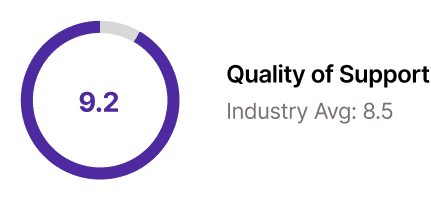
Quick and responsive customer support team
High deliverability rate with interactive email
Intuitive email designing platform and 200+ pre made templates
Is your email tool not worth the price?


Complex features?
Tool is overwhelming and complicated to learn quickly?

Basic reporting?
Missing in-depth analysis track your audience better?


High per email cost?
Email credits getting exhausted due to confusing rules?
You’re not the only one who’s looking for an alternative
MailerLite has lost their minds and Moosend has a lousy UI and is also nuts.
— Stuart - saasyDB.com, filling business pipelines (@WhoWorksThere) March 22, 2023
Anyone have a newsletter service they like that is affordable and integrates with signup forms easily?
Seriously poor designs is a big turn off for me
— Victor Ofem | I Review AI Tools and Email Software (@ofemwire1) March 13, 2023
I just faced a major setback.
— Ndoanie (@AncestorTKalder) February 17, 2023
The landing page I was designing got banned.
My client's account on the email marketing platform Moosend was deleted.
So I lost my copy alongside the landing page.
3 days of focused worked gone in a poof.
And I don't have a copy of the copy.
@moosend = the worst experience, ever! And I’m not the only one! 1/12 #moosend pic.twitter.com/9Z2XtRFZyO
— Isa (@isapererinha) October 18, 2022
Features so easy & useful that the tool feels under-priced
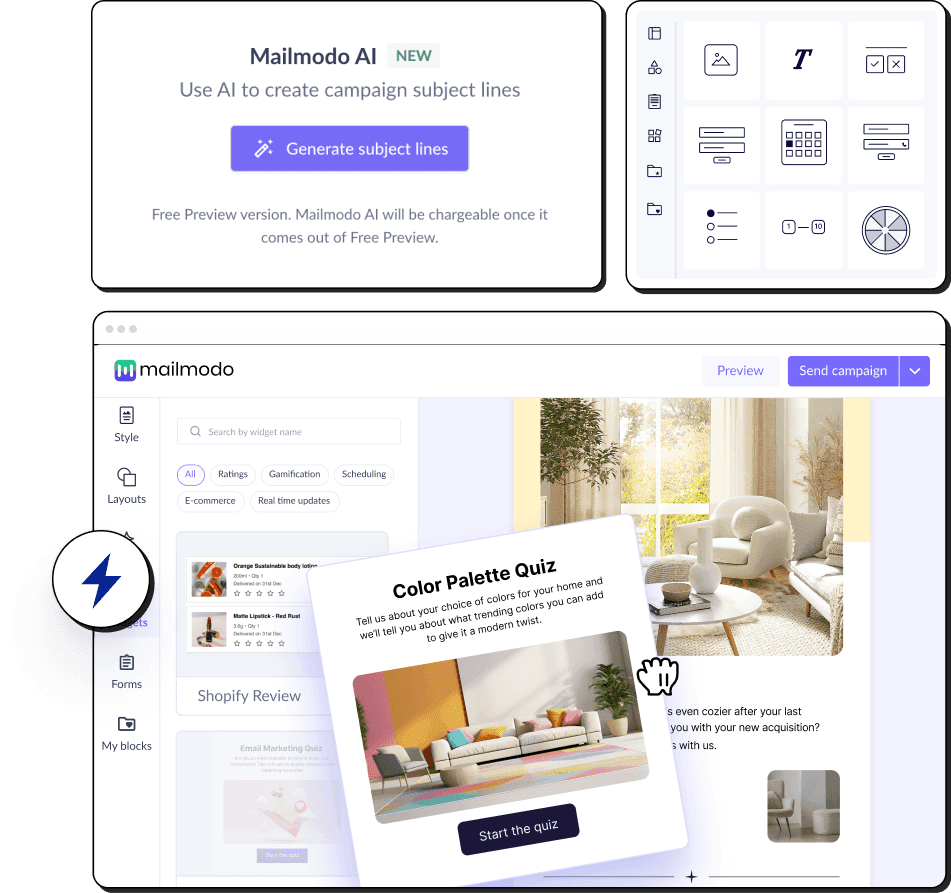
Mailmodo helps you ace email marketing with powerful AI features.
✅ Smart AI features
AI plans campaigns, writes emails, and builds journeys for you
✅ Affordable pricing
Scale your email marketing at a reasonable price without worrying about the increase in audience list
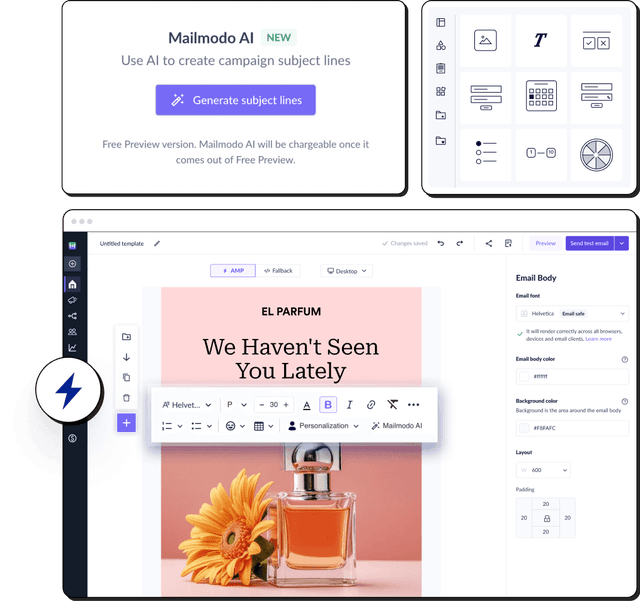
✅ Interactive customizable templates
No-code email template builder to create and customize templates for better engagement rate

Mailmodo is a better choice for growth-hungry companies
Here’s a summary and non-biased comparison between Moosend and Mailmodo.
 |  | |
|---|---|---|
Email editing and creation | Provides a WYSIWYG email creator for both HTML and AMP emails. Allows you to create email templates from scratch using AI. | Provides standard HTML editor. |
Automation | Provides a visual journey builder with a drag-and-drop interface and an AI to create complete email journeys from scratch. | Automations have numerous triggers to choose from with 4 diffrent conditional steps. |
Integration | 21 native integrations, 4000+ with Zapier, Make, etc. | 85 integrations |
Transactional emails | Included in all plans | Not available. |
Ease of Access | Easy account setup and intuitive tool interface. Chat-based interface for executing tasks using AI. | Simple newsletter creation and sending solution but have a lot of gliches and bugs. |
Customer Support | Email, chat, phone, video tutorials | Chat support, Knowledge base, Video tutorials. |
Interactive emails | Let's you create and send AMP-powered interactive emails with widgets such as games, forms, surveys, quizzes, etc. | Doesn't support AMP emails |
AI features | AI Email Assistant to plan campaigns, generate and repurpose email templates, create email segments, set up email automations and customer journeys, and analyse past campaigns. | Offers built-in AI tools for generating email copy. |
Affordable alternative to Moosend
With AI-powered email automation, advanced AI segmentation, and improved customer service, Mailmodo offers a better price-performance ratio than Moosend.
| Contacts | Mailmodo | Moosend |
|---|---|---|
| 25,000 | $149/mo | $315/mo |
| 50,000 | $249/mo | $416/mo |
| 100,000 | $499/mo | $936/mo |
Based on Moosend pricing on 12/22/25.
Here's a detailed non-biased feature wise breakdown of how Moosend compares with Mailmodo
| Feature | Mailmodo | moosend |
|---|---|---|
| Trial Period | Free forever plan available | 30 days trial, all features are included |
| Customer support | Includes video tutorials, knowledge base, ticketing system, live chat, email support, personalised kick-off call and a dedicated onboarding manager for paid plans | Chat support, Knowledge base and Video tutorials |
| Account activation | Email verification | Email verification |
| Onboarding form | Onboarding form requires:
| Onboarding form requires:
|
| Product education |
| Stepwise instructions are provided to send out first email |
| Feature | Mailmodo | moosend |
|---|---|---|
| In-product templates | 100+ and growing templates | 82 and growing templates |
| Has a template inspiration gallery | Yes, free inspiration gallery | Yes, free inspiration gallery |
| Inspirational Templates count | 300+ templates | 75+ newsletter templates |
| Feature | Mailmodo | moosend |
|---|---|---|
| AMP email creation | Supports AMP email creation with no code WYSIWYG editor. | No |
| Whitelisting support | Provides dedicated whitelisting support | No |
| Automatic HTML fallback | Yes | Yes |
| Customize HTML fallback | Yes | Yes |
| Sending AMP emails | Yes | No |
| Feature | Mailmodo | moosend |
|---|---|---|
| AI Email Automation Assistant | Provides an AI Email Assistant to plan campaigns, create templates, build segments, set automations, and analyze performance | Provides AI‑powered tools to help with email creation and automation assistance. |
| Template editor | Can create from scratch or select a pre-built template from the library. Can also use Mailmodo AI to generate email templates. | Can create from scratch or select template from library |
| Template building fuctionality | The selection-based template editor allows stacking new layouts | Elements can be dragged and dropped anywhere on to the canvas or moved up and down by one block at a time within the email |
| Email Dimensions | 3 Width options(600px, 700px, 800px) are provided(that resemble industry standards). Rich text emails can be sent with full width email | Width can range from 600 px to 900 px |
| Pre-made layouts | 7 variations of layouts to select from | 12 variations of layouts to select from |
| Pre-made blocks/modules |
| Limited, “items” like text, image, button, product block can be added; no published library of reusable modules |
| Ability to save & reuse blocks | Can save any layout block | No |
| Design Options | Common options like pading, email body and email bg color options are provided | Common options like email bg color options are provided. Background can be a image and also has advanced editing options for the image within the editor |
| Supported Email Fonts | Total 46 fonts
| Have a mixed collection of total 20 fonts (email safe, websafe and web fonts) |
| If non-standard font is used | Prompts are provided for Web Safe fonts while editing. In case, non-email safe font is use, then Mailmodo replaces it with a fallback font for clients where the fonts are not supported | No Prompt |
| Template preview | HTML and AMP are displayed together with toggle between desktop and mobile screens | HTML display with toggle between desktop, tablet and mobile screens |
| Template testing | HTML and AMP versions are different, supports unlimited testing | Yes |
| Adding custom HTML code | Yes | Yes |
| Rich text editor | Yes | Yes |
| Feature | Mailmodo | moosend |
|---|---|---|
| Interactive AMP widgets | 25 AMP elements | AMP Emails not supported |
| Carousel/Image Carousel | Yes | No |
| Accordion | Yes, on request | No |
| Basic Event invitation | Yes,with forms | Yes, through eventbrite integration |
| Add to calendar | Yes | No |
| Calendly | No | No |
| Zoom Webinar | Yes | No |
| Shopify Card Abandoment | Yes | Yes, through integration with thrivecart |
| Shopify Product Recommendation | Yes | Yes, through integration with thrivecart |
| Poll | Yes | No |
| Live Price Ticker | Yes | No |
| Star Rating | Yes | No |
| NPS Rating | Yes | No |
| Thumbs up or down | Yes | No |
| Emoji Rating | Yes | No |
| Chip selection | Yes | No |
| Spin the Wheel | Yes | No |
| Quiz | Yes | No |
| Gokwik | Yes | No |
| Form | Yes | No, but has subscription forms |
| Feature | Mailmodo | moosend |
|---|---|---|
| Form Submission capture | Automatic collection and storage of form submission data. Export options available | Moosend doesn't have interactive email forms but has subscription forms |
| Conditional forms | Yes | No |
| Step wise forms | Yes | No |
| Hidden field | No | No |
| Form fields | 15 field options | No |
| Dropdown | Yes | No |
| Radio | Yes | No |
| Checkbox | Yes | No |
| Emoji | Yes | No |
| Thumbs up or down | Structured for case specific | No |
| Text | Yes | Yes |
| Multiline | Yes | No |
| Image Link | Structured for case specific | No |
| Date picker | Yes | No |
| Time picker | Yes | No |
| Phone number | Yes | No |
| Single chip | Yes | No |
| Multichip | Yes | No |
| Star Rating | Yes | No |
| Nps Rating | Yes | No |
| Feature | Mailmodo | moosend |
|---|---|---|
| Smart AI segmentation | Yes | Yes |
| Dynamic segments | Yes | Yes |
| Static segments | Yes | No |
| Segment on basis of campaign activity | Yes | Yes |
| Pre-built segments | Yes | Yes |
| Contact-level campaign data | Yes | Yes |
| Add contacts via | Manually, CSV, API, Apps, CRM, etc. | Manually, import from CSV, Excel, Copy-Paste |
| Feature | Mailmodo | moosend |
|---|---|---|
| Triggered/Transactional emails | Yes | Yes |
| Automation Campaigns | Yes | Yes |
| Bulk Campaigns | Yes | Yes |
| Feature | Mailmodo | moosend |
|---|---|---|
| Opens | Yes | Yes |
| Clicks | Yes | Yes |
| CTOR | Yes | No |
| Submissions | Yes | Yes |
| Bounces | Yes | Yes |
| Blocked | Yes | No |
| Unsubscribe | Yes | Yes |
| Spam complaints | Yes | Yes |
| Forwards | Yes | No |
| Device usage | Yes | Yes |
| Email clients | Yes | Yes |
| Link click tracking | Yes | Yes |
| Click heatmap | Yes | Yes |
| Custom analytics dashboard | No, upcoming | No |
| Graphical representation | No | No |
| Feature | Mailmodo | moosend |
|---|---|---|
| End-to-end AI automation | Yes, Mailmodo’s AI Agents streamline the full email workflow from strategy to journey building for efficient, optimized execution. | Partial: full workflows are available, but building and logic definition remain manual |
| Journey Advancement | Offers advanced journey features, AI-enhanced journey features with powerful triggers, conditions, actions, and full webhook support. | Full automation workflows using visual workflow builder |
| Drag & drop journey builder | Yes | Yes, automation builder supports drag-and-drop |
| Trigger options | 12 trigger options and 5 Categories of start point
| 6 trigger options
|
| Rules/Conditions | 9 Rules
| 4 rules
|
| Actions | 8 Actions Send campaign, Webhook, Add contact to a list, Remove contact from a list, Update contact property, Update Subscription journey, exit journey | 11 Actions Send Email Campaign, Send message to Slack,ping me, subscribe to list,subscribe from list, set custom field value, add tags to member,remove tags from member, increase/decrease custom field value,trigger another automation, post webhook |
| Limitations | Only one trigger point, also post webhook you cannot proceed further with journey. There is only API entry point and no webhook trigger |
|
| Web/App/External event triggers | Yes | Yes, with moosend's tracking script |
| CRM triggers | Yes | Yes |
| Pre-made email flows | Yes | Yes, Total 18 inspirations Abandoned Cart, Anniversary, Change in custom field, Happy Birthday Mail, Loyalty Sequence, New Customer thank you mail, Onboarding Email Sequence, Re-engagement email based on weather, Repeat purchases reminder, Special offer reminder, Special area of interest, Specific custom field value is changed, Survey buyers, Upsell/Cross-sell, Weather based upsell/cross-sell, Website Re-engagement, Welcome Email Sequence |
| Email flows Inspiration | Yes, have a dedicated industry wise research to send engaging drips. | Yes |
| Feature | Mailmodo | moosend |
|---|---|---|
| Dynamic data | Yes | Yes |
| Spam testing | No | No |
| Integrations | 21 integrations More details. | 85 integrations More details. |
| Content optimization | Yes | No |
| AB testing subject line | Yes | Yes |
| Sending Schedule | Supports email sending by send now, schedule later and fragmented scheduling | Send now, Send later, Deliver based on timezones |
| Fragmented/Batch Scheduling | Yes | No |
| Send time optimization | Yes | Yes |
| Product theme | Light Theme | Light theme |
| REST API | Has basic email marketing properties, and Campaign and automation level details Refer this page to understand in detail. |
Mailmodo is your one-stop email marketing need
Mailmodo is a complete email marketing platform that can support any email marketing use-case


Visual Journey Builder
Build a user journey to send automated emails triggered by events, webhooks, integrations, CRMs, etc.

Easy Integrations
Integrate with popular CRMs and marketing tools like Hubspot, Zapier, Google Sheets, Zoom and more

Transactional emails
Send bulk transactional AMP emails using API and webhook triggers based on user behaviors

Contact List Management
Segment users based on attributes or past campaign activities like opens, clicks and form submissions

Complete Email Analytics
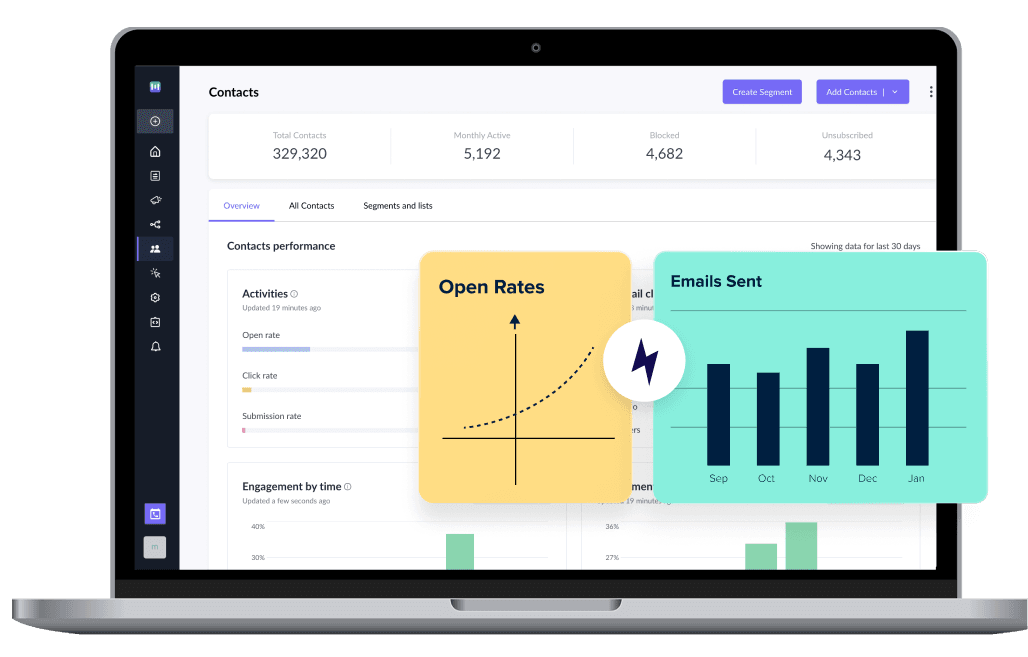
Analyze your campaigns and track opens, clicks, submissions, bounces and more in a single dashboard

High Deliverability
Get high deliverability with well managed and dedicated IPs and 1:1 guidance from our deliverability experts
Migration from Moosend to Mailmodo is easy and worth it
Easy to use
We’re ramping up our email volume with Mailmodo as the platform is intuitive and collaborative.


AMP email interactivity
Our campaigns saw a visible increase in numbers with Mailmodo’s interactive emails. The convenience of customer actions in the email is unparalleled.

Powerful integrations
With the Mailmodo-Zapier-Slack integration, each time a user fills up the AMP feedback form, responses are posted on our Slack channel. We got 6% CTR and 15% open rates.

FAQs
You can use Moosend for free to send unlimited emails to 1,000 contacts. However, if the contact limit feels restricting, consider using Moosend alternatives like Mailmodo that comes with an affordable pricing plan.
We recommend you to use Moosend if you manage invitations via email marketing. But we don’t recommend the tool for businesses that need advanced automation. Instead, Moosend alternatives like Mailmodo offer custom multistep automation at a more affordable price.
Moosend’s spam rate is high enough to cause low email deliverability. Their users’ emails often end up in spam. You can achieve better email deliverability with Mailmodo's dedicated servers, consultation, and help with your domain warm-up.
To ensure that the data you wish to keep from Moosend will still be accessible when the migration is finished, import contact data into Mailmodo. You should import only clean lists into Mailmodo and email an engaged list on your first send.
Is Moosend the right email marketing tool for you?
Moosend is recommended for you:
- If you want to create landing pages
- If you want build forms for website
- If you’re a beginner
Moosend isn’t recommended for you:
- If you want to create and send interactive emails
- If you want excellent support team backing your goals
- If you don’t have a huge budget
- If you are looking for better email marketing solution

What product experts say about Mailmodo?







Trusted by brands worldwide
Get 3X email conversion
with Mailmodo

Create & send interactive emails without coding
Put revenue on auto-pilot with pre-built journeys
Save time with AI-powered email content creation
Experience world’s only interactive email marketing platform
Trusted by 10000+ brands