5 customer support emails to automate
Each of the emails listed below solves a specific customer support need. We’ll keep it simple: when it’s sent, and why it matters.
Ticket submission email
When it’s sent: Immediately after a support ticket is submitted
Why it’s sent: To reassure the user that their issue is being handled
Ticket resolution email
When it’s sent: When a support ticket is marked as resolved
Why it’s sent: To close the loop and share the resolution details
Customer feedback email
When it’s sent: Shortly after a ticket is resolved or after a chat or call ends
Why it’s sent: To measure customer satisfaction and improve service quality
Agent handoff
When it’s sent: When a case is escalated or assigned to a new agent
Why it’s sent: To update the user and maintain trust in the handover process
Response delay
When it’s sent: If a resolution is delayed due to high volume or issue complexity
Why it’s sent: To manage expectations and prevent frustration
How to automate these emails
You can automate all these email types using key Mailmodo features. Here’s what you need to do:
Step 1: Design your email template
Choose a pre-made template from Mailmodo’s library or start from scratch.
Add the copy and images in your email template.
Add interactive elements like carousels, forms, or polls to your email.
Include clear calls-to-action, such as "View ticket”, “Need more help?” etc.
Make any other tweaks you might want to.
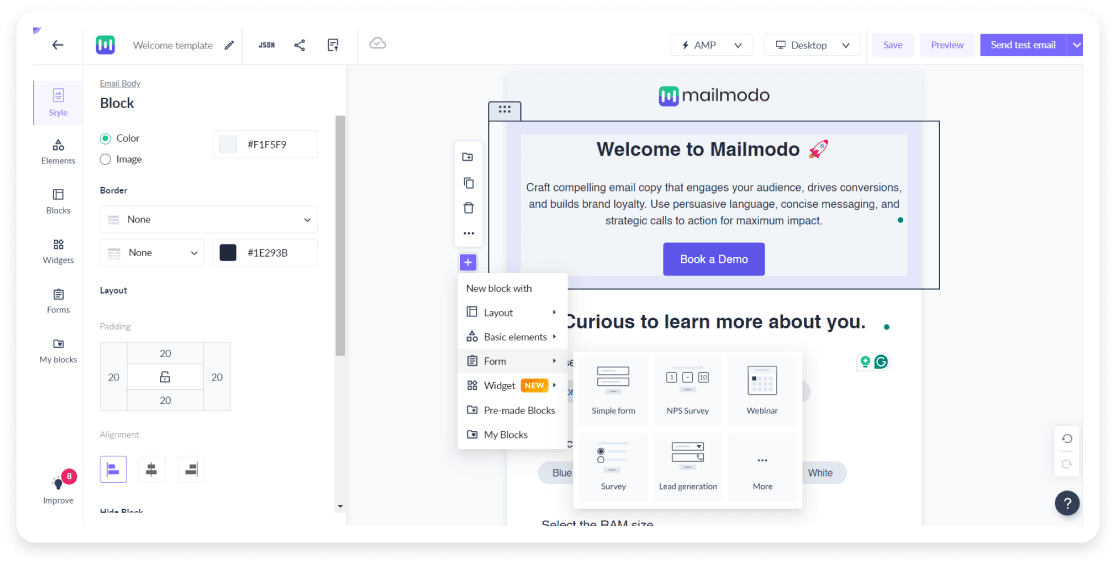
Step 2: Set up a trigger campaign
Head to Journey → create a new journey in Mailmodo.
You can also choose from mailmodo pre-built journeys or start from scratch.
Choose from the list of triggers. This will depend on your specific use case or the type of email you’re automating. For instance, if you’re automating a customer feedback email, you might want to trigger the email when an open support ticket is marked as closed.

- Add the campaign block in the journey builder and set it up with appropriate delays and hit Next.
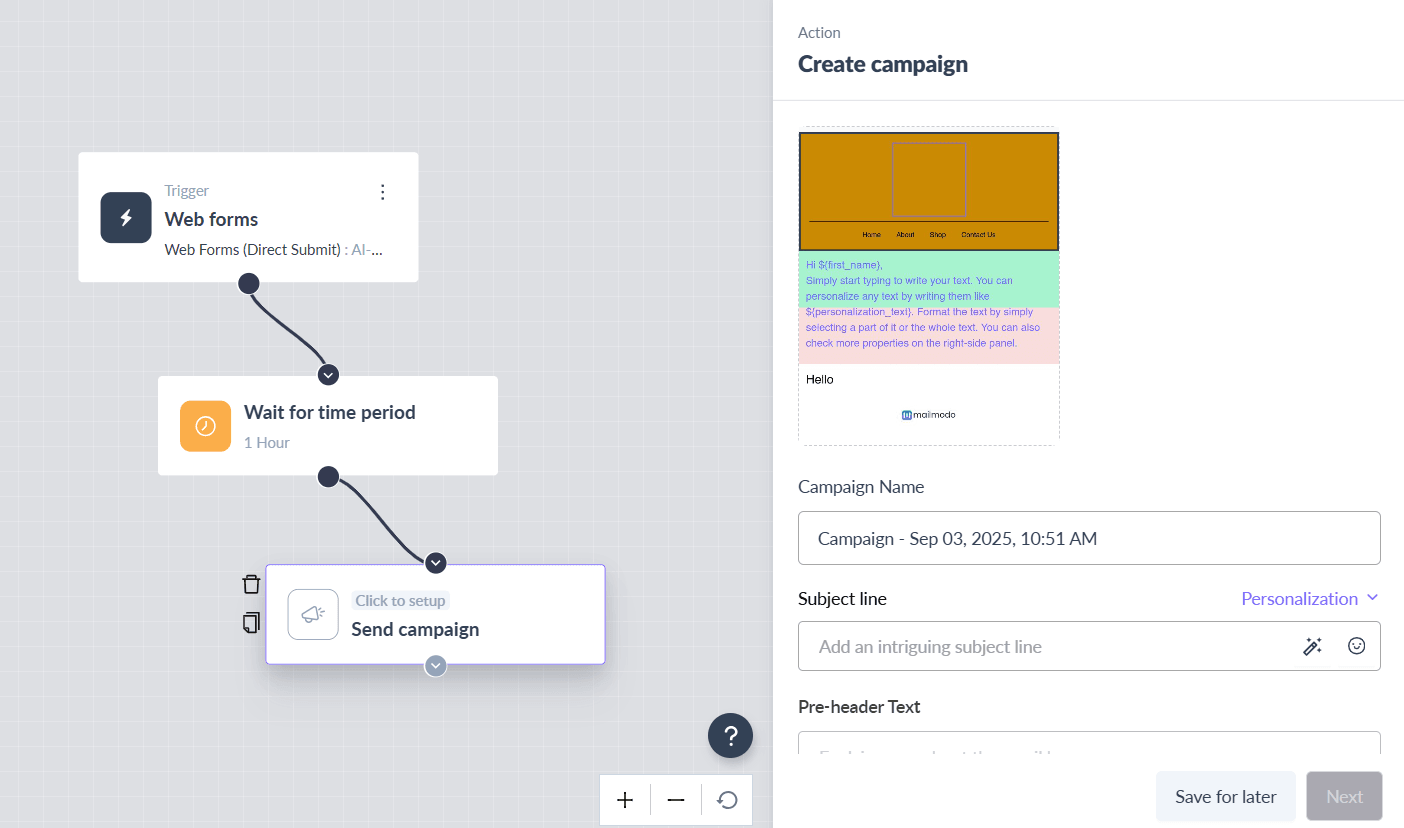
- Review the campaign details and publish the journey.
Final thoughts
The key to automating all customer support touchpoints is starting simple and building systematically. Begin by automating high-impact flows like ticket confirmations, then add feedback requests, renewal reminders, or inactivity follow-ups as your processes mature.
Mailmodo provides the foundation for successful support automation. The platform combines dynamic templates, trigger campaigns, and AMP forms in one system. It’s fast to launch, simple to manage, and your users will feel the difference.
Sign up for Mailmodo today and start automating your support emails effortlessly.











