Types of spam traps
There are three types of spam traps you should know about:
Pristine spam traps: These are created solely to catch spammers and are never published publicly or used for subscriptions.
Recycled spam traps: These are old, abandoned email addresses that have been inactive for years but are reactivated as traps.
Typo traps: These result from misspelled domains (like gmial.com instead of gmail.com) that some providers monitor for unauthorized email activity.
Even legitimate senders can hit a spam trap if they buy or rent an email list or have an email list that contains outdated or scraped addresses.
How to avoid spam traps
The main way of avoiding spam traps is to have an email list with only real subscribers and keep it updated by cleaning it on a regular basis. Let’s see how you can do that using Mailmodo.
1. Verify subscribers with double opt-in
Spam traps usually don’t sign up or click confirmation links. That’s why using double opt-in is one of the most reliable ways to keep them out of your list.
With Mailmodo, you can:
Create a sign-up form on your website or embed it in your app or connect with an existing one to collect subscription requests.
Set up a trigger email with a subscription confirmation CTA or in-mail form to be sent when the form is submitted.
Automatically add recipients to an email list that would contain all confirmed emails when the confirmation email form is submitted.
Once this is done, you’ll have a flow that will not only collect emails but also verify if they are genuinely interested in receiving your emails or not.
💡 Related guide: What Is Double Opt-In and Why You Should Use It
2. Segment based on engagement
Another smart way to reduce risk is to only email users who are actively engaging with your campaigns since inactive emails may become recycled spam traps later.
To create a segment of active users in Mailmodo:
Go to Contacts → Create a segment → Create with builder
Choose a pre-built segment ‘Active contacts’ and click next or click start from scratch and define your own condition.
Name the segment, choose ‘Contact belongs to’ as All contacts
Slect segmentation type and hit Create condition.

You can also use AI segmentation feature to ask Mailmodo AI to generate this segment for you. Simply describe your criteria, for example, “Create a segment of users who opened an email in the past 30 days,” and Mailmodo AI will build the segment automatically.

Continuing to email inactive or bounced users increases the risk of hitting spam traps. This is why Mailmodo automatically suppresses or blocks contacts who had previously bounced or unsubscribed.
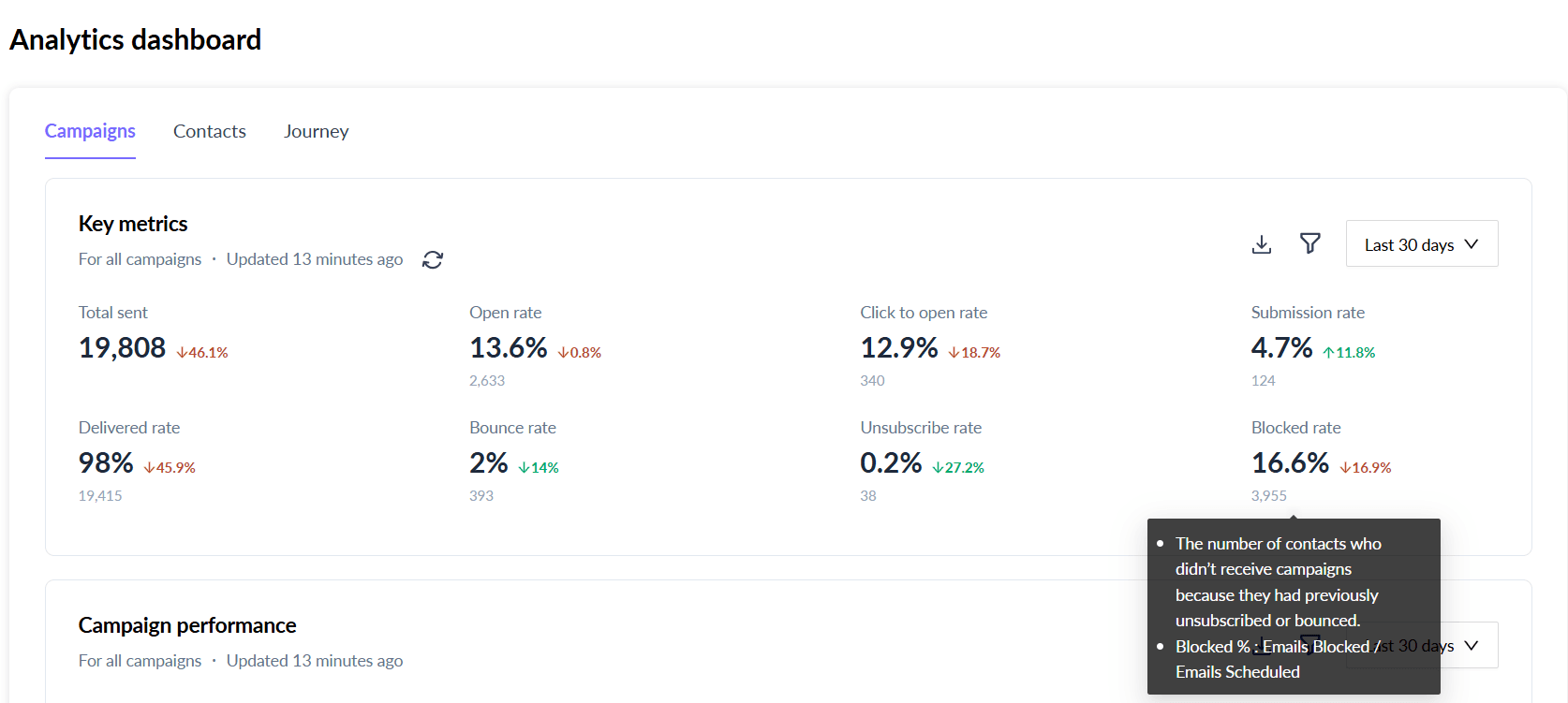
This keeps your email list clean, updated and free from any uninterested emails and those which may harm your email deliverability.
Conclusion
As email lists grow and campaigns multiply, the risks of spam traps become glaring. Without a proper system in place, these hidden threats can reduce deliverability and harm sender reputation.
Using Mailmodo, you can avoid spam traps, keep your lists clean, and focus campaigns on engaged subscribers. Sign up for Mailmodo today and start protecting your campaigns from spam traps.