







If you think personalization is only about what’s inside your email — you’re missing the bigger picture.
Personalization isn’t just about adding a first name or swapping out product images. It’s about creating experiences that adapt to each user’s actions and choices. This is what conditional email flows do. They provide a personalized experience.
We’ll explore more about them and learn how you can launch one in Milmodo.
What are conditional email flows?
A conditional email flow is a logic-driven experience where the content, questions, or follow-ups adapt based on user input or behavior.
Why they’re important for marketers
Conditional email flows have a few benefits over the traditional ones. They lead to:
- Higher engagement: Relevant content keeps users interacting.
- Better conversions: You’re not blasting everyone — just guiding users based on intent.
- Smarter automation: Reduce wasted sends and create natural email experiences.
How Mailmodo enables conditional email flows
Mailmodo’s visual journey builder lets you build conditional logic using a drag-and-drop interface — no external tools or scripting required. You can create journeys that adapt using:
- Opened condition: Check if someone opened the previous email
- Clicked condition: Branch based on whether a link was clicked (and which one)
- Form submission condition: Route based on form responses
- List segment membership: Check if they’re a part of a list
- User properties: Custom rules that make use of user properties
Now let’s check out how you can use these conditional logics and create a conditional email flow.
How to build conditional email flows using Mailmodo
Here’s how you can set up conditional flows step-by-step using Mailmodo’s visual journey builder:
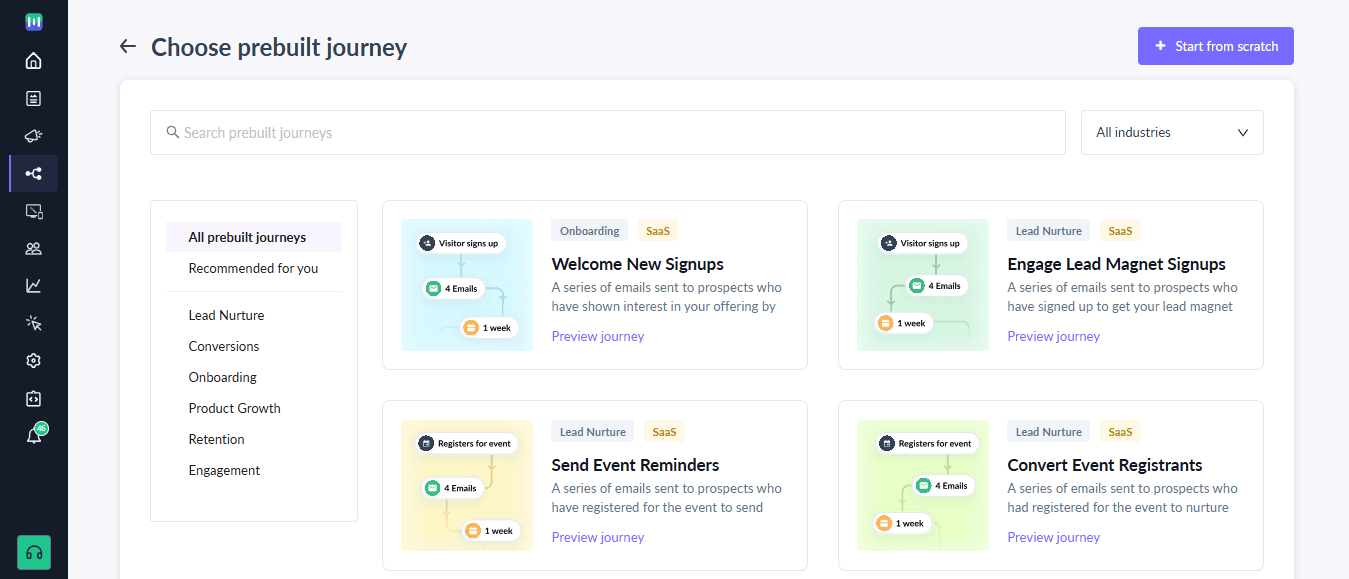
Step 1: Start a new journey
Go to Journeys in your Mailmodo dashboard click Create Journey and choose a starting trigger.
Step 2: Add the first email
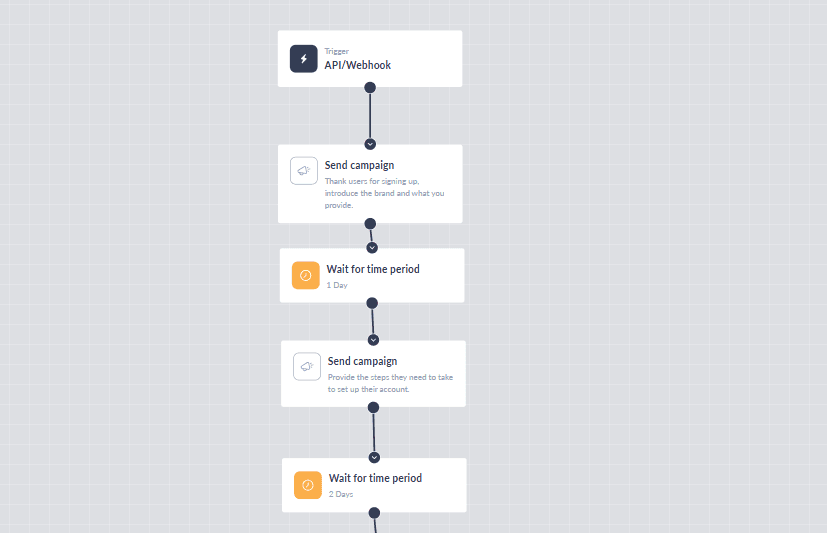
- Use a Send Campaign block to send your first email.
- Choose a saved template or create a new one with form logic, personalization, etc.
Step 3: Add condition blocks
This is where the magic happens — use condition blocks to create paths.
Opened condition
- Add the Opened Condition block.
- Choose which campaign to evaluate.
- Define what happens if:
- The user opened the email
- The user didn’t open within X days
Clicked condition
- Add the Clicked Condition block.
- Choose the campaign and the exact link to track.
- Define actions based on:
- Which link was clicked (multiple URLs supported)
- If no link was clicked at all
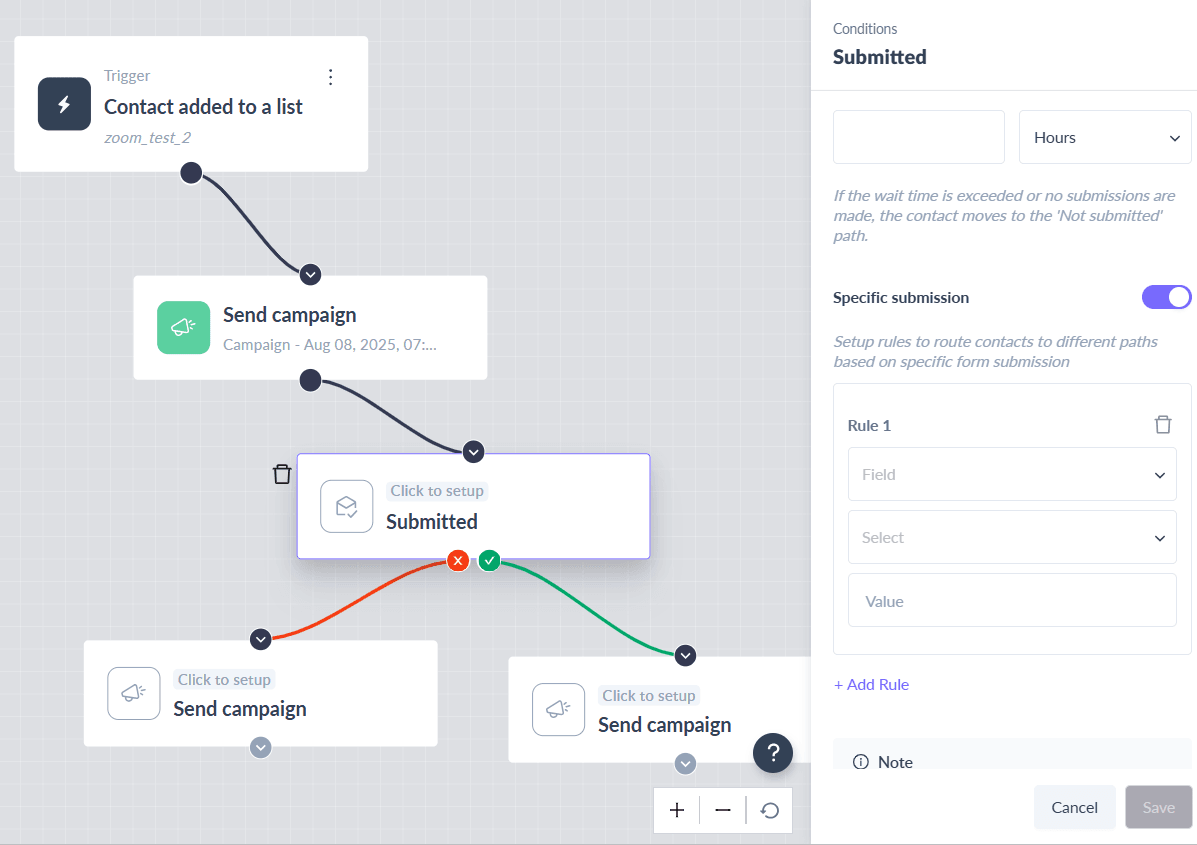
Form submission condition
- Add the Form Submission Condition block.
- Choose a campaign with a form and define rules based on responses.
- Example:
- If response = “Delhi” → Send local offers
- If response = “Mumbai” → Send a different sequence
Step 4: Add delays and follow-ups
- Use the Wait block to add gaps between emails (e.g., wait 1 day).
- Add another Send Campaign block for the next email.
- Each path can have a different message, offer, or CTA.
Step 5: Loop or exit paths
- Add Exit Journey blocks to end paths.
- Or loop users back into nurture if they haven’t converted.
Conclusion
Mailmodo empowers you to create fully conditional, behavior-based email flows using a visual builder that’s simple, powerful, and scalable. Whether you want to follow up based on opens, clicks, or form data, you can do it — all without leaving the platform or building complex automations.
Start building smarter, more personalized email journeys with Mailmodo today.



