How to Fix Inconsistent Font Rendering in Emails

Mashkoor Alam
ByMashkoor Alam

Updated:

2 mins read

Updated:

2 mins read

Summarize with AI

We believe that anyone can design emails that look professional and polished. But the success of these emails depends on 2 things: picking the right fonts and making sure they display correctly across email clients.

This guide will walk you through some of the common challenges when it comes to font rendering, why it happens, and share best practices to keep your fonts consistent and readable.
Why does font rendering vary by email client?

Several technical factors cause these inconsistencies, for example:

  • Different rendering engines: Each email client has its own way of interpreting HTML and CSS, which directly impacts how fonts are displayed.

  • Limited web font support: Many popular web fonts aren’t supported in clients like Gmail or Yahoo.

  • AMP email limitations: AMP emails don’t support any web fonts, which means even your HTML backup needs to be styled appropriately.

How to fix font rendering issues in Mailmodo

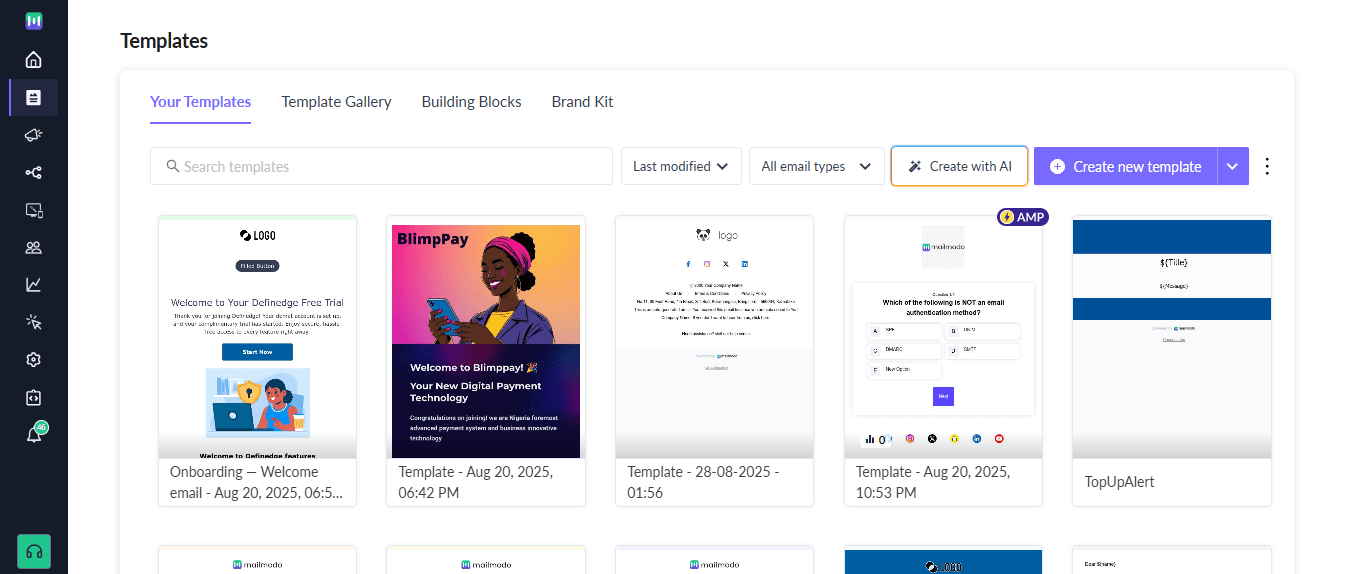
  1. Pick the template you want to fix font rendering issue of. You can also do this for emails you still ahven't sent out to make sure that font issues don't happen.

font 1.PNG

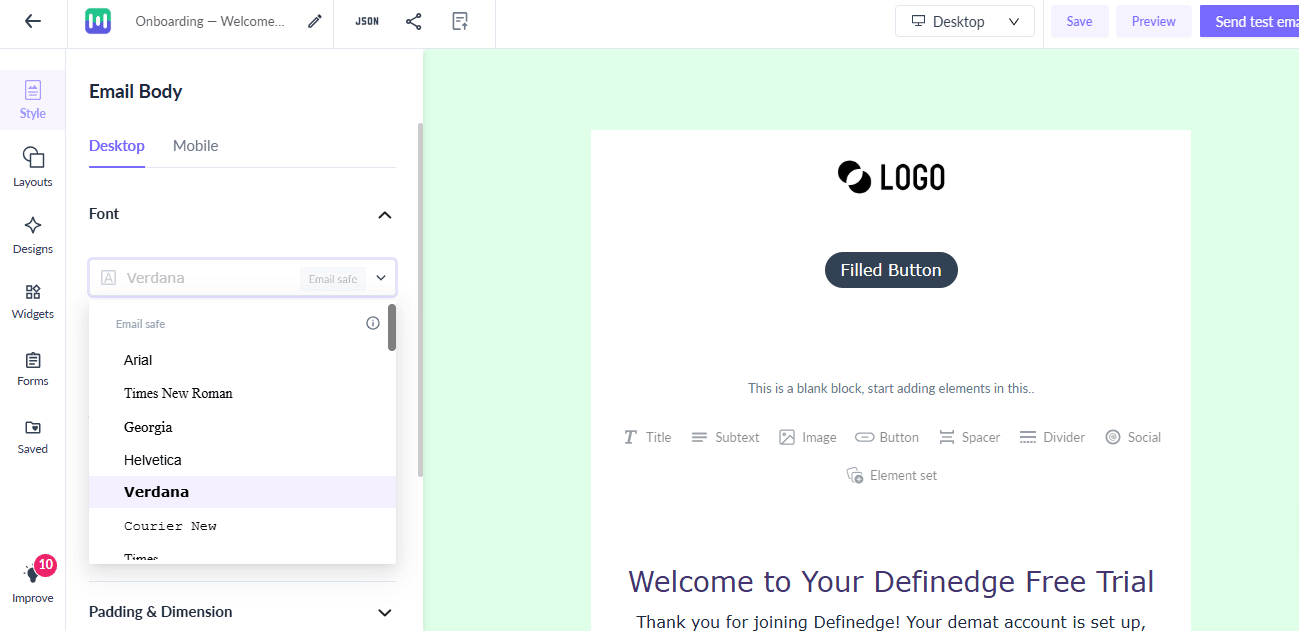
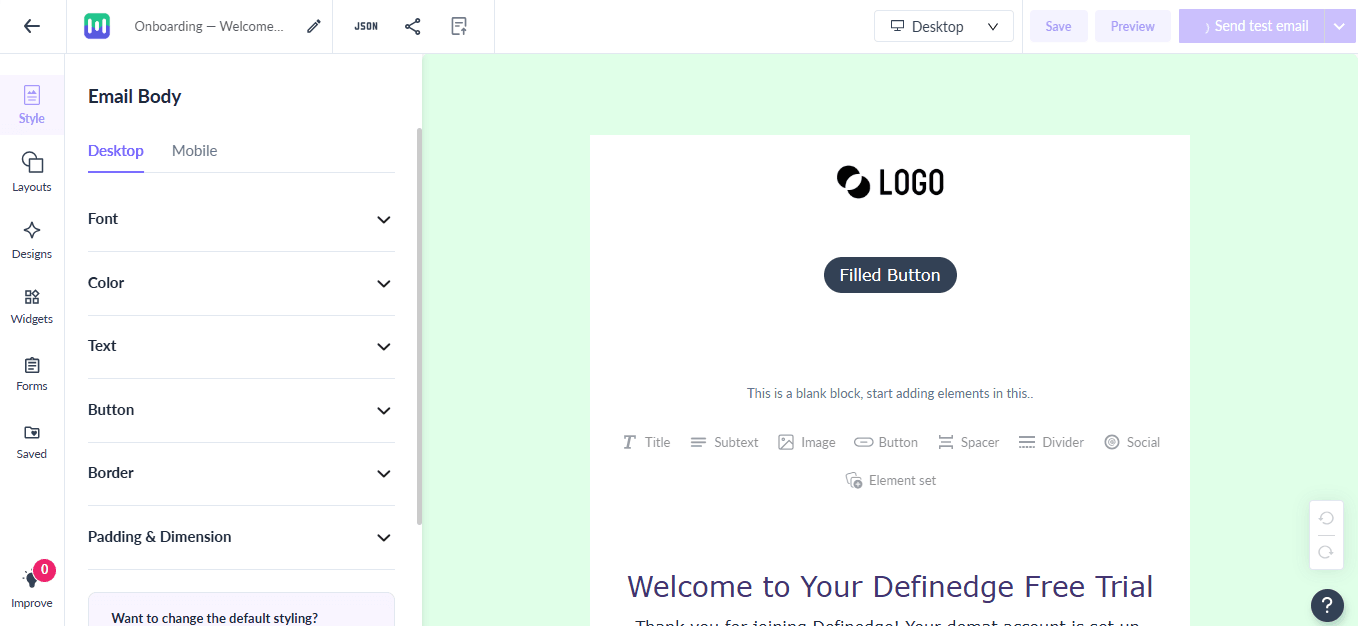
  1. In the Style tab, click on the Font field.

font 2.PNG

  1. You’ll see two types of fonts available. Choose the right font type for yourself:
  • Email-safe fonts: These fonts are widely supported across most email clients, ensuring your text displays consistently for all recipients. Examples include Arial, Times New Roman, and Verdana.

  • Web-safe fonts: These fonts are designed for web use and may not display the same way in all email clients.

font 3.PNG

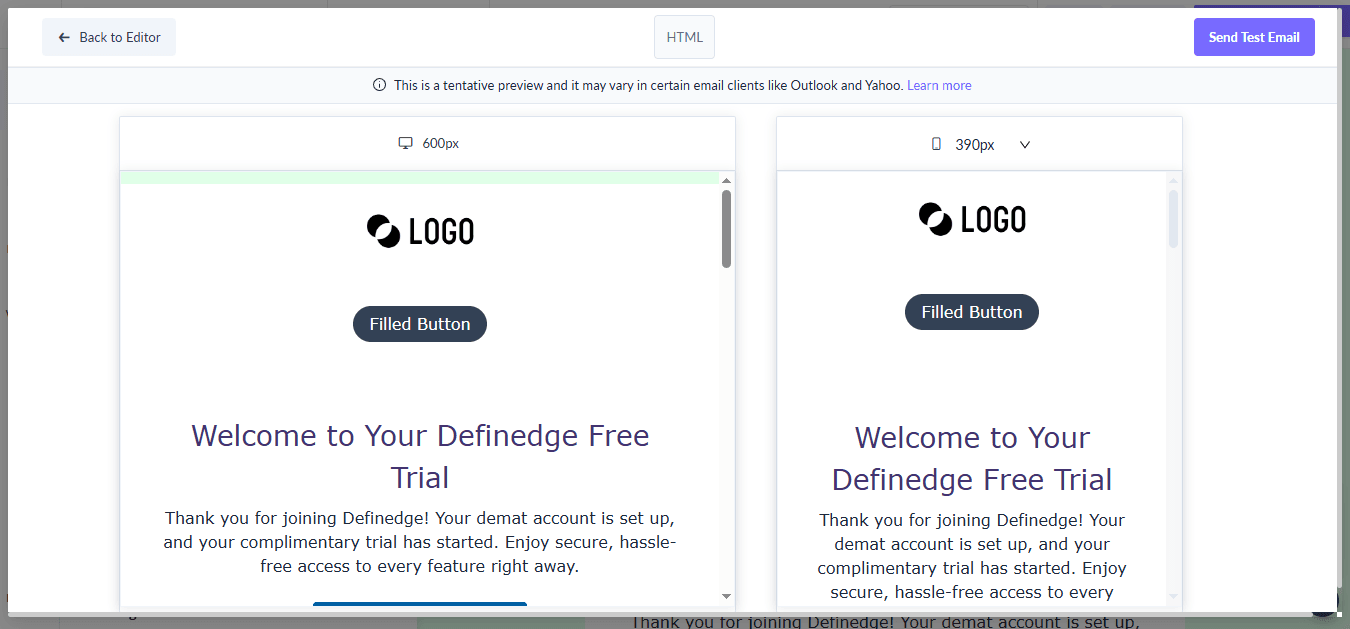
  1. Once your email is designed, go to Preview & Test to see how it looks across different devices and email clients.

font 4.PNG

  1. Adjust your font choices and sizes based on how they render in the preview to ensure readability and visual appeal.

Conclusion

Inconsistent font rendering is a serious branding risk that can dilute your message and reduce conversions. But fixing it doesn’t require custom code or guesswork. With Mailmodo, you get built-in access to tested font stacks, intelligent fallback chains, AMP-safe styling, and visual testing across devices

Take the guesswork out of your email typography. Design once. Deliver consistently. Let Mailmodo handle the rest.

What should you do next?

You made it till the end! Here's what you can do next to grow your business:

2_1_27027d2b7d
Get smarter with email resources

Free guides, ebooks, and other resources to master email marketing.

1_2_69505430ad
Do interactive email marketing with Mailmodo

Send forms, carts, calendars, games and more within your emails to boost ROI.

3_1_3e1f82b05a
Consult an email expert

30-min free email consultation with an expert to fix your email marketing.

Table of contents

chevron-down
Why does font rendering vary by email client?
How to fix font rendering issues in Mailmodo
Conclusion

Meet the only AI
email automation
platform

Mailmodo Logo