


How to Increase Completion Rate for Your Course

Mashkoor Alam
ByMashkoor Alam

Updated:

3 mins read

Updated:

3 mins read

Summarize with AI

Studies show that, although course registrations are increasing, up to 40-80% of online students drop out. That means a majority of your students are dropping off midway, costing you not only revenue but also valuable testimonials and referrals.

The good news? With the right communication strategy, you can guide learners to stay consistent and reach the finish line.

In this article, we’ll show you how to increase your course completion rate using Mailmodo’s triggered campaigns and personalized email journeys.
Why learners drop off before completing your course

Here are some common reasons why your learners might drop off mid-way:

  • Learners get busy or forget to log back in.

  • Without milestones, learners lose track of where they are.

  • Initial excitement fades without timely nudges.

  • Learners don’t feel heard or engaged if they can’t share progress or struggles.

How to increase completion rate for your course using Mailmodo

Mailmodo offers two powerful ways to engage your learners and keep them on track. Let's take a look at them one by one:

Guide learners through each module

  1. Before creating your campaign, make sure you have a clear idea of:
  • At which stages will each email be sent

  • What the email copy will say

  • Any images or visuals you want to include

Some email ideas to consider:

  • Welcome email with a roadmap of the course

  • Expectation email about the average weekly time commitment

  • Motivational messages to build excitement and accountability

  • Direct link to the first module so learners can start immediately

  1. Next, go to the Mailmodo dashboard and select Template → Create Template. You can either use a prebuilt template or start from scratch and finish creating your emails for each stage.

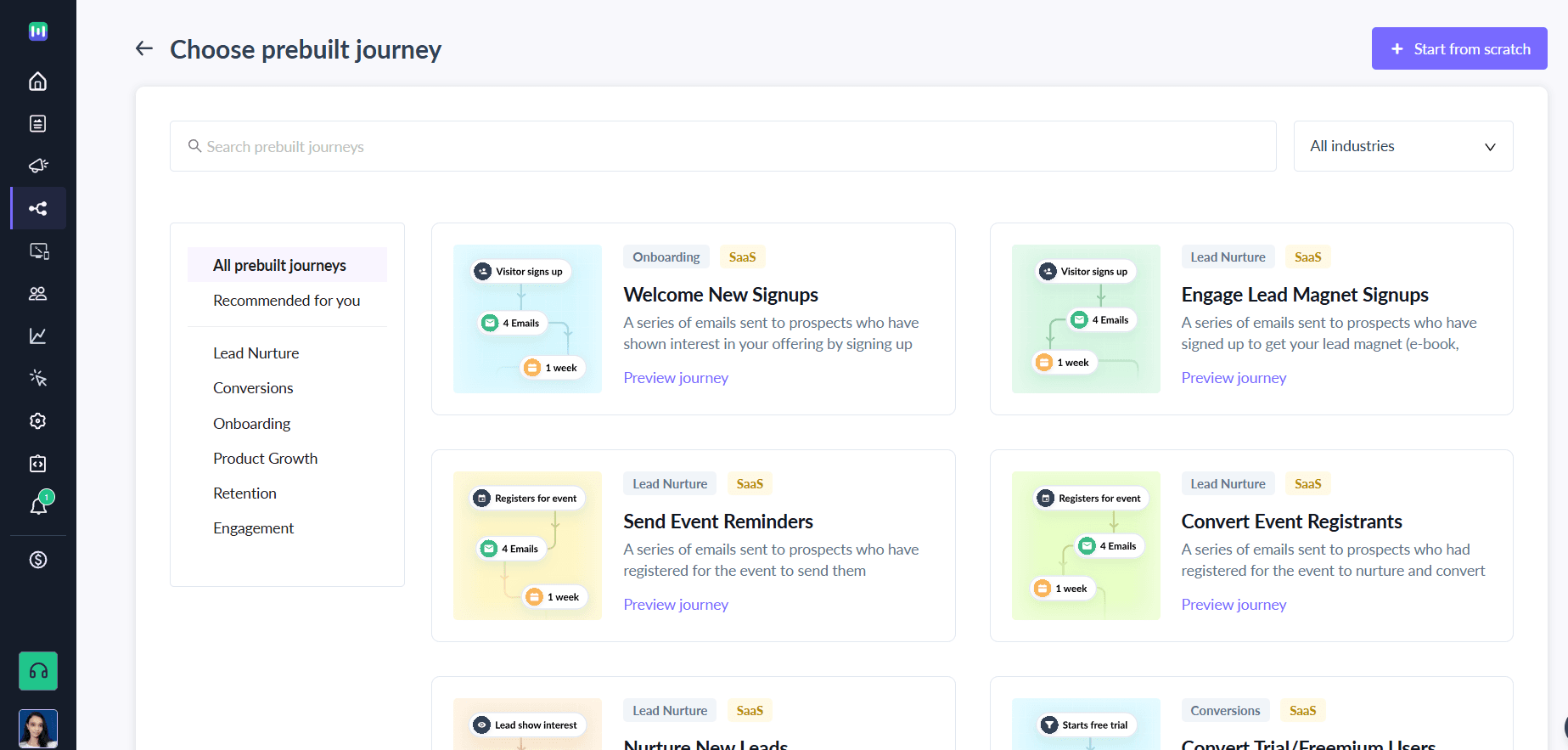
  2. Then, click on Journeys from the Mailmodo dashboard → Create Campaign → Create New Campaign or pick a prebuilt journey. prebuilt journey.png

  3. Once you’re in, set up your campaign trigger via API or webhook. For example, trigger it when a user starts the course.

  4. Next, in the Journey Builder:

  • Connect your campaign blocks to the trigger and add the email templates to it

  • Add delays between emails so learners aren’t overwhelmed by your nudges

  1. Then, review and send a test campaign to make sure everything works.

  2. Launch your campaign.

A trigger campaign for abandoned learners

If a learner hasn’t logged in to your course for 7 days, you can automatically nudge them to come back using a triggered campaign in Mailmodo. Here’s how to set it up:

  1. Decide what your abandoned learner emails will say. Include a friendly reminder, a motivational note, and a direct link to resume the course.

  2. Go to the Mailmodo dashboard → Template → Create Template. Use a prebuilt template or start from scratch. Keep it short, clear, and actionable.

Stunning email templates via no-code.png 3. Go to Journeys → Create Campaign → Create New Campaign.


  1. Choose your trigger via API or webhook, for example: “User has not logged in for 7 days.”

  2. Connect your email templates to the trigger using campaign blocks.

  3. Add delays between emails if you plan multiple nudges.

  4. Send a test to ensure emails trigger correctly.

Final thoughts

Small touches like clear roadmaps, expectation-setting emails, and motivational nudges can make a big difference in keeping students on track and reducing drop-offs.

With Mailmodo, you can set up triggered campaigns and personalized email journeys that automatically guide learners through your course, providing the right message at the right time. Take control of your course engagement today with Mailmodo and start turning more registrations into completions today. Sign up for Mailmodo today.

What should you do next?

You made it till the end! Here's what you can do next to grow your business:

2_1_27027d2b7d
Get smarter with email resources

Free guides, ebooks, and other resources to master email marketing.

1_2_69505430ad
Do interactive email marketing with Mailmodo

Send forms, carts, calendars, games and more within your emails to boost ROI.

3_1_3e1f82b05a
Consult an email expert

30-min free email consultation with an expert to fix your email marketing.

Table of contents

chevron-down
Why learners drop off before completing your course
How to increase completion rate for your course using Mailmodo
Final thoughts

Meet the only AI
email automation
platform

Mailmodo Logo
