What is an email journey?
An email journey is an automated series of emails triggered by user actions or attributes, guiding them toward a specific goal like completing onboarding, making a second purchase, or returning to your app.
Some common email journeys across different customer buying stages include:
Welcome series: To introduce new subscribers to your brand and nurture them for long time use.
Onboarding flow: To educate users to drive product activation
Re-engagement flows: Wake up dormant users
Email journey example
Here's a simple example of a simple onboarding journey
Trigger: User signs up for your product
- Send a Welcome Email — introduce the brand and core features.
- After 2 days, send a Getting Started Guide with step-by-step setup instructions.
- After 5 days, send a Product Tips Email to deepen engagement.
- If the user hasn’t completed onboarding in 7 days, send a Reminder Email with support links.
You can check out more email journey examples on Mailmodo's collection of reusable email flows templates for different industries and use cases.
Core components of an email journey
Every high-performing journey is built from a few essential components. These include:
Trigger nodes: The starting point for your journey, like a user signing up, making a purchase, or filling out a form.
Action nodes: Automatic steps that are initiated, such as sending an email or updating a contact’s information.
Delay nodes: To add deliberate pauses between emails, like “wait 2 days before sending the next message,” to space out communications effectively.
Conditional nodes: To set up logic-based paths based on user behavior (e.g., clicked a link) or attributes (e.g., free vs. paid users).
How to plan an email journey
Before building a journey, you need a clear plan. Here are the basic steps to creating a plan for an email journey:
Step 1. Define the goal
Start by deciding what the journey should achieve. Is it about onboarding new users, driving an upsell, improving retention, or reactivating inactive customers?
Step 2. Segment the audience
Break down the audience into meaningful groups. This could be based on behavior (clicked, purchased, ignored), lifecycle stage (new lead vs. loyal customer), or attributes (free vs. paid). Segmentation ensures the right people get the right message.
Step 3. Map the flow
Sketch out the path users will take. What happens after they sign up? What if they don’t open an email? What if they purchase? Laying out these branches helps the journey feel structured and logical.
Step 4. Plan the content
Decide how many emails to send and what each one should say an aim to achieve. For example, the first email might introduce the product, the next could share tips, and another might highlight an offer.
Step 5. Set timing and delays
Choose when each email should go out. Use thoughtful spacing—like sending the next message after 2 days or a week—so communication feels natural, not overwhelming.
How to plan your email journey in minutes
Planning a journey from scratch can take hours, but with Mailmodo’s AI Campaign Planner, it only takes a few minutes.
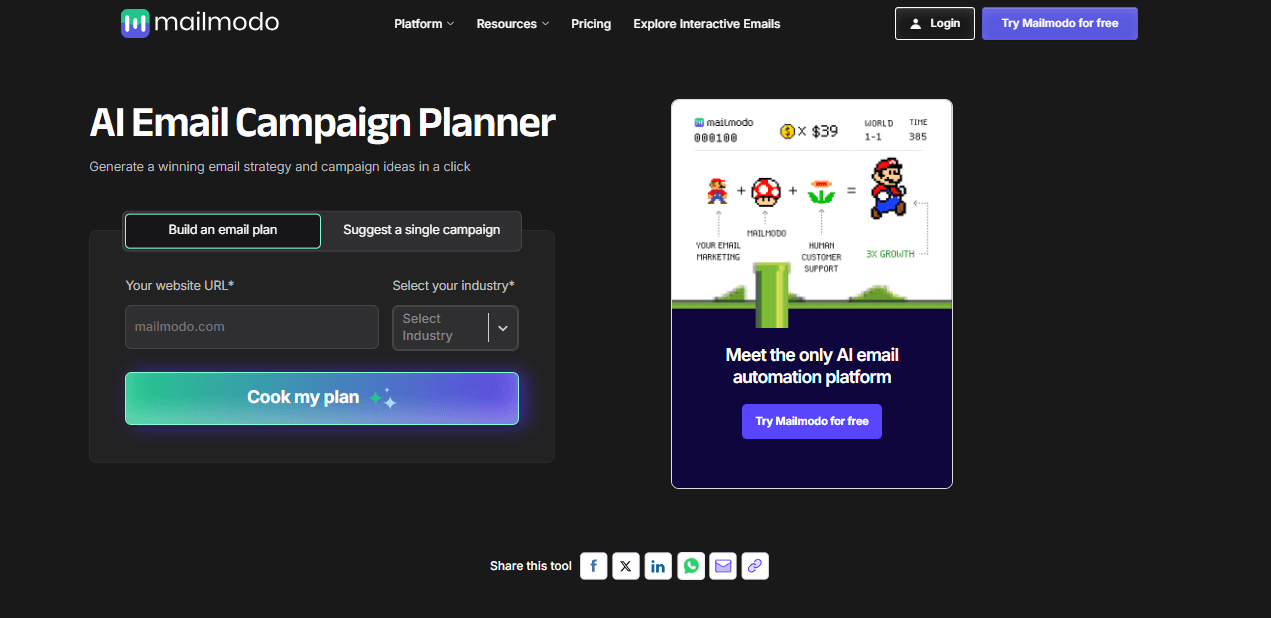
Here’s how to get started:
Go to AI Campaign Planner and click Build an email plan.
Enter your website and your industry,
Click Cook a plan and let the AI do the work.
In seconds, Mailmodo will generate a set of email sequences. You’ll get a clear campaign flow, example templates to use right away, and practical tips to guide your strategy.
You can also do this using Mailmodo co-pilot that's baked into Mailmodo dashboard. All you have to do is write a prompt stating your email journey plan requirement for your specific use case and you get an entire plan as output complete with trigger and exit suggestions. You can check out Mailmodo co-pilot for free today.
How to bring your email journey to life
Once your strategy is mapped out, the next step is turning it into a working journey.
Mailmodo makes this process simple. There are multiple ways you can go about it.
You can click on the ‘Build this campaign in Mailmodo’ button in the AI campaign planner and make your edits in the visual journey builder.
You can check out the generated plan from Mailmodo co-pilot and ask it to build the journey for you. You can then review and make your edits in the journey builder.
Ai journey builder header
- You can start with the visual journey builder directly. Here’s how you do that:
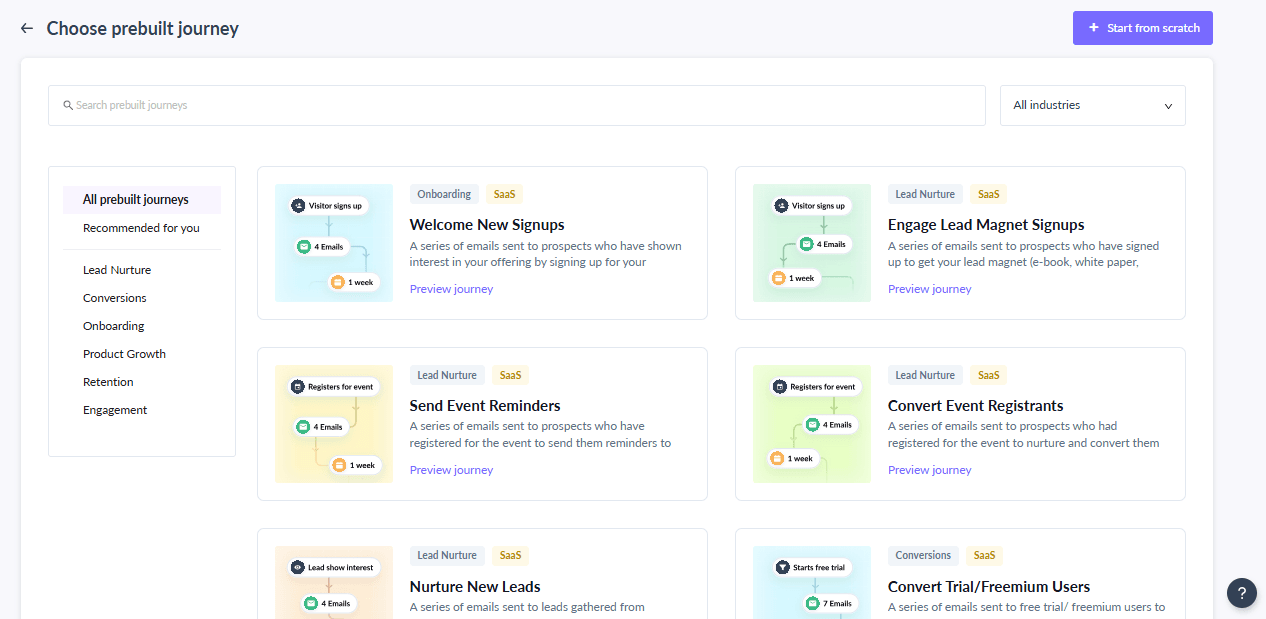
Step 1. From your Mailmodo dashboard, go to Journeys and click Create New Journey.
Step 2. Choose whether to start from scratch or use a pre-built template, like onboarding, upsell, or event reminders.
Step 3. Pick the trigger that will start the journey—for example, a signup, a form submission, or a Shopify event such as “order placed” or “cart abandoned.”
Step 4. In the Journey Builder, drag and drop a send campaign node and set it up by adding your email details (template, subject line, sender info, etc.).
Step 5. Add any delay node to control timing if needed, like “wait 2 days before sending the next email.”
Step 6. Add a condition node to create branches if needed. For example, if a user opens Email 1, send Email 2A; if not, send a reminder Email 2B instead.
Step 7. Add more campaign nodes as needed for follow-ups, thank-yous, or upsells.
Step 8. Use the Test function to simulate user behavior and preview the entire flow. Double-check that emails look right and conditions route properly.
Step 9. Click Publish to activate your journey.
Final thoughts
Designing and executing effective email journeys isn’t as complicated as it might seem. With the right tools, a clear plan, and well-segmented audiences, you’re already halfway to success.
With Mailmodo, you can plan automated journeys quickly, personalize every message, and track performance—all from a single platform. Sign up for Mailmodo today and start creating smarter, high-performing email journeys in minutes.











