Why do recipients ignore your emails?
Before jumping into tactics, it’s worth understanding why emails go unopened in the first place:
Timing mismatch: You may be sending emails when your audience isn’t active.
Uninspired subject lines or preview text: If the first thing they see isn’t compelling, they won’t click.
Inbox overload: Your message might get buried under dozens of others.
Despite these challenges, retargeting non-openers can improve your overall engagement and help you get more out of every campaign but it needs to be done right.
How to retarget unopened emails using Mailmodo
You have two options in Mailmodo to retarget non-openers, each designed to fit different workflows. Let’s go through them one by one:
Method 1: Manual retargeting with segments
This works best when you want to re-engage non-openers from a very specific campaign. Just make sure to wait at least 7 days between sends to avoid over-emailing.
In your Mailmodo dashboard, go to Contacts → Create Segment → Create with builder.
Start from scratch or pick a prebuilt template.
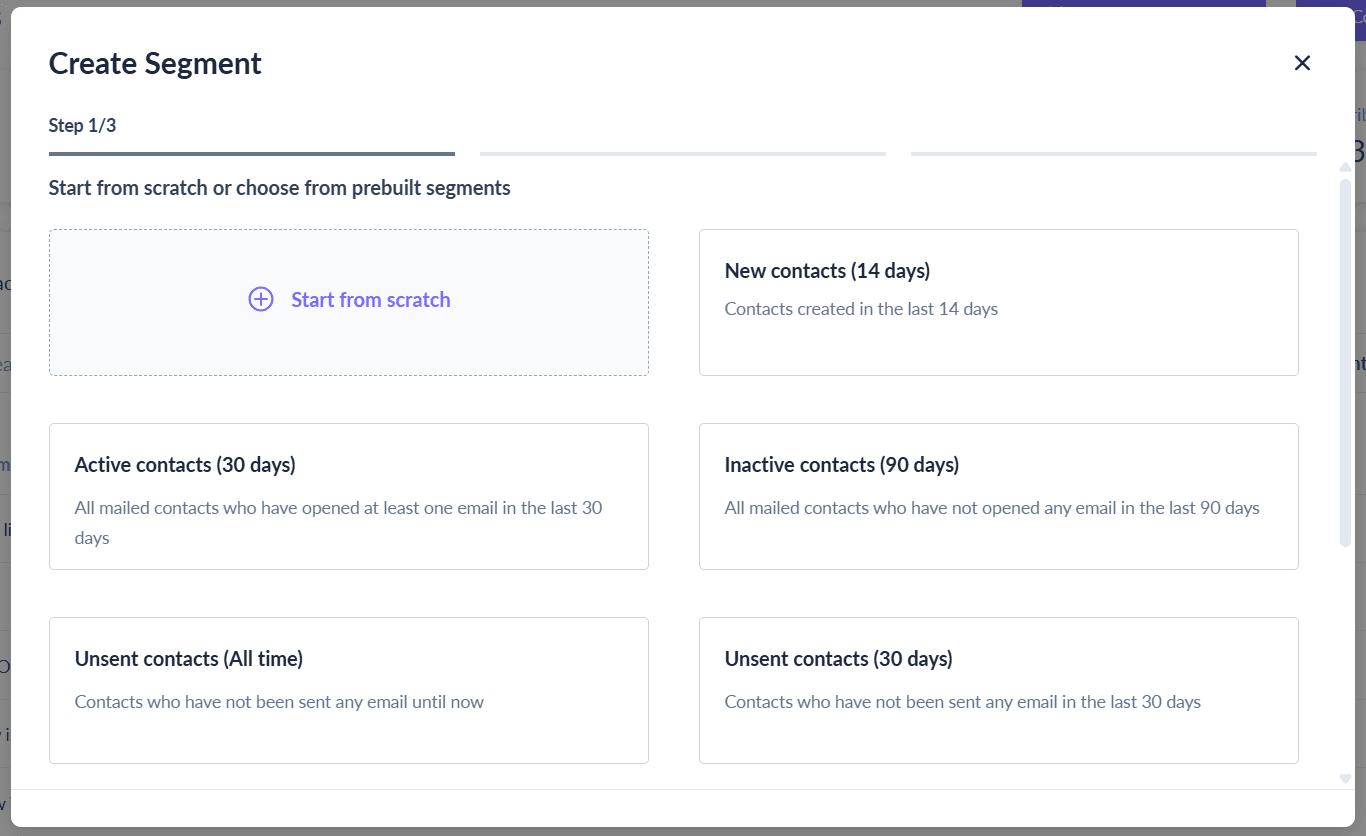
- Then name your segment, select your contact list, and choose your segmentation type. Mailmodo offers two types of segmentation: dynamic and static.
Use dynamic segmentation so the list updates automatically as contacts meet your conditions.

Next add segmentation conditions like campaign activity → user has not opened.
Once your segment is ready, you can individually send a follow-up email to the group.
Method 2: Automated retargeting with journeys
If you want to retarget non-openers automatically, Mailmodo’s Journey Builder makes it simple.
From your Mailmodo dashboard, go to Journeys → Create New Journey.
Set up your trigger and add your original campaign email as the first step.
Insert a conditional block: “If the user has not opened Email A within 2 days.”
Add a follow-up email that only goes to those who didn’t open the first one.
Final thoughts
Unopened emails represent missed opportunities, keeping your campaigns from reaching their full potential and limiting engagement with your audience.
With Mailmodo, you can manually segment non-openers or set up automated Journeys to retarget them effectively, improving opens and clicks without overwhelming your list. Sign up with Mailmodo to retarget unopened emails, boost campaign performance, and make every send count.