What is a monthly email marketing analysis report?
A monthly email marketing analysis report is a structured summary of how your campaigns performed over the last 30 days. It usually includes data points like:
Number of emails sent
Open and click-through rates
Conversions or submissions
Bounce and unsubscribe rates
Contact engagement trends
This report helps you identify what’s working, where you’re losing users, and how to improve campaign strategy next month.
What your final monthly report should include
Here’s what a complete monthly email report should contain:
| Section |
Content |
| Overview |
Total emails sent, open rate, click rate |
| Campaign breakdown |
Metrics per campaign with click maps, submissions |
| Issues |
Bounces, Unsubscribes, Spam complaints |
| Learnings |
What worked well, what didn’t, and insights from A/B tests or user behavior |
How Mailmodo simplifies monthly email marketing reporting
Instead of juggling multiple tools and exporting data manually, Mailmodo allows you to generate and export a full monthly email marketing report using its built-in analytics. Depending on the level of detail you need, Mailmodo offers different ways to structure your report. Let’s explore each type.
This provides a top-level view of how all your campaigns performed over the past 6 months.
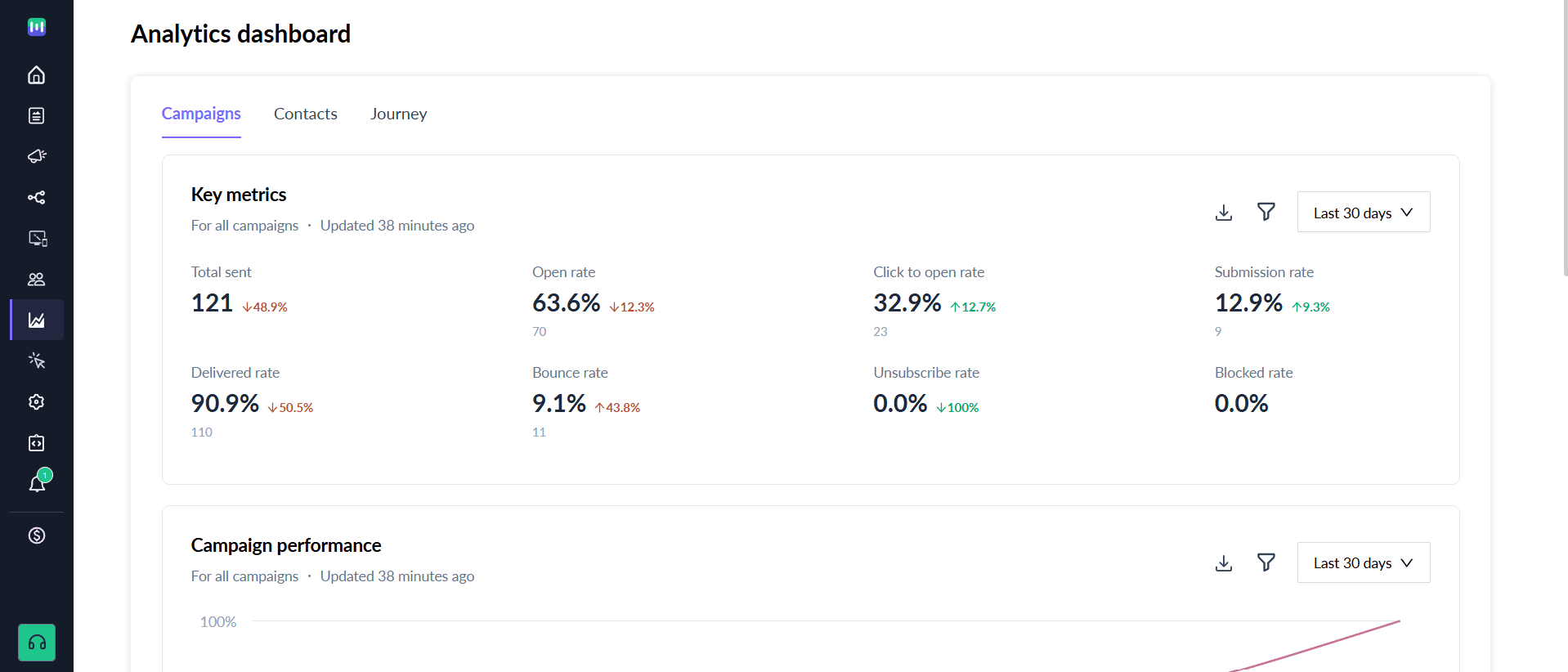
From the Mailmodo dashboard, go to Analytics
Apply filters such as sender domain email type, campaign type, and campaign name.
Review the key metrics, including:
- To export this report, click the Download button on the top right. This will generate a CSV containing all the data.
Next, you can zoom in on specific campaigns to understand what drove results and what didn’t.
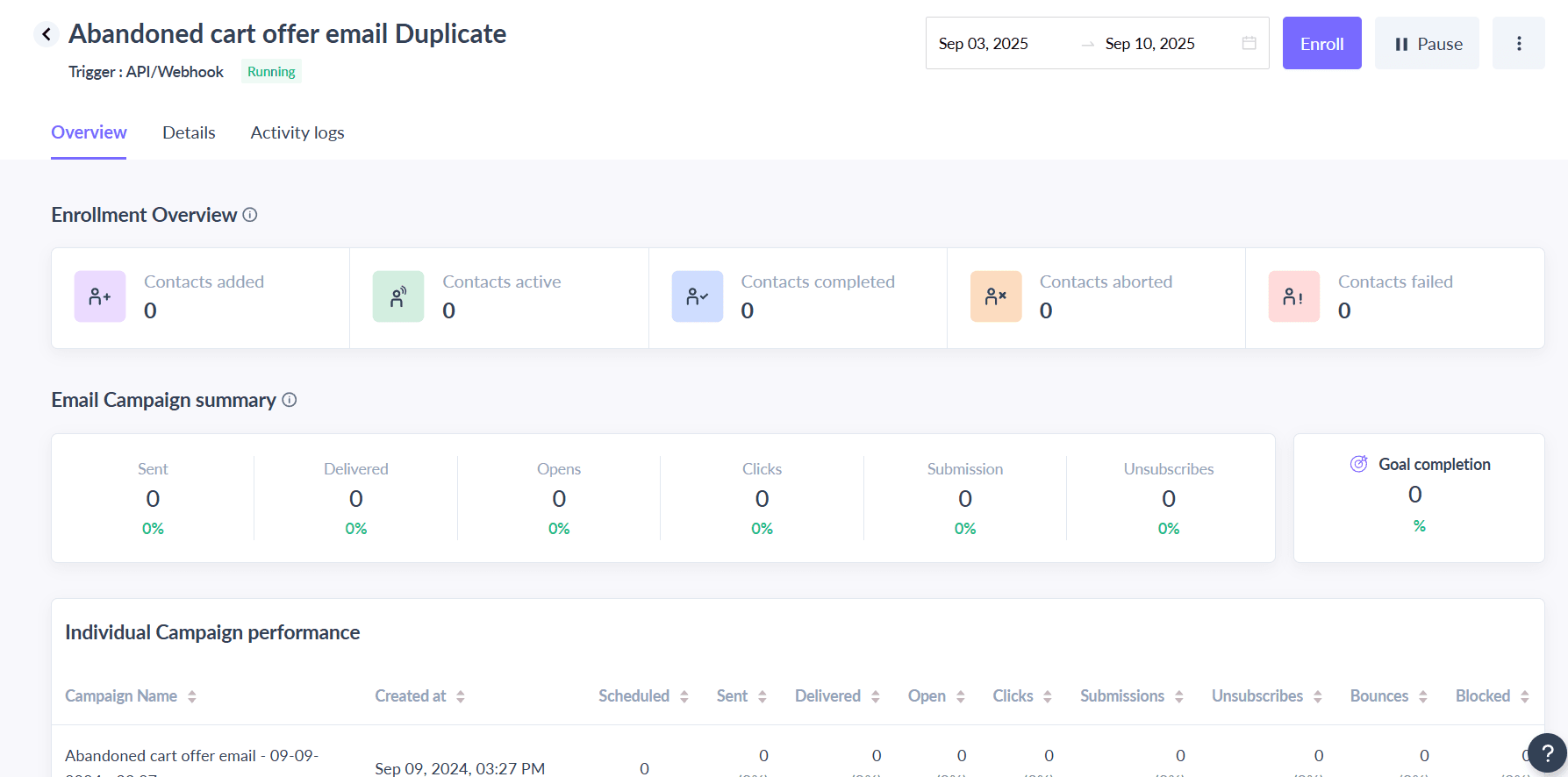
From the Mailmodo dashboard, go to Analytics, then Journey and select your individual campaign.
Explore the different tabs for detailed insights:
Enrollment Overview: A summary of all enrollments in the journey. Note that a single contact may be enrolled multiple times.
Email Campaign Summary: Analyse Performance metrics for each email such as Emails sent, Delivered, Opened, Clicked or Unsubscribed.
- To export data for each specific metric, click the option button on the right to download enrollment overview, email campaign summary, individual campaign performance, campaign clicks data, trigger logs, contact logs, or store performance data.
Type 3: Drill down on individual emails
For a deeper analysis, you can review the performance of individual emails within a campaign.
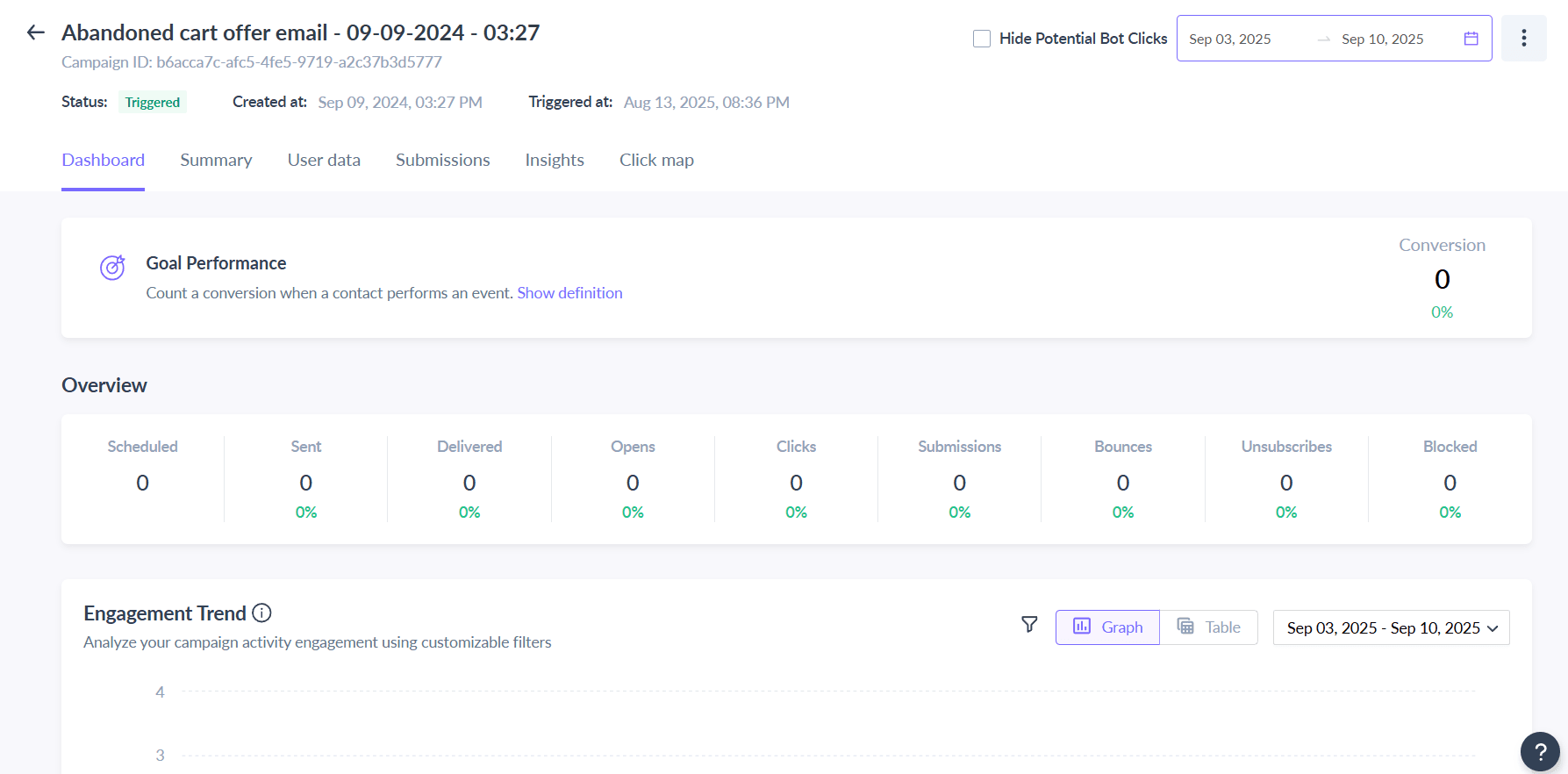
From the Mailmodo dashboard, go to Analytics and select the campaign you want to analyze.
Explore the tabs for detailed insights:
Dashboard: A quick overview showing how many times the email were sent, opened, clicked, submitted and link performance.
Summary: Campaign details including campaign name, subject line, pre-header text, reply-to address, from email, and team name.
User Data: Submission information and engagement insights.
Submission: Data on form, poll, or quiz submissions collected through your email.
Click Maps: Visualize which links or CTAs were most clicked.
- To export data for your campaign, click the or Option button on the right to download campaign data, click data, open data, submission data, or bounce data.
Final thoughts
Strong reporting tools are essential for any company that wants to run effective email marketing campaigns. Luckily, with platforms like Mailmodo, marketers can generate complete monthly email marketing reports with just a few clicks.
You can easily create a template, build a campaign, track campaign performance and optimize accordingly without relying on external tools or manual data stitching. Sign up for Mailmodo today.











