How to Identify Inactive Recipients in Your Email List

Aquibur Rahman
ByAquibur Rahman

Updated:

2 mins read

Updated:

2 mins read

Summarize with AI

Every marketer wants a big email list. But as you chase a higher subscriber count, it’s easy to miss that some of your subscribers might not be engaging.

A list filled with inactive users can quietly drag down your most important metrics, such as open rates, click-through rates, and overall deliverability.

In this guide, we will walk you through the steps you need to know to identify inactive subscribers using Mailmodo so you can maintain a healthy list and see stronger results.

How to identify inactive recipients in your email list

Mailmodo offers two simple ways to find inactive subscribers in your list:

Method 1: Manual segmentation with rules

  1. In the Mailmodo dashboard, click Contacts → Create Segments → Create with builder.

  2. You can click on one of the pre-built segments, such as Inactive contacts (90 days), Low open (30 days), or Inactive contacts (180 days).

Screenshot 2025-09-07 211120.png

  1. Name your segment and select the contact list and your segmentation type. Mailmodo offers two processing options: dynamic and static.

    Dynamic segmentation is recommended as the list gets updated over time when conditions are met by any of your contacts.

Screenshot 2025-09-07 211010.png

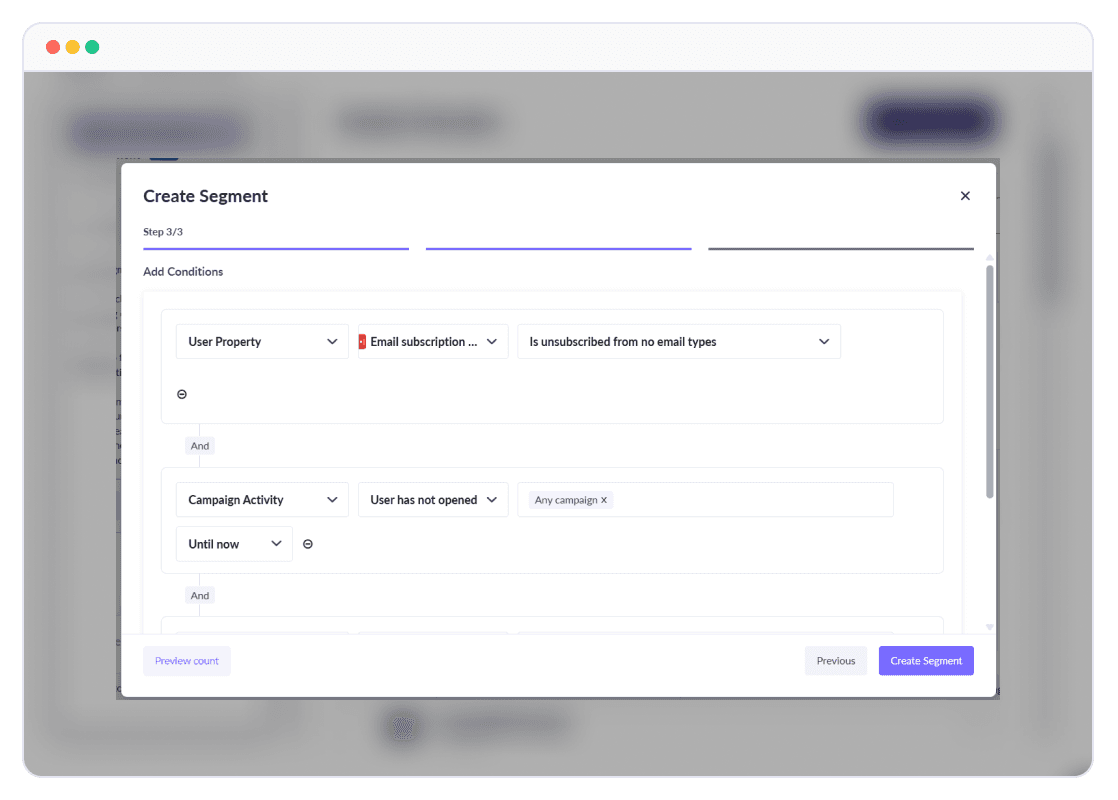
  1. Define the rules for your segment. You can set conditions, add properties, and then add values. You can also use operators such as AND or OR to set multiple conditions for a single segment.

AI segmentation (2).png

  1. Click Create Segment.

Method 2: Use AI-powered segmentation feature

  1. From the Mailmodo dashboard, select Contacts → Create Segments → Create using Mailmodo AI.
  2. Enter your prompt. Try to be as descriptive as possible to correctly segment your subscribers.

Analyze predict, and segment behaviorial data at scale.png

  1. Preview the segment or edit the segment using the builder.

Screenshot 2025-09-07 212228.png

  1. Click on Create Segment.

Rounding up

Inactive recipients weigh down your list performance, making it harder to reach and engage the people who truly want to hear from you.

With Mailmodo, you can use manual rules or AI segmentation to identify disengaged contacts and take the right action, whether that means re-engagement or list cleanup.

Ready to improve your list health? Sign up with Mailmodo to segment inactive recipients, run effective winback campaigns, and keep your email program performing at its best.

What should you do next?

You made it till the end! Here's what you can do next to grow your business:

2_1_27027d2b7d
Get smarter with email resources

Free guides, ebooks, and other resources to master email marketing.

1_2_69505430ad
Do interactive email marketing with Mailmodo

Send forms, carts, calendars, games and more within your emails to boost ROI.

3_1_3e1f82b05a
Consult an email expert

30-min free email consultation with an expert to fix your email marketing.

Table of contents

chevron-down
How to identify inactive recipients in your email list
Rounding up

Meet the only AI
email automation
platform

Mailmodo Logo