The core idea we landed on was rather than searching manually, we wanted conversations to come to us already sorted, summarized, and routed to wherever the team actually works.
That meant the workflow needed to do four things on its own: catch relevant posts as they're published, understand what each post is actually about, decide how urgent or useful it is, and get it in front of the right person without anyone having to go looking for it.
We built the entire thing inside Gumloop, a no-code automation platform, which let us chain together a Reddit scraper, an AI summarizer, and an AI categorizer without writing custom code or maintaining infrastructure.
The output flows into two places - in Google Sheets for anyone doing research, content planning, or topic mining, and Slack for anyone who needs to jump into a live conversation fast.
How the workflow was built, step by step
Step 1. Reddit Scraper
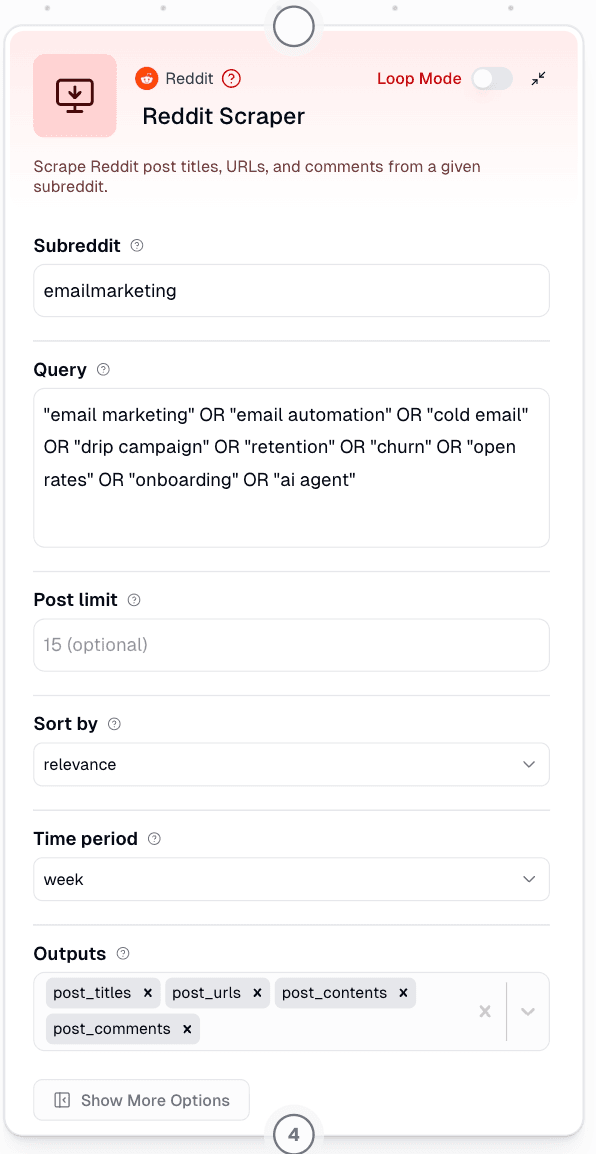
The first part of the workflow is a Reddit scraper that continuously tracks posts across all subreddits using a defined list of keywords like email marketing, email automation, cold email, onboarding, retention, churn, drip campaigns, open rates, and AI agents.
The logic isif you only search a handful of marketing-focused subreddits, you miss most of the actual conversation. People talk about these exact problems in general SaaS, startup, and productivity communities just as often. Casting a wide net and filtering later gives you far more usable signal than narrowing the search too early.
Step 2. AI Summarizer
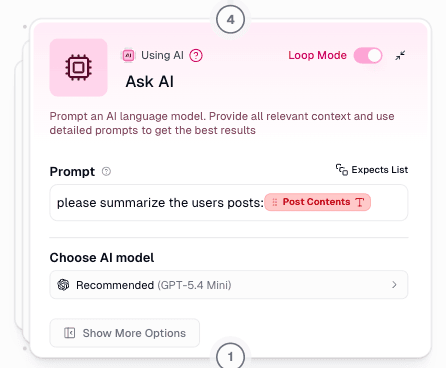
Once the posts across defined sub-reddits get selected, every post passes through an AI summarizer that reads the full post and its comments, not just the title, and produces a clean, condensed summary.
This helps, as the title alone doesn’t define strong intent. For example, something titled "quick question about tools" could be a throwaway comment or a detailed complaint packed with buying intent. By summarizing the entire post using AI before classification, the next step has much more context to work with, which makes the categorization noticeably more accurate.
Step 3. Categorizer
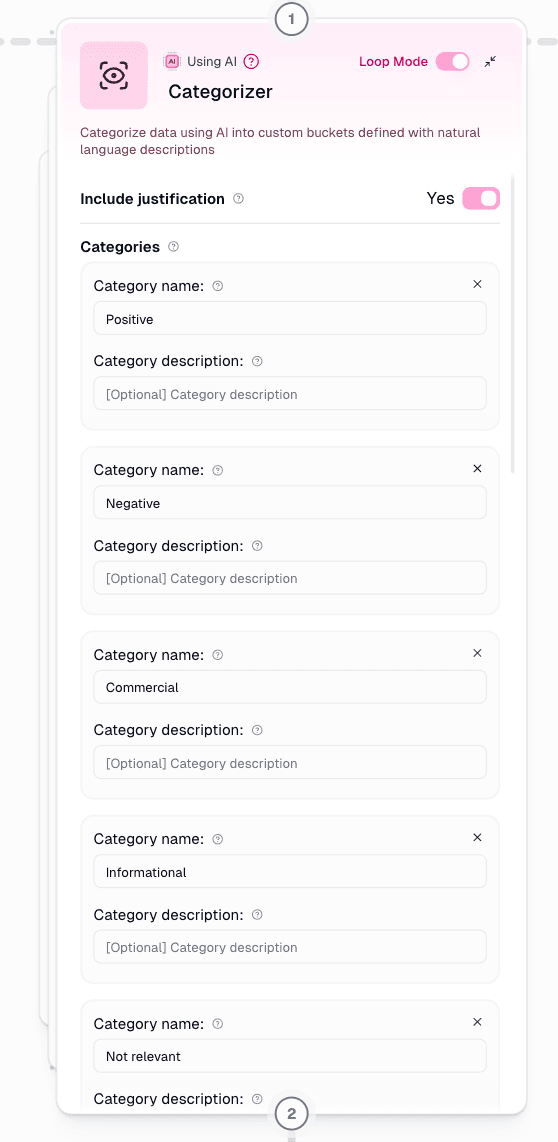
Each summarized post then runs through a categorizer that sorts it into one of six buckets. Positive, Commercial, Promotional, Informational, Negative, or Not Relevant.
The reasoning is that splitting posts into categories lets the team prioritize differently depending on what they are looking at. For example, a Commercial post might deserve a quick reply within the hour, while an Informational one might just become fuel for a future piece of content.
Step 4. Filter
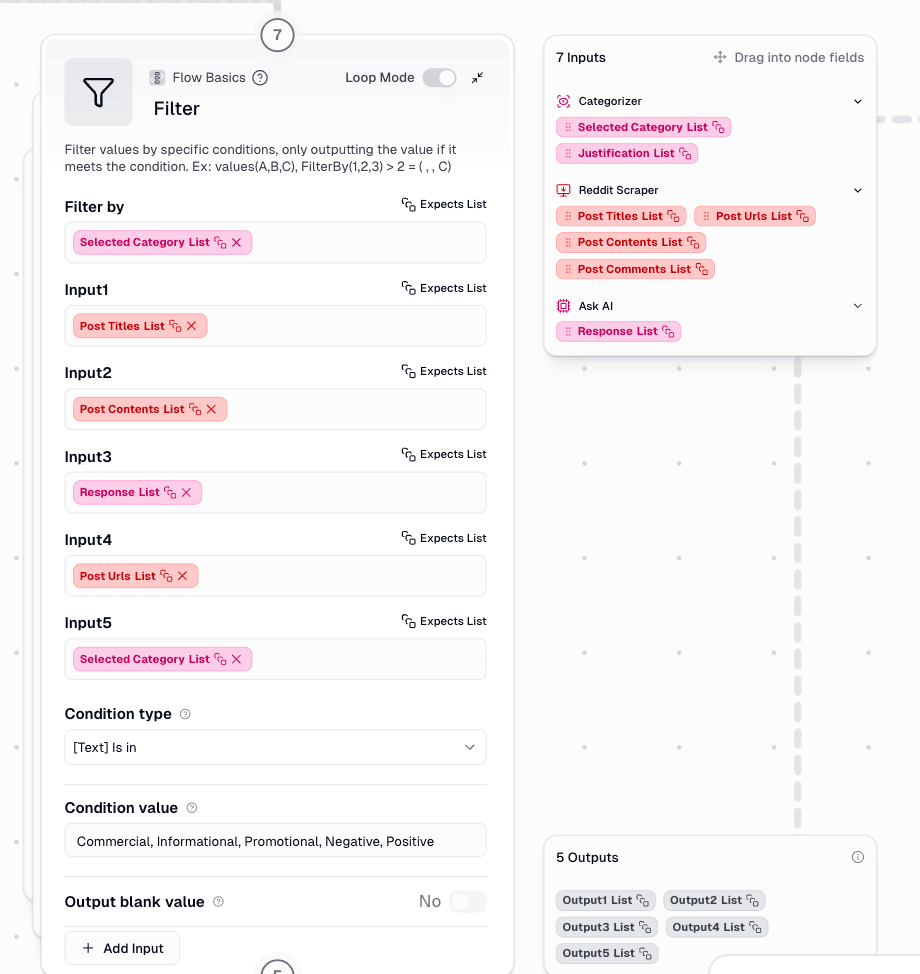
The filter step removes anything labeled Not Relevant and delivers effective outputs
Filtering after categorization, rather than trying to prevent noise at the scraping stage, works better because the categorizer has full context that the scraper simply does not have.
Step 5. Google Sheets Writer
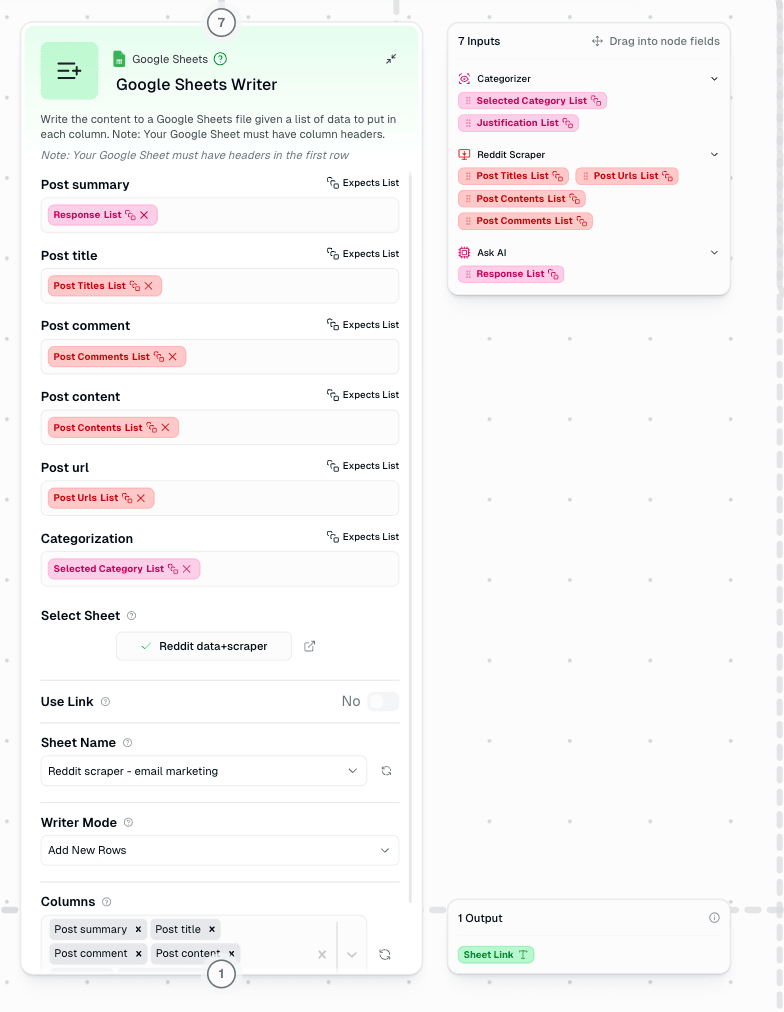
Every post that survives the filter gets logged automatically into Google Sheets, including the post URL, title, content, comments, and category.
This turns a one-time alert into an actual dataset your team can use over time. Beyond quick outreach, this sheet becomes useful for topical clustering, tracking bottom-of-funnel conversations, mining product pain points, and generating content ideas rooted in the exact language real users are using.
Step 6. Slack Integration
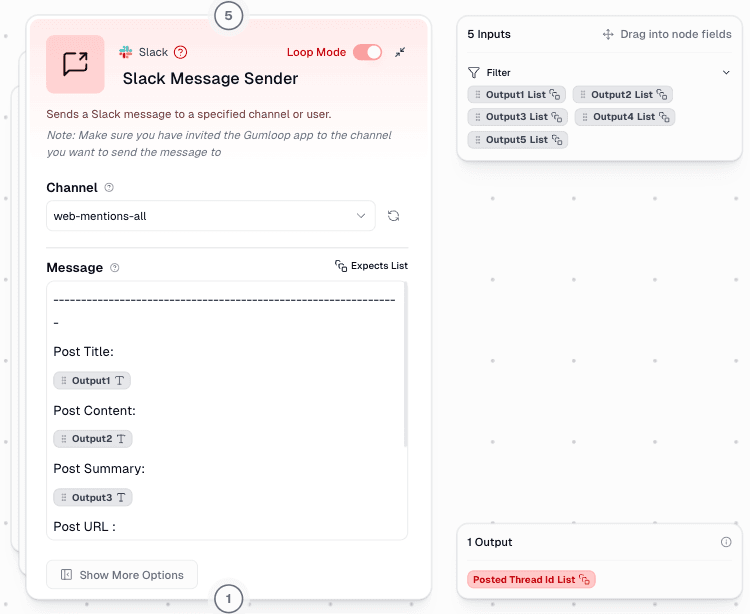
Finally, every categorized thread that matters gets pushed straight into a Slack channel so the team can jump into high-intent conversations while they are still active.
A spreadsheet alone will not drive fast action. Pushing categorized posts directly into Slack helps someone from your team actually respond to it, often within minutes instead of days.
What changed after building this
The result is a live, constantly updating feed of Reddit conversations where people are describing the exact problems we solve, without anyone on the team manually monitoring a single thread.
This kind of AI automation workflow has made it significantly easier to spot commercial intent discussions as they happen, catch bottom-of-funnel opportunities in the wild, validate content ideas using real user language instead of guesswork, and jump into relevant conversations while they are still happening instead of days later.
Conclusion
SEO teams spend a lot of energy optimizing for how people search. This project came out of a much simpler realization. A huge amount of real intent shows up before anyone ever searches, inside conversations people are having while they are still figuring out what they even need.
We did not need a big team or a complicated custom build to act on that. A no-code AI workflow, a scraper, a summarizer, a categorizer, a filter, a spreadsheet, and a Slack alert, all chained together inside Gumloop, were enough to turn a manual, unscalable process into something that now runs entirely on its own.
As more teams explore AI tools in 2026 to scale marketing and SEO work, this is a good reminder that the biggest wins are not always about building something complicated. Sometimes the most valuable thing AI automation can do is simply help you listen earlier.