Why deliverability matters more than ever
Lauren began by grounding everyone in a simple but painful truth:
the email you spent hours crafting is worthless if it never reaches the inbox.
Creating content, syncing with teams, building workflows, designing, testing — none of it matters if it gets blocked or filtered. And with inboxes being hammered by malicious email, legitimate marketers now face stricter filters and higher standards.
Lauren shared two key realities from the inbox world:
Mailbox providers are flooded with dangerous mail. She referenced Yahoo’s public data showing that more than 90% of what they receive is spam or malicious and blocked outright.
Only 1–2% of the remaining questionable mail even lands in spam. That means the filters are extremely aggressive before your message ever reaches a user.
That’s why brands must actively differentiate themselves from suspicious senders — because inboxes are constantly protecting users from attacks.
Understanding deliverability vs deliverability rate
Lauren makes a critical clarification:
Delivery rate ≠ deliverability.
Tools like Validity or SocketLabs’ StreamScore can estimate inbox placement, but Lauren is clear:
these scores are always educated guesses because mailbox providers don’t reveal inbox vs spam outcomes.
This makes understanding the signals that do matter even more important.
The factors that shape sender reputation
Lauren highlights the key drivers inboxes use when deciding whether your email is trustworthy:
1. IP & domain reputation
Every domain connected to your email — from the From address to your DKIM domain to your link domains — contributes to your reputation.
2. Authentication status
SPF, DKIM, and DMARC are foundational.
If they’re missing, misconfigured, or shared with bad senders… expect trouble.
3. Blocklist history
Getting listed is a red flag, and repeated listings damage trust.
4. Past sending patterns
Mailbox providers evaluate:
volume consistency
engagement trends
spikes in sending
bounces, spam complaints
spam trap hits
Lauren emphasizes that content itself isn’t usually the issue — recipient reaction is.
Why “showing up unannounced” is deadly for deliverability
One of the strongest themes Lauren covered:
emailing people who don’t expect to hear from you is one of the fastest paths to spam complaints.
And since spam complaints are one of the most damaging factors, she urges senders to:
always obtain permission
send a welcome email to set expectations
never buy or scrape lists
avoid emailing old or cold contacts
maintain consistent sending patterns
warm up new IPs and domains slowly
Mailbox providers distrust anything unpredictable — new domains, sudden volume spikes, unusual link patterns — because these behaviors mimic spammers.
Her advice:
Be consistent, predictable, and permission-based. That’s what inboxes
trust.
What mailbox providers really want: high positive engagement & low negative signals
Lauren describes engagement as the closest thing to a "email deliverability hack."
Mailbox providers want to deliver a great inbox experience, so they prioritize emails users continue to engage with.
They track far more than senders can:
Positive signals include:
Negative signals include:
Unsubscribes don’t hurt much unless they spike unnaturally.
Lauren’s big point:
Mailbox providers are looking for patterns. If people like your mail,
you stay in the inbox. If they don’t, you slowly slide to spam.
How to monitor like a mailbox provider
Lauren recommends keeping a close eye on both positive and negative signals and especially looking at performance by destination.
For example:
If Gmail is at 40% opens and Hotmail is at 6%, you likely have a Hotmail spam placement problem.
High unsubscribes indicate dissatisfaction, even if they don’t directly harm deliverability.
Zero engagement from large sections of your list is a red flag — it may be time to sunset them.
Her rule:
Monitor regularly. Deliverability is not a set-and-forget channel.
How to detect deliverability problems before they escalate
Lauren highlights the three main early warning systems:
Lower:
These are often the first signs of inboxing issues.
Authentication errors, spam trap hits, blocklisting, or sudden spam placement in seed tests.
3. Compliance signals
Complaints to your ESP, broken unsubscribe reports, or internal teams noticing missing emails.
If these show up consistently, you need to investigate before sending more email.
The deliverability practices Lauren says you must follow
This is her "Cliffs Notes" version — the core principles every sender should follow to consistently hit the inbox.
1. Align your email goals with company goals
Every send should support:
business objectives
subscriber value
long-term relationships
2. Prioritize permission
It’s the #1 safeguard against complaints.
Get explicit consent and set expectations about:
what they’ll receive
how often
what value they’ll get
3. Authenticate every email
SPF, DKIM, and DMARC must be properly configured.
And if your ESP is signing DKIM with a shared domain, consider switching to your own domain to avoid reputation overlap.
4. Optimize for engagement
Think creatively about driving meaningful interactions:
compelling subject lines
helpful content
strong CTAs
humor or delight
polls, quizzes, or feedback requests
interactive elements (AMP)
Here’s where Mailmodo fits in naturally:
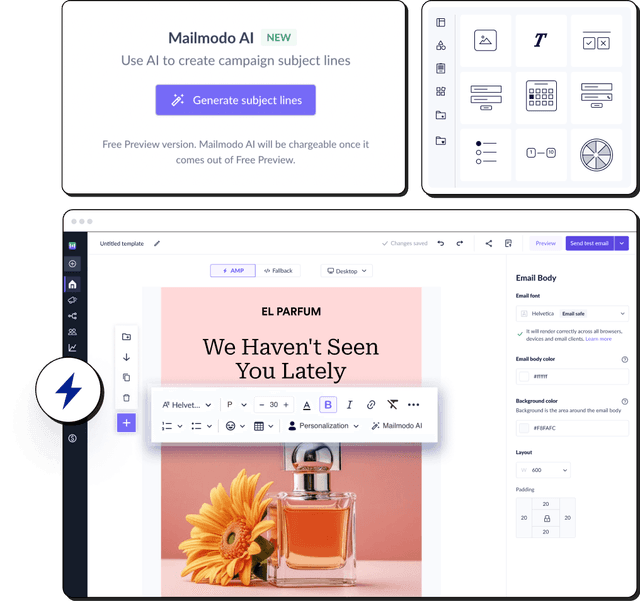
Lauren mentioned that AMP can significantly increase interaction, and Mailmodo simplifies sending interactive AMP-like emails that keep engagement inside the inbox — which inbox providers love.
5. Deliver a cohesive brand experience
Email is not the only touchpoint.
Make sure:
all feel unified and intuitive.
6. Never stop optimizing
Review:
Everything affects inbox placement.
When you should ask for help
Even excellent senders experience issues.
Lauren suggests seeking expert support when:
you’re unsure whether you’re hitting the inbox
you know there’s a problem but can’t find the cause
you’re repeatedly being blocklisted
you’re switching IPs or domains
you’re migrating to a new ESP
you need warm-up guidance
your internal patterns suddenly break
Your ESP’s support team is often the best first stop.
Key takeaways
Deliverability success isn’t about tricks — it’s about being consistent, expected, authenticated, and genuinely valuable to your subscribers. Inbox placement improves when senders prioritize permission, set expectations, monitor signals, and build emails people actually want to engage with.
The more positive patterns mailbox providers see — and the fewer complaints or deletions — the more confidently your messages reach the inbox. Treat subscribers like humans, stay proactive, authenticate everything, and keep refining your program instead of setting it on autopilot.