| Tool |
Best For |
Free Plan |
Built Into an Email Marketing Platform? |
Standout Feature |
| Mailmodo |
Marketing teams & campaigns |
Yes, no signup needed |
Yes, full email marketing software |
AI email generator plus interactive AMP emails in one platform |
| Omnisend |
Ecommerce brands running email, SMS & push campaigns |
Yes (free plan, no credit card) |
Yes, full email marketing software |
AI Writer + MCP/AI connector built into full campaign automation |
| Mailmeteor (Mailmeteor AI) |
Gmail-based outreach & mail drafting |
Yes |
No (Gmail add-on) |
Native Gmail integration, Mailmeteor email checker |
| Jasper |
Long-form brand content |
Limited free trial |
No |
Brand voice templates |
| Copy.ai |
Sales & marketing copy |
Yes (limited credits) |
No |
Wide template library |
| HubSpot AI Email Writer |
CRM-linked outreach |
Yes |
Yes (CRM suite) |
Ties into HubSpot's CRM data |
| Rytr |
Quick personal emails |
Yes (limited credits) |
No |
Very lightweight, fast |
| Anyword |
Performance-predicted copy |
Limited free trial |
No |
Predictive performance scoring |
8 Best Free AI Email Writers & Mail Generators
1. Mailmodo: Best Overall Free AI Email Writer
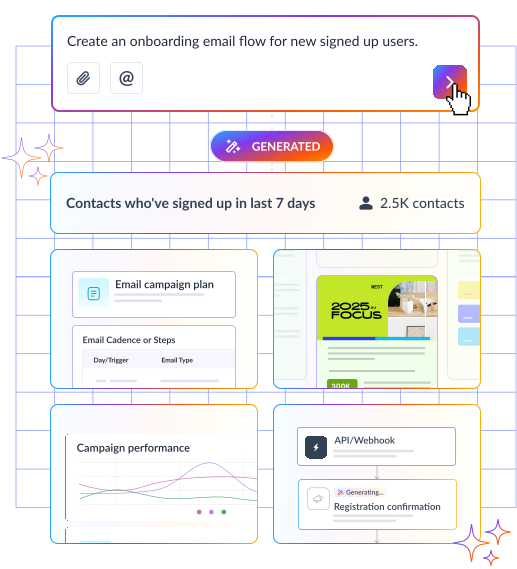
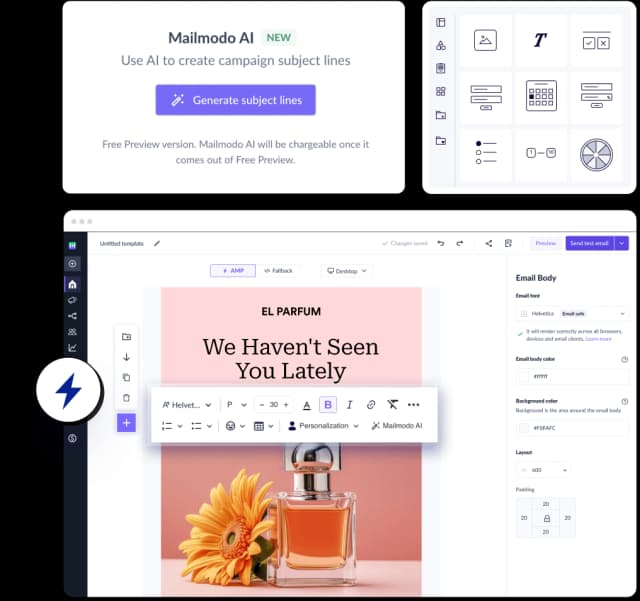
Mailmodo takes the top spot as the best Free AI email writer tool because it isn't a generic AI writer bolted onto a blank text box. It's a free AI email writer built right into full email marketing software, so the emails you generate with this AI mail generator are immediately usable in real campaigns instead of getting copy-pasted somewhere else.
Why it ranks #1: it's the only tool on this list that pairs a genuinely free, no-login AI email generator with a complete email marketing platform, so the AI generated email you write doesn't just sit as text. You can automate it, send it, and track it as an interactive AMP campaign from the same place you wrote it.
Ideal for: marketing teams and founders who want an AI email writer that plugs directly into campaign creation, automation, and analytics, instead of a standalone mail writer AI you have to export copy from.
Omnisend's AI Writer lives directly inside its email builder and drafts subject lines, preheaders, and full email body copy from a prompt, tuned to your brand voice instead of a generic template.
It also connects to outside AI assistants through Omnisend's MCP connector, so drafting isn't limited to the in-app assistant. Unlike a standalone mail writer, the copy you generate goes straight into a segmented, automated email, SMS, or push campaign you can send from the same dashboard.
Omnisend holds a 4.6/5 rating on G2 for this combination. It costs up to 35% less than Klaviyo at comparable contact tiers, with a free 5-day migration for stores switching over, though it isn't the right fit if all you need is a single one-off email.
3. Mailmeteor: Best Gmail-Native Mail AI
Mailmeteor (also searched as "mailmeteor AI email writer") lives inside Gmail and is a genuinely free email generator with no sign-up or usage quota, a strong pick if your mail writing AI workflow never leaves the inbox. It also offers a mailmeteor email checker for verifying addresses before you send. It's tuned for subject lines, greetings, and sign-offs, and supports multiple languages, though it doesn't offer the campaign-building or analytics layer of a full email marketing platform.
Jasper's strength is a consistent brand voice across longer AI email writing Free access is trial-limited, and since it's a general content tool rather than an email writer AI free option, it takes more prompt-tuning to get email-ready output.
5. Copy.ai: Best for Sales & Outreach Templates
Copy.ai offers a wide template library for cold outreach and follow-ups, with limited free credits. It's a flexible AI for mail tool, though email-specific structure (subject line, preheader, body) takes more manual setup than a dedicated email writer.
6. HubSpot AI Email Writer: Best for CRM-Connected Teams
If you're already in the HubSpot ecosystem, its email AI generator benefits from pulling context directly from your CRM data. It's less useful as a standalone AI mailer outside that ecosystem.
Rytr is fast and simple, with a generous-enough free tier for occasional draft email needs. It lacks the campaign-specific structuring of tools like Mailmodo.
Anyword's differentiator is a predictive performance score on generated copy, useful for optimizing an existing mail draft AI rather than free-form drafting from scratch.
How to Write an Email With AI: Step-by-Step
If you're wondering how to write a mail or want to speed up how to write email writing with AI, the general workflow across most ai mail composer tools looks like this:
- Pick your tool. Use a dedicated email writer ai (like Mailmodo) for marketing and campaign emails, or a lightweight ai writer free tool for one-off personal or business emails.
- Set the context. Enter the purpose, recipient, and desired tone. This is the core input every ai mail drafting tool needs.
- Generate a draft. Let the mail ai produce your email draft ai output. Most tools return results in seconds.
- Refine the length and tone. Adjust word count, formality, and structure until the ai generated mail matches your voice.
- Proofread before sending. AI can miss specific facts, names, or context, so always review an ai email writer's output, especially figures, dates, and anything the model couldn't have known about your situation.
Most AI email writer tools structure output around the same email writing format, so it helps to know it even when AI is doing the drafting for you:
- Subject line. Short, specific, and scannable.
- Greeting. Matched to formality ("Hi [Name]" vs. "Dear [Name]").
- Opening line. States the purpose right away.
- Body. One idea per paragraph, with the core ask or information up front.
- Call to action. A single, clear next step.
- Sign-off. Matched to tone ("Best," "Thanks," "Warm regards").
When you use an AI mail generator, giving it these six fields explicitly, even in a short prompt, produces noticeably better output than a vague one-line request.
How to Choose the Right Free AI Email Writer
- Sending a single email? A standalone online email writer (Mailmeteor, Rytr, or Gmail's Help Me Write) is enough.
- Running a real email marketing campaign with segmentation, automation, and analytics? You want the ai email generator built into full email marketing software, like Mailmodo.
- Need brand-voice consistency across dozens of emails? Look for strong tone and voice controls plus reusable templates.
- A/B testing subject lines? Prioritize tools that generate multiple variations per input.