Lifecycle marketing stages and where does Mailmodo's role fall?
The customer lifecycle is generally divided into four major stages:
- Acquisition: Attracting potential customers and encouraging them to sign up, subscribe, or make their first purchase.
- Activation: Helping new customers experience the value of your product through onboarding, education, and timely guidance.
- Engagement and retention: Maintaining customer interest through relevant communication, product recommendations, and ongoing support.
- Winback and reactivation: Re-engaging customers who have become inactive or stopped purchasing.
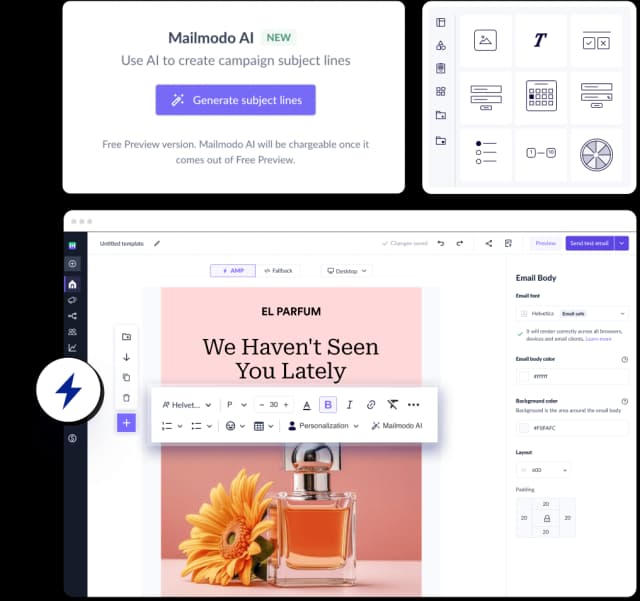
Mailmodo is an email marketing platform that helps businesses communicate with customers across different lifecycle stages. It offers automated email journeys, behavioral triggers, customer segmentation, and personalization to help you send relevant emails based on customer actions and preferences.
Let's look at how you can use Mailmodo's features to manage email communication across the customer lifecycle.
Serving customers at different lifecycle stages with Mailmodo's journey builder
Customers don't always progress through their lifecycle at the same pace. Some complete onboarding immediately, while others need reminders. Some make repeat purchases, while others stop engaging after their first interaction.
Mailmodo's journey builder helps businesses automate communication based on these differences.
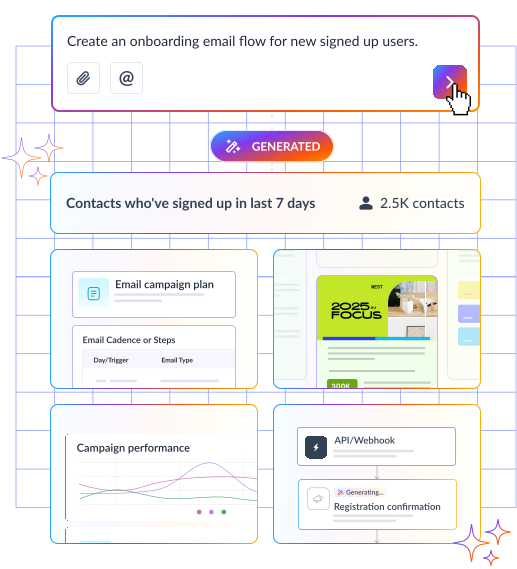
You can create journeys from scratch, use prebuilt workflows, or use AI for welcome sequences, onboarding, abandoned cart recovery, post-purchase follow-ups, and re-engagement.
Each journey is built using four main components:
| Component |
How it works |
| Triggers |
Start a journey when a contact joins a list, submits a form, completes an event, or enters a segment |
| Actions |
Send emails or SMS, update contact properties, modify lists, or send webhooks |
| Delays |
Wait for a specific duration, date, time, or event |
| Conditions |
Branch journeys based on email opens, clicks, form submissions, customer properties, or events |
For example, suppose a SaaS company wants to improve customer activation.
- It can trigger an onboarding journey when someone signs up, send an introductory email, and wait for the customer to complete an important product action.
- If that event occurs, the customer can move toward more advanced product education. Otherwise, the journey can send a reminder or additional guidance.
The same approach applies to retention and reactivation campaigns.
Understanding customer behavior and targeting the right audience with segmentation
Even customers within the same lifecycle stage may have different needs. Mailmodo supports customer segmentation to help marketers better target different audiences.
For example, you could create segments for customers who:
- Have recently signed up but haven't completed onboarding.
- Open emails regularly but rarely click through.
- Have completed a specific product or purchase event.
- Have stopped engaging with previous campaigns.
You can create static or dynamic segments using contact properties, campaign engagement, custom events, and event properties.
Dynamic segments are particularly useful for lifecycle marketing because customers can qualify for different audiences as their information or behavior changes.
Mailmodo also supports AND/OR conditions for combining segmentation criteria and AI-assisted segmentation for building audiences using natural-language instructions.
Making lifecycle emails more relevant with personalization features
Two customers receiving onboarding emails might have different subscription plans, account settings, or product interests. Mailmodo allows marketers to personalize email content using customer information stored in their contact database.
Personalization parameters can be inserted into different email elements and mapped to the corresponding customer data before sending.
Mailmodo supports:
- Text personalization: Add customer names, account information, or other contact attributes to email content and subject lines.
- Dynamic images: Display different images for individual recipients using personalized image URLs.
- Personalized CTA buttons: Direct customers to different pages using personalized links.
- Custom parameters: Use additional customer attributes stored in the contact database.
For example, a subscription business could send renewal emails containing each customer's name, current plan, and a link to their account.
Similarly, an ecommerce business could use dynamic images to display customer-specific product recommendations, provided the relevant recommendation data and image URLs are available.
Encouraging customers to take action with Mailmodo's interactive emails
Lifecycle marketing isn't only about sending information. Businesses also need customers to respond, share preferences, provide feedback, and take actions that move their relationship forward.
Mailmodo supports AMP-powered interactive emails that allow recipients to complete certain activities directly inside their inbox.
Some relevant widgets include:
| Interactive feature |
Lifecycle marketing use case |
| Forms |
Collect lead information and customer preferences |
| NPS and star ratings |
Gather customer satisfaction feedback |
| Polls |
Understand customer interests |
| Quizzes |
Educate or qualify potential customers |
| Product recommendations |
Encourage repeat purchases |
| Calendly integration |
Support meeting and demo bookings |
| Webinar registration |
Encourage participation in educational events |
Lifecycle marketing depends on customer information from multiple sources. Mailmodo supports integrations and APIs that allow businesses to connect external applications with their email marketing workflows.
For example, Mailmodo supports integrations involving Shopify, Webflow, Typeform, Jotform, Zapier, and Make. Its API and webhook capabilities also allow external systems to trigger journeys.
This means marketers can initiate communication based on activities occurring outside Mailmodo, provided the necessary integrations and event tracking are configured.
Once a journey is running, Mailmodo provides a dashboard for monitoring its performance.
The journey dashboard includes information such as:
- Total contacts enrolled in the journey.
- Emails sent and delivered.
- Performance statistics for individual campaigns.
- Contacts currently progressing through the journey.
- Journey steps completed or failed.
- Activity logs showing trigger methods and journey activity.
How much does Mailmodo cost for lifecycle marketing?
Mailmodo offers three pricing plans: Lite, Pro, and Max. Pricing depends on the number of contacts and billing period.
For above 500 contacts, the annual-billing prices are:
| Feature |
Lite |
Pro |
Max |
| Monthly price, billed annually |
$27 |
$79 |
Custom |
| Email sending credits |
2,000 |
3,000 |
Unlimited |
| Active journeys |
1 |
10 |
Unlimited |
| Active contacts per journey |
500 |
500 |
Up to 100,000 |
| Team members |
1 |
3 |
5 |
| API requests per second |
5 |
10 |
50 |
| Custom domains |
1 |
2 |
4 |
For lifecycle marketing, the number of active journeys is an important consideration. A business planning to run separate acquisition, onboarding, retention, and winback journeys would need more than a single active journey.
The Lite plan can suit businesses starting with a single automated lifecycle journey, such as a welcome or onboarding sequence.
Pro provides more room for businesses managing several customer lifecycle campaigns simultaneously. It also includes features such as A/B testing, send-time optimization, timezone-based scheduling, and email click maps.
Final thoughts
Before choosing an email marketing platform, take another look at your current lifecycle marketing strategy. Identify the stages where you want to introduce or improve email marketing. Then, map out the workflows you'll need, whether that's a welcome sequence for new subscribers, an onboarding journey for new users, or a re-engagement campaign for inactive customers.
Once you know which workflows you want to build, evaluate Mailmodo's features and pricing plans against those requirements. Pay particular attention to the number of active journeys, contact limits, and email sending credits. This way, you can choose a plan based on the lifecycle campaigns you actually need to run.