



Free AI LinkedIn Caption Generator

Empower your LinkedIn presence with captivating captions.

Select the tone for the post
Choose the number of hashtags to include
Select the language for the post
Select desired post length
Networking
Career Growth
Industry News
Company Culture
Job Opportunities
Personal Development
marioCTA

Meet the only AI email
automation platform

Share this toolfacebooktwitterlinkedinemailwhatsapplink

Do better email marketing with Mailmodo

Check.svg

Create & send interactive emails without coding

Check.svg

Put revenue on auto-pilot with pre-built journeys

Check.svg

Save time with AI-powered email content creation

Experience world’s only interactive email marketing platform

Trusted by 10000+ brands

Group_1110166020_1_6fb9f2bd9a
Group_1110165532_1_bf39ce18b3
Ellipse_Gradientbottom_Bg
Ellipse_GradientLeft_Top
gradient_Right

Craft Captivating LinkedIn Captions with AI Precision

Struggling to find the right words for LinkedIn? Step into the future of content creation with Mailmodo’s LinkedIn Caption Generator. Whether you're promoting your personal brand or your business, this powerful tool ensures your posts hit the mark every single time.

How to use Mailmodo’s LinkedIn Caption Generator

  1. Define your post topic
    Input specific details about your post, like a burger restaurant in Texas or a lawncare company in Chicago. Clear and concise prompts fuel tailored captions.

  2. Select the tone of voice
    Choose how you want to resonate with your audience. Options include professional, casual, friendly, inspirational, or informative. Tailoring your voice makes all the difference in engagement.

  3. Choose your ideal hashtags
    Decide how many hashtags to include—0 for minimalism or 7-10 for maximum reach. Hashtags improve post discoverability and engagement.

  4. Pick your language
    Select from various languages, including English, Spanish, French, and more. Communicating in your audience's language fosters connection.

  5. Determine post length
    Decide on a short, medium, or long post. Be concise or elaborate based on your content's needs. The right length ensures your message is consumed effectively.

  6. Add relevant keywords
    Select keywords from categories like networking, career growth, or industry news. Keywords help in establishing authority and driving conversations in your field.

Why this tool is essential for your LinkedIn success

  • Time-saving efficiency
    Crafting the perfect post can be time-consuming. This tool cuts down the hours spent brainstorming, giving you instant captions that convey your message effectively.

  • Boost engagement
    Engaging captions that are reflective of your tone and brand attract more likes and comments, enhancing your visibility on LinkedIn.

  • Versatile customization
    Tailoring the tone, hashtags, and keywords prepares your content for a dynamic audience, enhancing relevance and connection.

  • AI-driven insights
    Powered by advanced AI, the captions generated are not just random phrases; they're designed to catch eyes and spark conversations.

Mailmodo’s version of the LinkedIn Caption Generator stands out as a trusted choice, combining functionality with precision tailored to your needs.

Use cases that make this tool invaluable for marketers

  • Content Creators producing eye-catching posts to build their personal brand
  • Business Owners promoting unique offerings or company culture effectively
  • Job Seekers sharing career milestones and job opportunities to attract recruiters
  • Networkers cultivating professional relationships through engaging updates
  • Marketers announcing campaigns or events that require broader audience reach

With Mailmodo's LinkedIn Caption Generator, your potential for effective communication knows no bounds. Let the words flow and watch your engagement soar!

Frequently asked
questions

What is the LinkedIn Caption Generator?

The LinkedIn Caption Generator is a specialized content tool that uses artificial intelligence to create engaging and relevant captions for LinkedIn posts, helping you effectively communicate with a professional audience.

Who can benefit from using the LinkedIn Caption Generator?

The tool is useful for various users such as job seekers looking for attention-grabbing captions, industry leaders sharing insights, entrepreneurs announcing milestones, content creators enhancing posts, and recruiters attracting candidates.

How does the LinkedIn Caption Generator work?

To use the generator, provide a brief description of your post content, select the desired tone and primary goal of the caption, optionally include keywords, and then click 'Generate Caption' to receive tailored captions.

What are the advantages of using the LinkedIn Caption Generator?

Benefits include saving time by quickly generating captions, maintaining professionalism while enhancing creativity, improving engagement rates with tailored content, offering various tone and style options, and being specifically designed for LinkedIn networking.

Can I edit the captions generated by the tool?

Yes, once the captions are generated, you can review and edit any suggestions to better fit your personal style or message before posting.

What types of tones can I choose from for my captions?

You can choose from a range of tones including professional, friendly, insightful, or motivational, depending on the message you want to convey.

Explore more tools

gradient_curved_half

Built with _49ace9b5ee by Mailmodo

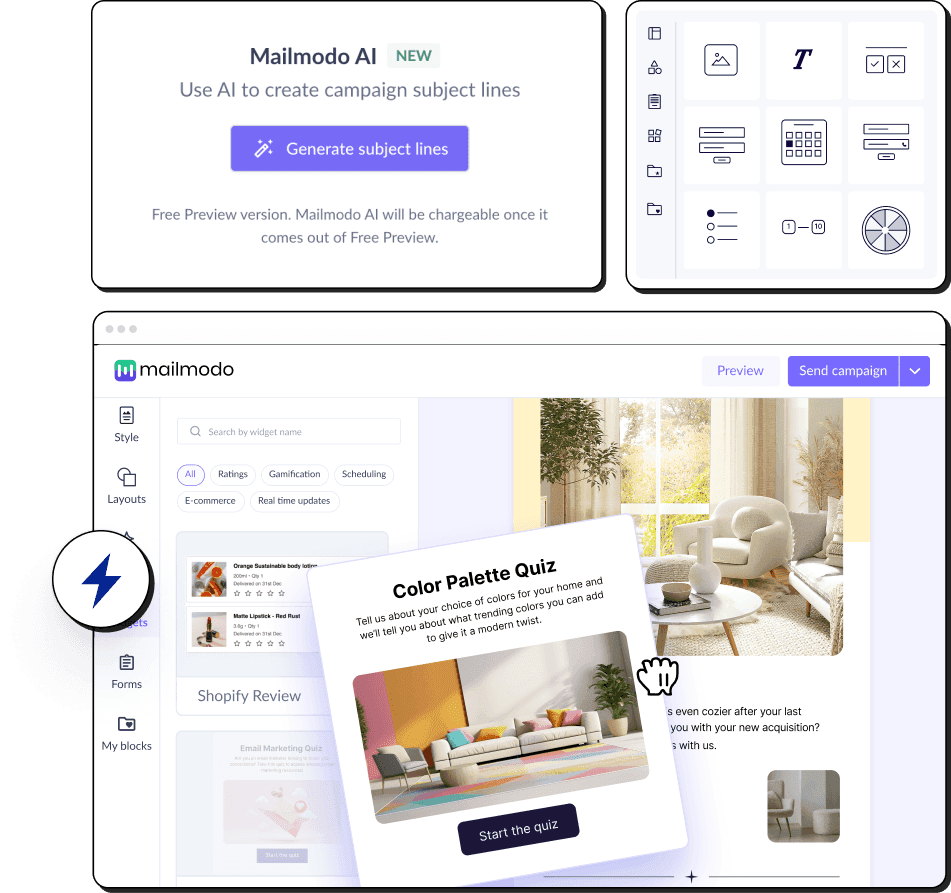
Mailmodo is an all-in-one email marketing solution that boosts conversion with interactive emails and the power of AI.

With Mailmodo AI, you can

  • Generate subject lines and preheader in seconds
  • Write engaging email copy with one click
  • Create interactive emails that lets you add calendars, calculators, and forms inside emails
amp_email_gmail_example