Churn is one of the biggest growth blockers for SaaS businesses. You spend time and money acquiring users, but many of them slowly stop engaging before they ever see real value from your product.
This usually happens when users don’t adopt key features, fail to reach early wins, or feel stuck without support. Often, the signals are already there: reduced logins, incomplete setups, or falling usage trends, but they go unnoticed until cancellation.
This is where a churn prevention email sequence becomes critical. Instead of reacting after users leave, you proactively re-engage them, guide them back to value, and connect them with the right help at the right time.
In this guide, we’ll walk through how to build a complete churn prevention email sequence for a SaaS product.
Why you should use an email flow
Email is one of the most effective channels for churn prevention in SaaS because it allows you to reach users directly, even when they are inactive inside the product.
With email, you can:
Reconnect with users who haven’t logged in recently
Personalize messages based on usage, plan type, or lifecycle stage
Automate timely nudges triggered by inactivity
Deliver education, reminders, and support at scale
Churn rarely happens overnight. It’s usually the result of multiple missed moments: confusion, lack of progress, or declining motivation. A single email is rarely enough to reverse that trend.
A well-timed sequence of emails gives you multiple touchpoints to remind users of value, remove friction, and guide them back toward successful product usage. That’s why churn prevention works best as a sequence, not a one-off message.
What is a churn prevention email sequence?
A churn prevention email sequence is a series of automated emails sent to users who show signs of disengagement or inactivity, with the goal of re-engaging them before they cancel their subscription or churn.
These emails often include:
Activity or inactivity reminders
Re-engagement messages with incentives or reassurance
Educational resources like guides, use cases, or tutorials
Offers to connect with customer success or support
Together, these emails help users rediscover value, overcome obstacles, and continue using the product. Let’s break down how to build this sequence step by step.
How to build a churn prevention email sequence
Building an email sequence can be easy if you’re following a well-defined set of steps. Here are the steps for you to follow:
Step 1: Plan your campaign
Planning is the foundation of an effective churn prevention sequence. Without clarity on who you’re targeting and what success looks like, it’s easy to send emails that feel generic or mistimed.
At this stage, you should clearly define:
Objective: Reduce churn, increase product usage, or drive reactivation
Target audience: Inactive users, low-usage users, or at-risk accounts
Key signals: Days since last login, feature usage drop, or failed milestones
Messaging theme: Value reminders, support-led guidance, or re-onboarding
Number of emails: Typically 3 emails
Timeline: Spread across 1–2 weeks
We used Mailmodo AI to generate a complete campaign plan for a SaaS churn prevention sequence. It outlined the objectives, ideal number of emails, recommended timing, and what each email should achieve. This made it easy to review, tweak, and move forward confidently.
Take a look at the prompt we used. Click on the arrow to see the output we received.
Create a churn prevention email campaign plan for a SaaS product. Include objectives, target audience, number of emails, key message for each email, ideal timing between emails, and the main CTA for each email.
Step 2: Create audience segments
Not every user is at risk for the same reason. Segmentation helps you target users based on real behavior instead of assumptions. For churn prevention, segmentation can be based on:
Product behavior: Last login date, feature usage, or activity frequency
Lifecycle stage: Trial users, new customers, or long-term users
Account attributes: Plan type, ACV, or company size
Engagement signals: Opened emails but didn’t click, or ignored onboarding
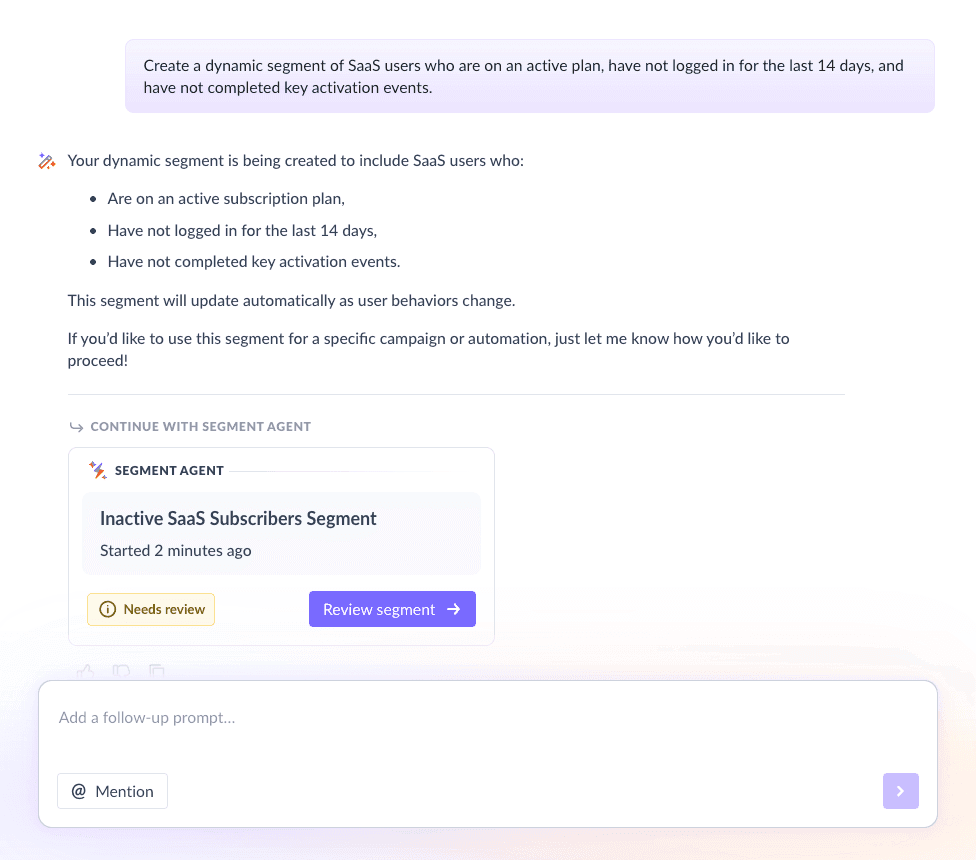
For this sequence, we used Mailmodo to create a segment of SaaS users who:
Haven’t logged in for the last 14 days
Are still on an active paid plan
Haven’t completed key activation events
Once it was done, we got the option to review, make edits using the builder, or ask AI to carry out the changes we wanted. Once we confirmed, Mailmodo AI created the segment instantly and it was ready to use for our campaign.
Create a dynamic segment of SaaS users who are on an active plan, have not logged in for the last 14 days, and have not completed key activation events.
Step 3: Create the email templates
Once your audience is clear, the next step is creating emails that feel timely, helpful, and relevant. This churn prevention sequence includes three emails. We’ve also included sample prompts that you can use in Mailmodo AI to generate these email templates in minutes instead of having to spend hours creating them.
Email #1: Activity email
When to send: After 10–14 days of inactivity
Purpose: Remind users that they haven’t used the product recently and bring attention back to its value.
What to include:
A friendly reminder like “We haven’t seen you in a while”
Light acknowledgment of inactivity without sounding accusatory
A quick value reminder tied to core outcomes
A simple CTA to log back in
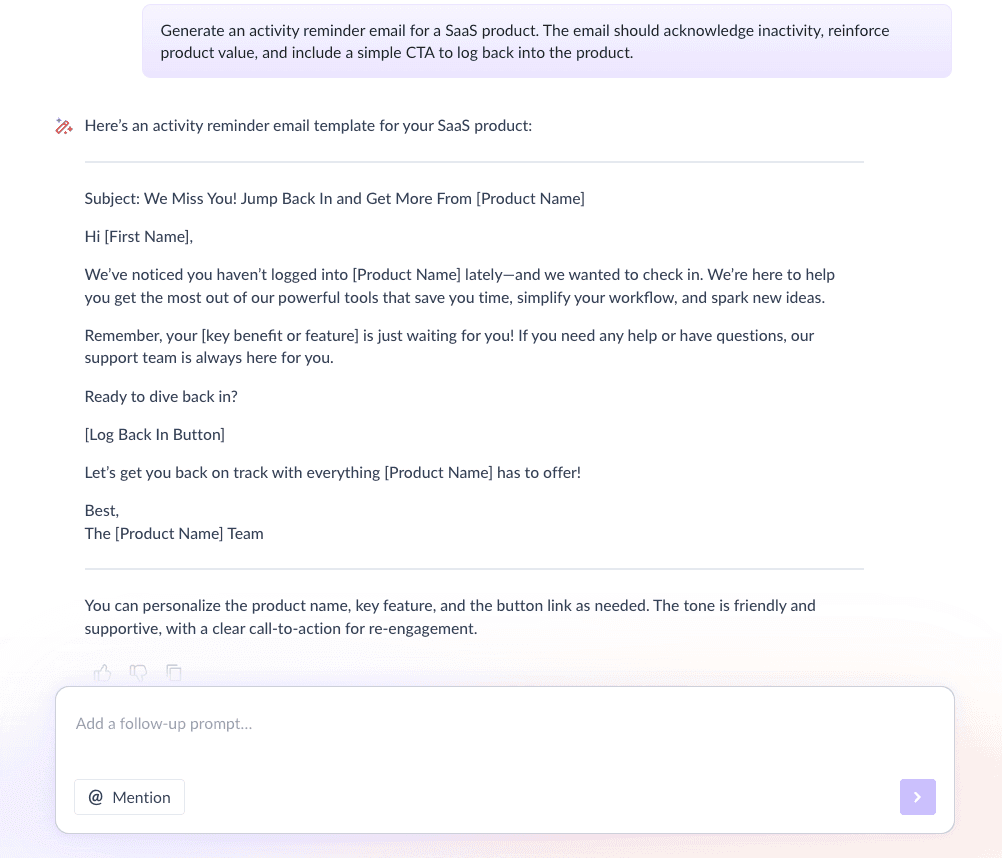
Here’s a sample prompt to generate this kind of email, along with the output it will produce.
Generate an activity reminder email for a SaaS product. The email should acknowledge inactivity, reinforce product value, and include a simple CTA to log back into the product.
Email #2: Re-engagement email
When to send: 3–5 days after Email #1
Purpose: Motivate users to return by showing what they’ve achieved so far and what they might miss out on.
What to include:
Gratitude for being a customer
Highlights of progress or past wins
Benefits they unlock by staying active
Optional incentive or support offer
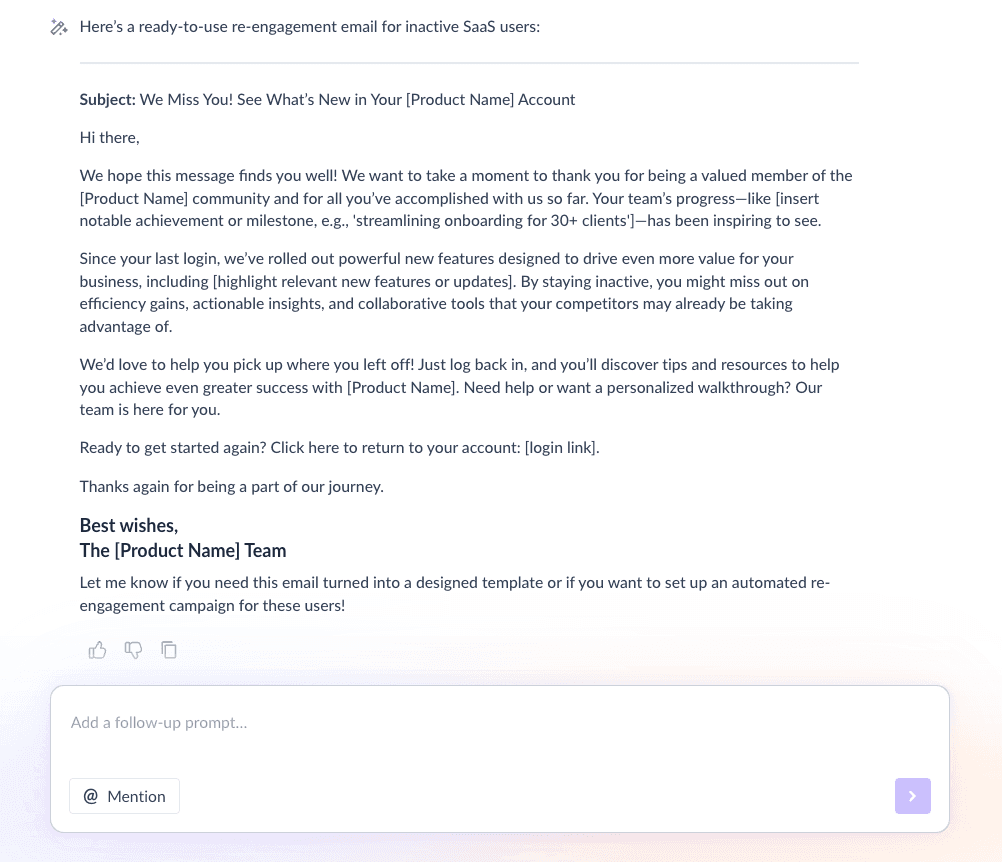
Here’s a sample prompt to generate this kind of email, along with the output it will produce.
Generate a re-engagement email for inactive SaaS users. Show appreciation, highlight past achievements, explain what they might miss, and encourage them to re-engage with the product.
Email #3: Additional resources
When to send: 3–5 days after Email #2
Purpose: Remove friction by helping users understand how to use the product to get results.
What to include:
Links to guides, tutorials, or use cases
Short explanations of how each resource helps
Option to connect with customer success or support
Feedback collection to understand blockers
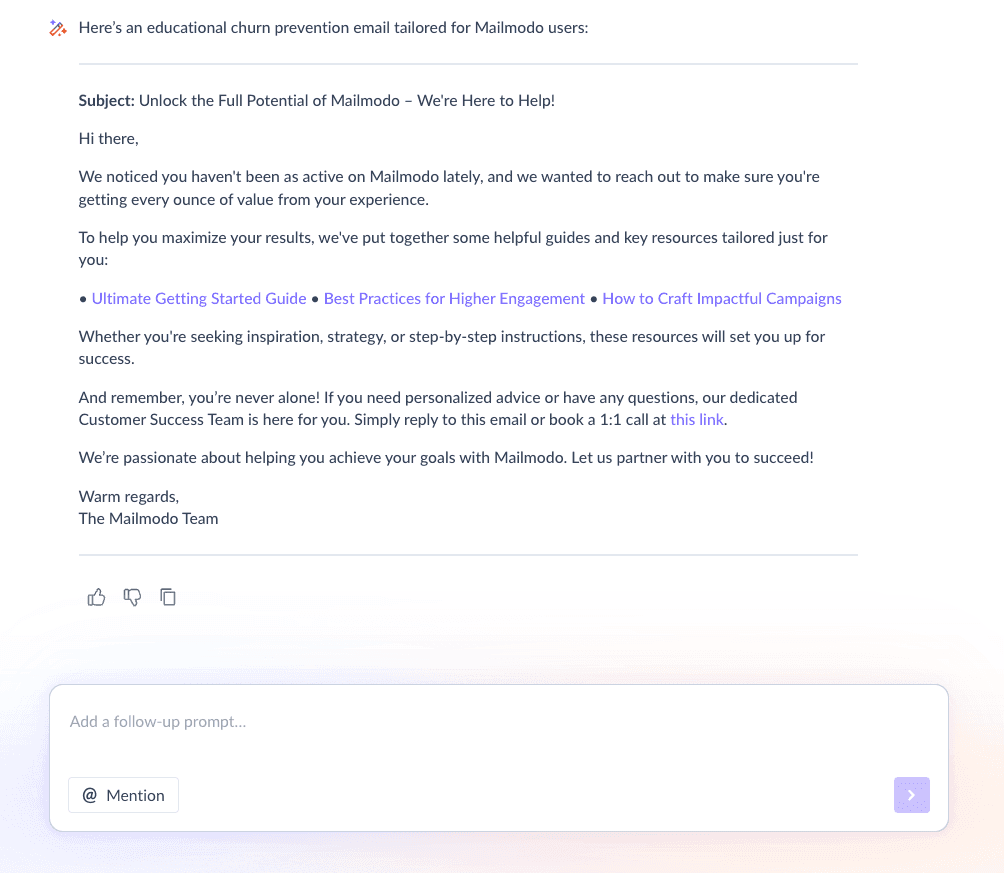
Here’s a sample prompt to generate this kind of email, along with the output it will produce.
Generate an educational email for churn prevention. Include helpful guides, product resources, and an option to connect with customer success to help users achieve their desired outcomes.
Step 4: Build the automated workflow
Once your emails are ready, the next step is to automate them so every new user receives them at the right moment. Your sequence should include:
Trigger: User becomes inactive for 14 days
Delays: Email 1: Day 0; Email 2: After 3–5 days; Email 3: After another 3–5 days
Branching logic: If user becomes active → exit to adoption flow; If user remains inactive → continue sequence
Exit criteria: User re-engages or churns
We used Mailmodo AI to generate this entire workflow from scratch, including triggers, timing, and conditions. Once the output was ready, we just had to review the overall journey following a setup checklist and ask the AI to make the tweaks we wanted in the workflow.
Take a look at the prompt that we used and the output we received.
Generate an educational email for churn prevention. Include helpful guides, product resources, and an option to connect with customer success to help users achieve their desired outcomes.
Step 5: Analyze and improve
Churn prevention doesn’t end once emails are sent. Performance data tells you what’s working and what needs improvement. Key metrics to track include:
Open rate
Click-through rate
Re-activation rate
Feature usage after re-engagement
Churn rate for users in the sequence
We asked Mailmodo AI to analyze the sequence performance and suggest improvements based on engagement trends and outcomes. Take a look at the prompt that we used and the output we received.
Analyze my last churn prevention email sequence and suggest improvements to increase engagement and user reactivation.
Conclusion
A structured churn prevention email sequence helps you reconnect with inactive users, guide them back to meaningful usage, and offer support before they decide to leave. When done well, email becomes a powerful tool to reduce churn through timely, relevant, and helpful communication.
Mailmodo makes it easier to plan, create, automate, and optimize these sequences using AI, so you can focus on keeping users engaged and successful over the long term.


 Learn more about Mailmodo