Product demos are one of the strongest conversion levers for SaaS companies. They help prospects see how your solution solves their real problems, shorten the evaluation cycle, and build trust with your sales team. But even when a lead books a demo, many challenges can still arise. There can be no-shows, low engagement, unclear expectations, or prospects forgetting why they booked the demo in the first place.
Email becomes a reliable channel for this and helps guide them smoothly toward a productive conversation. A structured sequence keeps the momentum alive between the moment a demo is booked and the moment the call actually happens.
This guide will walk you through how to build a complete demo-booked email sequence for SaaS, including planning, segmentation, templates, workflow automation, and optimization.
Why you should have a demo-booked email flow
Email works particularly well for SaaS demo nurturing because it reaches people directly in their inboxes. SaaS prospects often research multiple tools at once, and email gives you a way to stay top-of-mind with helpful reminders and relevant content.
An email flow also lets you automate reminders, reduce no-shows, and keep the lead engaged without adding manual tasks for your sales team. It allows for multiple touchpoints between booking and attending a demo, ensuring that prospects stay committed, prepared, and excited for the call.
What is a demo-booked email sequence?
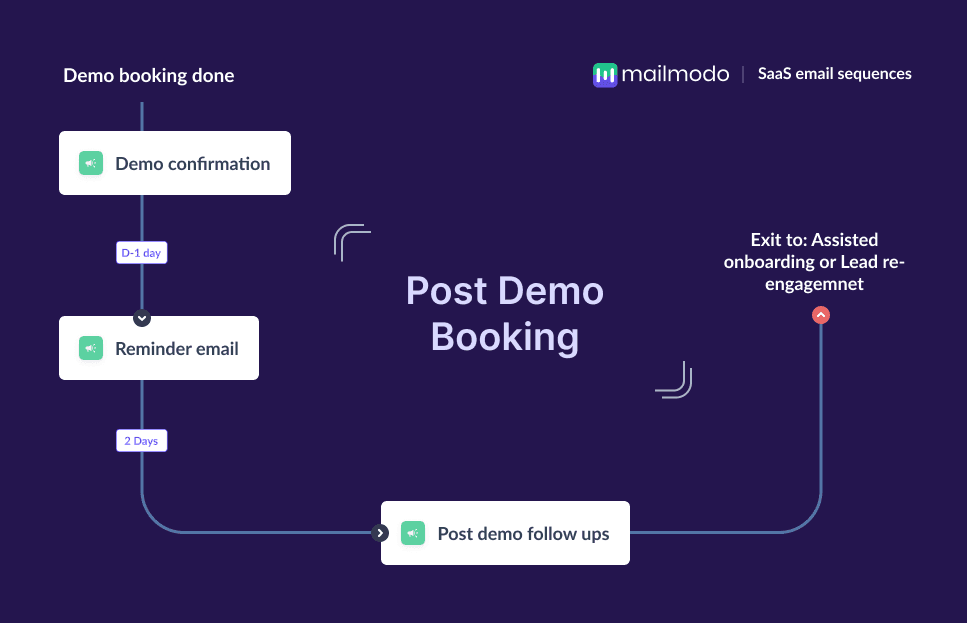
A demo-booked email sequence is a set of automated emails sent to leads after they schedule a demo with your SaaS product. The goal is to increase demo attendance, keep prospects engaged, and help convert them into paying customers.
This sequence typically includes:
A demo confirmation email
A reminder for the demo
A post-demo follow-up, usually personalized by sales
These emails ensure prospects show up, feel prepared, and smoothly move to the next step.
How to build a demo-booked email sequence
Building a demo-booked email sequence becomes simple when you follow a clear framework. Here are the steps you should follow:
Step 1: Plan your campaign
Planning ensures every email in your sequence has a clear purpose. For SaaS demos, the most important goals are increasing attendance, setting expectations, and driving next steps such as trials or proposals.
You should also define who this sequence is for. It could be for marketing-qualified leads, inbound demo bookers, or high-intent prospects.
Also, decide how many emails to send (usually 3), the timing (demo confirmation → reminder → follow-up), and any additional resources you would want your sales team to share.
We asked Mailmodo AI to generate an entire campaign plan for a SaaS demo-booked sequence. It delivered a detailed, actionable blueprint that outlined goals, timing, message purpose, and flow logic, ready to customize and use instantly.
Take a look at the prompt we used. Click on the arrow to see the output we received.
Create a detailed campaign plan for a SaaS demo-booked email sequence. Include goals, target audience, number of emails, timeline, and the primary action each email should drive.
Step 2: Create audience segments
Segmentation determines who receives the sequence and which version they get. For SaaS demo flows, segmentation often depends on lifecycle stage, company size, use case, or behavior. For example, enterprise leads may need additional prep resources, while SMB leads may prefer shorter timelines.
For SaaS, segmentation often includes:
Mid-market vs. enterprise prospects
High-intent leads from product pages vs. low-intent leads
New inbound demo requests vs. sales follow-up calls
Feature-specific demo interest (e.g., automation, analytics, integrations)
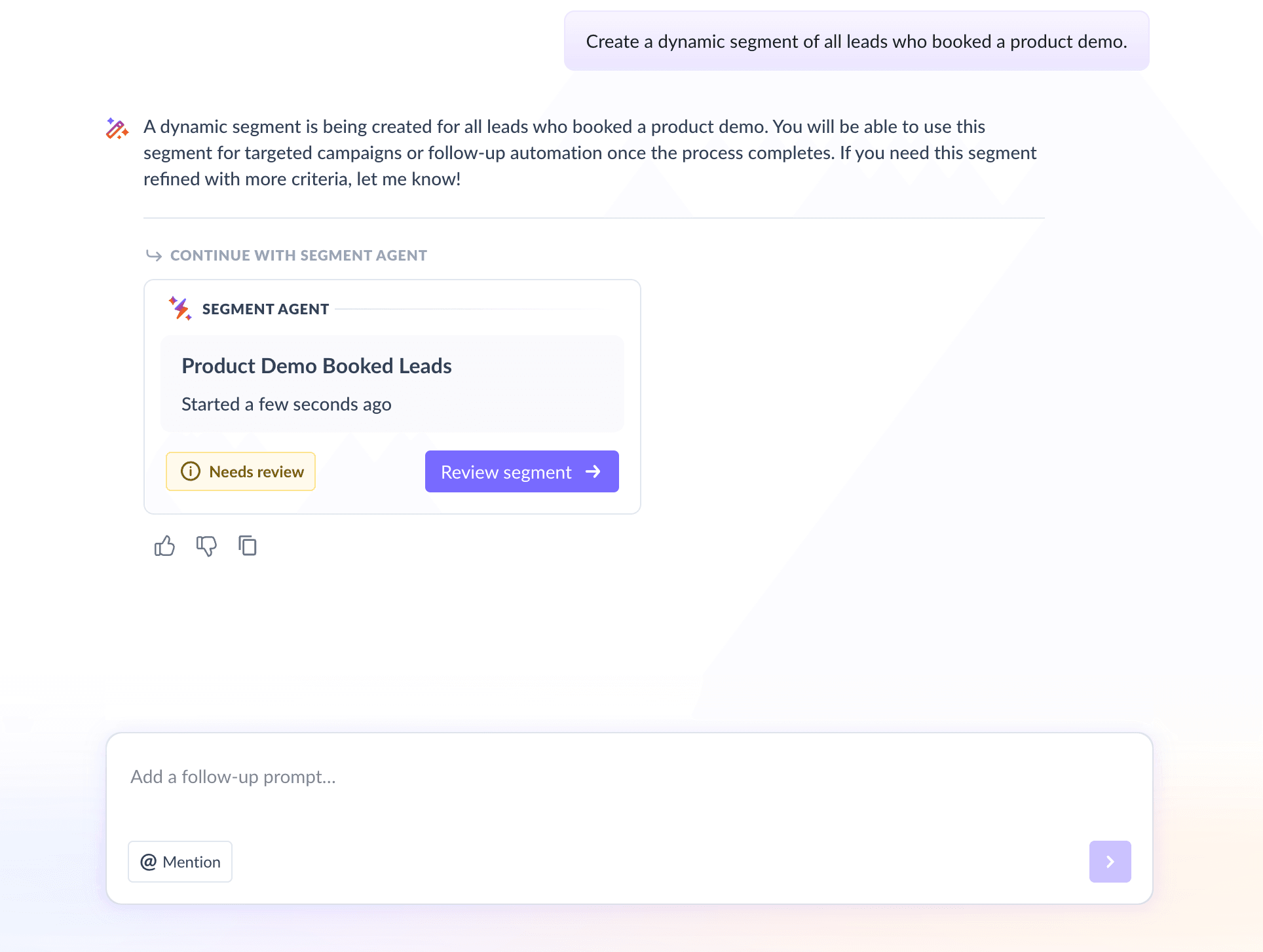
We used Mailmodo AI to instantly generate a dynamic segment for all the leads who booked a demo with us. It also allowed us to review and refine the filters in the builder and finalize the segment for immediate use.
Here’s the prompt we used and the output we got.
Create a dynamic segment of all leads who booked a product demo.
Step 3: Create the email templates
Next, you’ll need to create the email templates that your prospects will receive. Below are the three recommended emails for your SaaS demo-booked email sequence, along with sample prompts you can use in Mailmodo AI to generate them instantly.
Email #1: Demo booked confirmation
When to send: Immediately after demo booking.
Purpose: To confirm the date and time, reassure the prospect, and set expectations for the call
What it should contain:
Confirmation of demo booking
Date and time of the demo
Meeting link
What to expect in the demo
Resources like case studies or blogs relevant to their use case
Here’s a sample prompt to generate this kind of email, along with the output it will produce.
Create a SaaS demo-booked confirmation email. Include meeting details, what to expect in the demo, and 2–3 helpful resources. Keep the tone friendly and professional.
Email #2: Demo reminder
When to send: One day or one hour before the call.
Purpose: To prevent no-shows
What it should contain:
Quick reminder
Meeting link
Key talking points
Option to reschedule if needed
Here’s a sample prompt to generate this kind of email, along with the output it will produce.
Create a SaaS demo reminder email to send 1 day before the demo. Include a calendar link, a short agenda, and a reschedule option.
Email #3: Post-demo follow-up
When to send: After the demo ends
Purpose: To recap the discussion and inform about the next steps
What it should contain:
Summary of what was covered
Answers to their questions
Next-step CTA (proposal, trial, another call)
Here’s a sample prompt to generate this kind of email, along with the output it will produce.
Create a personalized SaaS post-demo follow-up email. Include a short summary asking for feedback on the demo, answers to potential questions, and a clear next-step CTA.
Step 4: Build the automated workflow
Once your templates are ready, the next step is to automate the entire process, so every prospect receives the right message at the right time.
Your SaaS demo-booked workflow should include:
Trigger: User books a demo
Delays: Instant → 1 day → post-demo
Branching logic: If they reschedule → update reminders; If they are a no-show → send a reschedule email
Exit criteria: Lead becomes an opportunity or lead enters a different sales cadence
We asked Mailmodo AI to build an automated workflow for this sequence. It generated a complete journey with triggers, delays, branches, and exit rules. We then reviewed the journey using a setup checklist and asked AI to make small improvements before publishing.
Take a look at the prompt that we used and the output we received.
Generate a complete automated workflow for a SaaS demo-booked email sequence. Include triggers, delays, branching logic for reschedules and no-shows, and exit criteria.
Step 5: Analyze and improve
Once the workflow runs, analyzing performance tells you where to improve. For SaaS demo-booked flows, the most important metrics include:
Open rate: Are subject lines compelling?
Link clicks: Are people adding the event to their calendars?
Demo attendance rate: Are they showing up for the demo?
Demo-to-opportunity rate: Are these emails improving qualification?
We asked Mailmodo AI to analyze a recent demo-booked sequence, and it summarized performance, identified bottlenecks, and offered data-backed suggestions for improvement.
Take a look at the prompt that we used and the output we received.
Analyze my last demo-booked email sequence and suggest improvements to increase demo attendance and conversions.
Conclusion
In SaaS, demos play a major role in converting pipeline into revenue. A structured demo-booked email sequence helps reduce no-shows, reinforces value, and guides prospects smoothly toward the next stage in their buying journey.
Tools like Mailmodo make it easier to plan, write, automate, and refine these flows without extra effort from sales and marketing teams.
With this guide, you’re ready to build a polished, high-performing demo-booked sequence that increases attendance and improves conversions.


 Learn more about Mailmodo