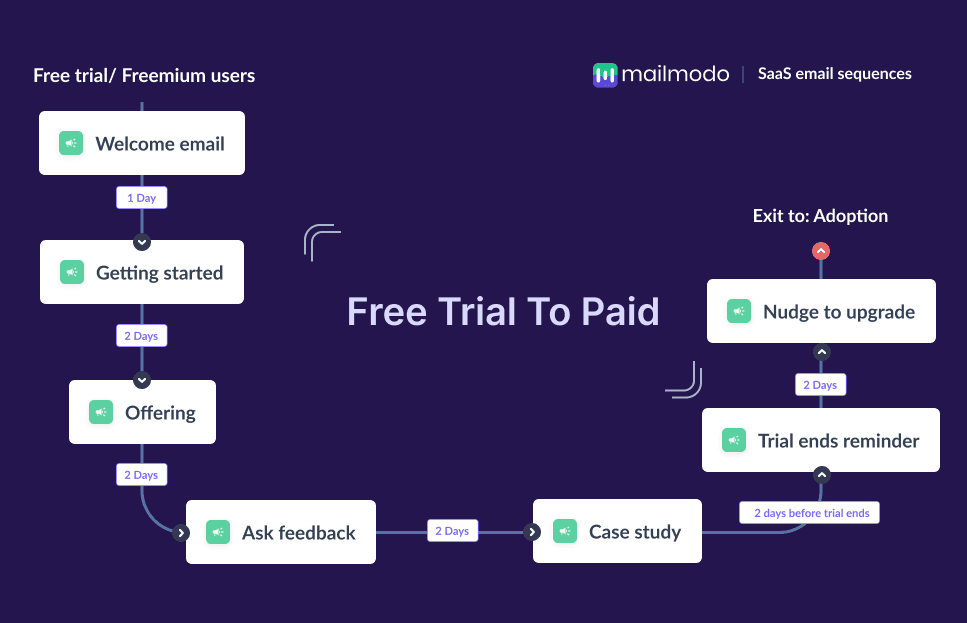
Offering free trials is one of the most effective ways to acquire users for SaaS companies, but getting someone to sign up is only the first step; revenue comes from paid users. Most visitors who begin a trial don’t immediately understand the product’s value, don’t explore its key features, or drop off before they complete setup. That’s why a structured approach to guiding them is essential.
Free trial periods are short, and users are distracted. Without consistent nudges, clear instructions, and relevant reminders, they rarely reach the “aha moment” that leads to a paid subscription.
This guide walks you through building an end-to-end SaaS free trial email sequence to do just that.
Why you should have a free trial email sequence
Email, as a channel, gives SaaS teams a reliable way to stay connected with trial users throughout their evaluation period. Unlike in-app messages, which only appear when someone logs in, emails reach users directly. This makes email the ideal channel for activation, education, reminders, and conversion.
But converting a user from a free trial to a paid user takes time and multiple touchpoints. An email flow allows for that. They ensure timely, behavior-based delivery throughout the entire trial period.
What is a free trial email sequence?
A free trial email sequence is an automated series of emails sent to SaaS users during their free trial period to help them get started, understand the product’s value, and ultimately upgrade to a paid plan.
It usually includes welcome emails, onboarding guidance, feature highlights, case studies, feedback requests, reminders, and nudges to upgrade. Together, these messages activate users, reduce confusion, and accelerate movement toward the “aha moment.”
How to build a saas free trial email sequence
Building a free trial sequence is easy when you follow well-defined steps. Below is a complete framework to help you design, automate, and optimize your SaaS trial-to-paid flow.
Step 1: Plan your campaign
The first step is defining what you want the sequence to achieve. In SaaS, the core objectives usually include: helping users activate early, encouraging repeated product usage, and increasing trial-to-paid conversions. You’ll also determine the length of your sequence based on your trial duration (typically 7, 14, or 30 days), the number of emails you need, and the messaging flow.
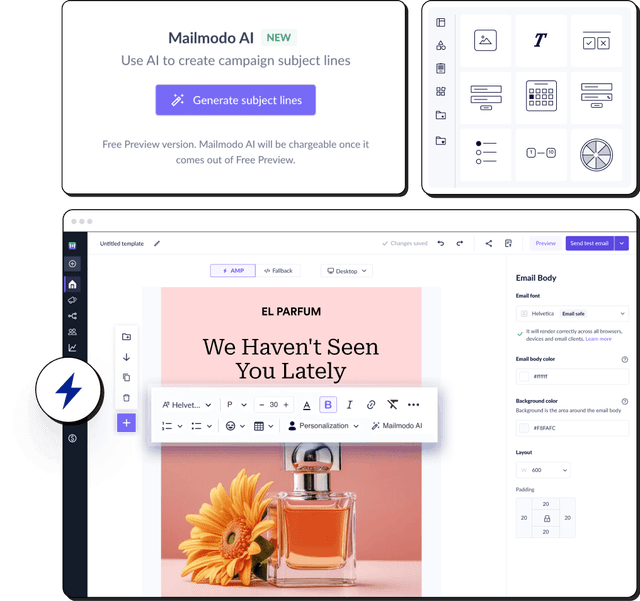
We asked Mailmodo AI to generate a complete campaign plan for a SaaS free trial sequence and it created a detailed plan along with the timeline, messaging map, and recommended actions for every email. We reviewed the output, made edits, and instantly converted it into an automated flow.
Here’s the prompt we used. Click the arrow to see the output we got.
Create a detailed campaign plan for a SaaS free trial to paid email sequence. Include goals, target audience, number of emails, timeline, and the primary action each email should drive.
Step 2: Create audience segments
Not all trial users behave the same—some activate instantly, some explore only one feature, and others abandon the product midway. Segmentation ensures every user receives emails that match their behavior and intent. Some segments you can have include:
New sign-ups: users who just created an account
Activated users: those who completed key actions
Inactive users: users who haven’t logged in or dropped off
Power users: people using advanced features
Team vs individual users: based on plan type or setup flow
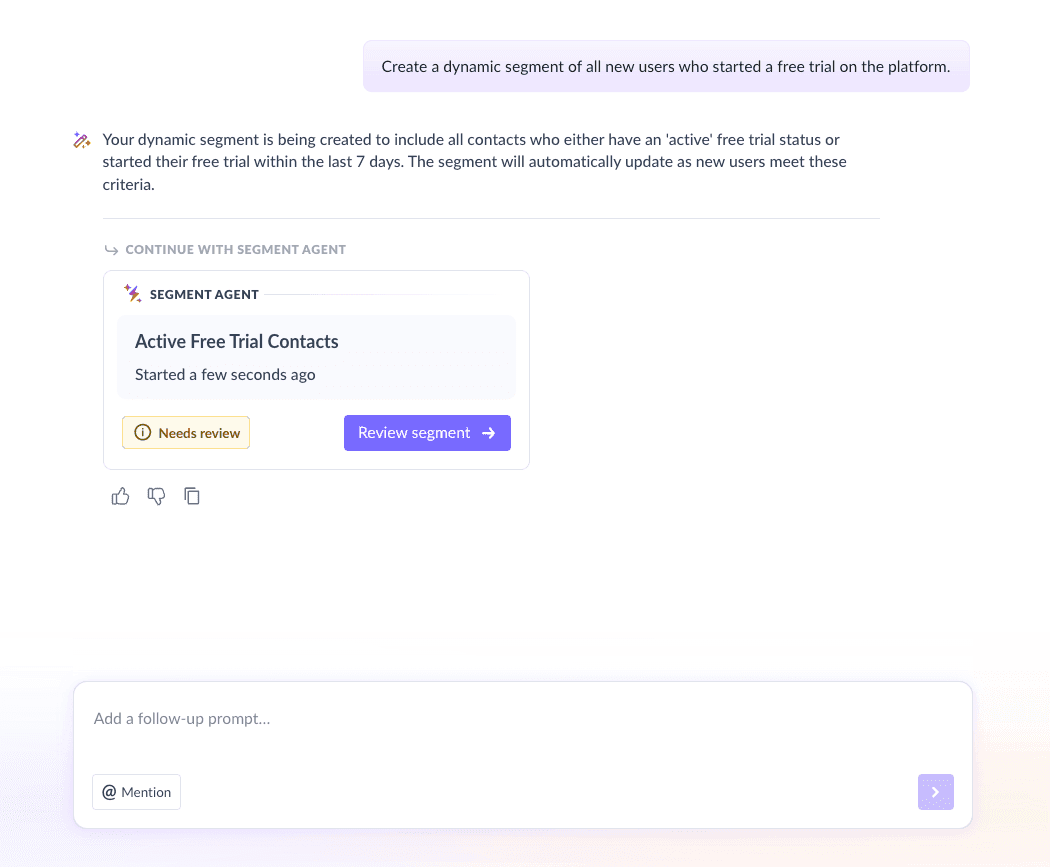
We used Mailmodo AI to automatically generate a segment of new free trial users. It let us review, modify conditions, and instantly created the dynamic segment.
Take a look at the prompt we used for this and the output we got.
Create a dynamic segment of all new users who started a free trial on the platform.
Step 3: Create the email templates
Next, you create the email templates that will be sent to the free trial users. Below are the recommended emails, along with sample prompts that you can use to generate similar emails in Mailmodo.
Email #1: Free trial welcome email
When to send: Immediately after signup
Purpose: Confirm the trial and set expectations
What it should contain:
A friendly welcome message
Confirmation of trial activation
High-level intro to what they can do during the trial
A single CTA to log in to their account
Here’s a sample prompt to generate this kind of email along with the output it will produce.
Create a free trial welcome email for Mailmodo that confirms the trial, sets expectations, and a has a CTA that guides the user toward their first login.
Email #2: Getting started email
When to send: Day 1–2
Purpose: Help user begin using the product
What it should contain:
First steps to complete
How to set up their account
What they should expect next
One CTA to continue onboarding
Here’s a sample prompt to generate this kind of email along with the output it will produce.
Generate a SaaS onboarding email that guides new trial users through their first 2–3 setup steps and start using the key features. Keep it simple and include a clear CTA to complete onboarding.
Email #3: Free trial offer/Feature spotlight email
When to send: Mid-trial
Purpose: Showcase premium features and what users are missing on the free plan
What it should contain:
Unique features of your platform
Specific value offered by paid plans
What they unlock by upgrading
A CTA to explore the premium feature
Here’s a sample prompt to generate this kind of email along with the output it will produce.
Create an email highlighting key premium features for SaaS trial users of Mailmodo. Explain what they do, why they matter, and encourage them to explore the premium plan with a CTA.
Email #4: Free trial feedback email
When to send: Mid-trial or after early engagement
Purpose: Understand user experience and identify blockers
What it should contain:
A short request for feedback
NPS, emojis, or a short form
An invitation to share blockers
A CTA to continue using the product
Here’s a sample prompt to generate this kind of email along with the output it will produce.
Generate an email asking free trial users for feedback. Include an interactive rating or form inside the email to gather qualitative and quantitative insights.
Email #5: Case study email
When to send: Mid to late trial
Purpose: Provide social proof showing real customers who benefited using premium features
What it should contain:
A mini case study
Before/after examples
Testimonials
A CTA to try the feature
Here’s a sample prompt to generate this kind of email along with the output it will produce.
Create a SaaS case study email for free trial users. Highlight real results, customer quotes, and include a strong CTA to try premium features.
Email #6: Free trial ending reminder email
When to send: 2–3 days before trial ends
Purpose: Create urgency and prepare users for the transition
What it should contain:
Reminder of trial end date
Value they've experienced
What they lose if they don’t upgrade
A CTA to upgrade
Here’s a sample prompt to generate this kind of email along with the output it will produce.
Generate a trial-ending reminder email. Include the expiration date, benefits of upgrading, and a CTA to continue without interruption.
Email #7: Nudge to upgrade email
When to send: Last day of trial or immediately after trial ends
Purpose: Give users a final push to convert
What it should contain:
Soft but clear nudge to upgrade
Benefits summary
Any bonus/discount (optional)
A strong CTA to upgrade
Here’s a sample prompt to generate this kind of email along with the output it will produce.
Create an upgrade reminder email for free trial users whose free trials are ending today. Include benefits of upgrading, urgency, a discount offer and a CTA to upgrade now.
Step 4: Build the automated workflow
Once your templates are ready, automate the entire sequence so each user gets the right message at the right time.
Your free trial sequence should include:
Trigger: User starts free trial
Delays:
Email 1 → immediately
Email 2 → 1 day later
Email 3 → 2–3 days later
Email 4 → mid-trial
Email 5 → late-trial
Email 6–7 → final days of trial
Branching logic: If user is active → skip aggressive nudges; if user is inactive → send reactivation email; if user upgraded → exit workflow
Exit criteria: User upgrades, trial expires
We used Mailmodo AI to generate a complete workflow and it mapped all triggers, delays, and conditions automatically. We reviewed and asked AI to tweak timings and the changes were applied instantly.
Take a look at the prompt that we used and the output we received.
Generate a complete automated workflow for SaaS users whose free trial is ending. Include triggers, delays, branching logic, and exit criteria.
Step 5: Analyze and improve
Once your sequence is live, track the right metrics to understand performance of your sequence. Here are a few metrics to look at:
Open rate: Are users noticing your emails?
Click-through rate: Are they exploring features?
Activation rate: Are they completing key actions?
Upgrade rate: How many trial users convert to paid?
Drop-off points: Which emails don’t perform well?
You can then use this data to analyze and gather insights to optimize your email sequence.
We even asked Mailmodo AI to analyze our last free trial ending sequence. It summarized performance, identified strong and weak touchpoints, and gave specific conversion-boosting recommendations.
Take a look at the prompt that we used and the output we received.
Analyze my last free trial email sequence and suggest improvements to increase activation and upgrade rates.
Conclusion
Free trials are one of the most effective acquisition models in SaaS, but only when users are guided through the experience. A structured email sequence ensures users get the right support, discover key features, and understand the value of upgrading.
Tools like Mailmodo make it easier to plan, create, automate, and optimize these sequences, helping you launch high-performing free trial workflows with less effort.


 Learn more about Mailmodo