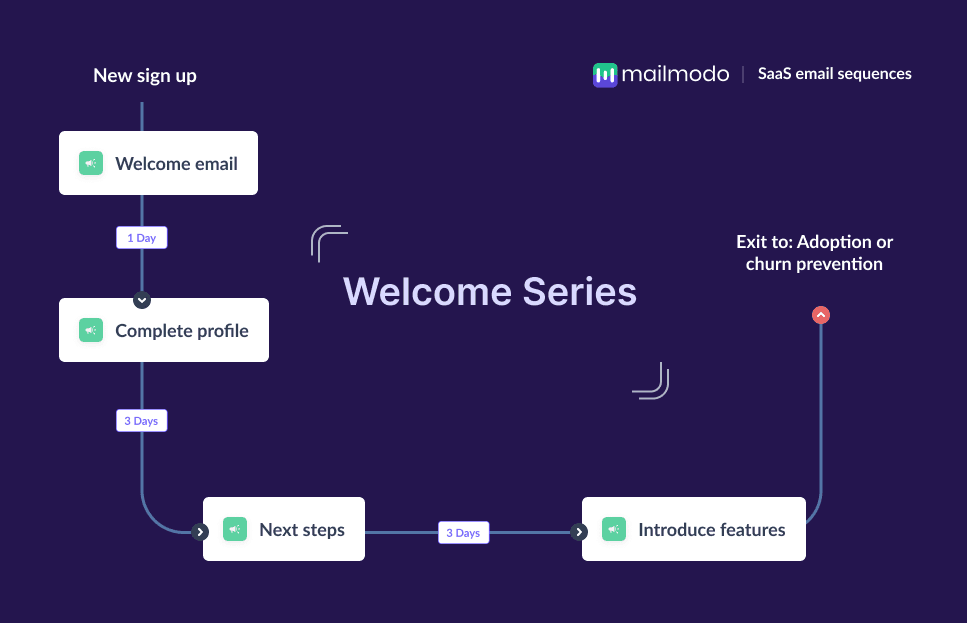
The moment a user signs up is a critical point for any SaaS company. It’s the first real signal that they want to explore your product, and it sets the tone for everything that comes after. But most SaaS teams struggle with the same early-journey challenges. The users sign up, look around for a few minutes, and then leave to never return. Others feel unsure about what to do next, where to start, or how your product helps them.
This is why the welcome email flow matters so much. It helps you greet new users, guide them, and help them achieve their aha moment before they lose interest. And email is one of the most reliable and effective ways to move users from sign-up to activation.
In this guide, you’ll learn how to build a complete SaaS welcome email sequence, so every new user gets the right message at the right time.
Why should you use an email flow?
Email gives you direct access to users right after they sign up, without depending on ads, algorithms, or in-app behavior. During onboarding, this matters because new users often get confused or distracted before reaching their first “Aha!” moment.
Through email, SaaS teams can personalize onboarding paths, send timely instructions, and offer support exactly when the user needs it. Automated welcome sequences also make sure every new user receives consistent, well-timed touchpoints, even if they don’t log back into your product.
Additionally, a single email isn’t enough. This is because people don’t always act right away. They skim, forget, or need more context. A sequence allows you to welcome, understand, educate, and guide them across multiple steps and touchpoints.
What is a welcome email sequence?
A welcome email sequence is a series of emails sent to new SaaS users immediately after they sign up. The goal is to introduce your brand, guide users through early actions, and help them experience value as fast as possible.
A typical welcome sequence includes:
A greeting and brand introduction
A request to complete their profile and set up preferences
Next steps to take
A feature education or value-focused follow-up
These touchpoints work together to move users from curiosity to meaningful engagement.
How to build a welcome email sequence
Building a welcome email sequence can be easy if you’re following a well-defined set of steps. Here are the steps for you to follow:
Step 1: Plan your campaign
Planning gives your sequence structure and purpose. Without it, you’ll end up sending disconnected emails that don’t push users toward activation. This step helps you map your goals, messages, timing, and success metrics.
In SaaS, the goal could be product activation, demo bookings, or helping users reach their first value moment. Decide how many emails you need (usually 4–5), how long the flow should run, and what actions you want users to take at every step.
We asked Mailmodo AI to generate an entire campaign plan for our welcome email sequence and it delivered a detailed, actionable plan that we could review, customize, and turn into an automated workflow instantly. The output also outlined what emails to send, when to send them, and what each message should achieve.
Take a look at the prompt we used. Click on the arrow to see the output we received.
Create a detailed campaign plan for a SaaS welcome email sequence. Include goals, target audience, number of emails, timeline, and the primary action each email should drive.
Step 2: Create audience segments
Audience segmentation ensures that users receive onboarding messages that match their needs. Not all SaaS users are the same; some sign up for a free trial, some join a team workspace, while others start because of a specific feature.
For SaaS, segmentation often includes:
Self-serve users vs. sales-assisted users
Free trial vs. freemium
Company size or role (admin, manager, contributor)
Expected use case or feature interest
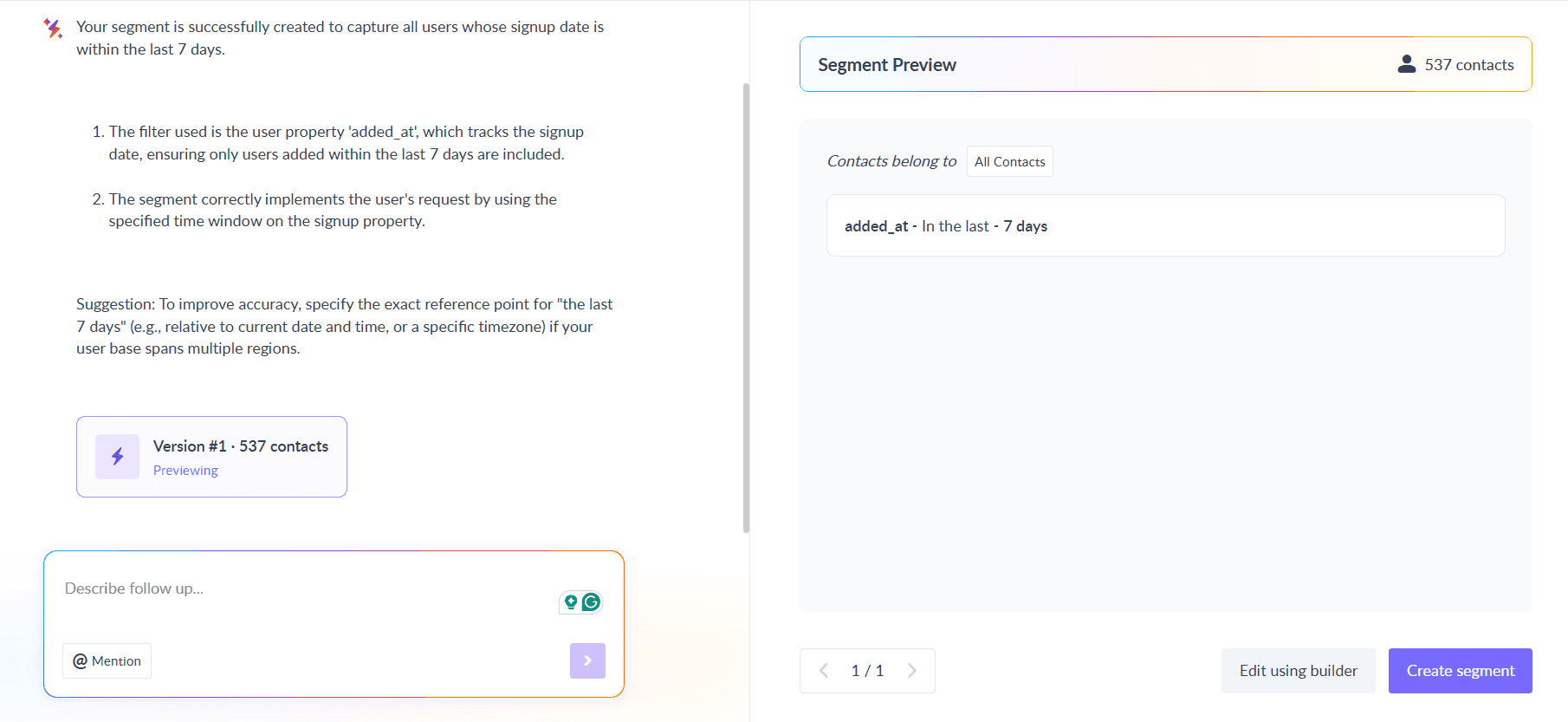
We used Mailmodo AI to quickly create an audience segment for our SaaS Welcome email sequence. Once it was done, we got the option to review, make edits using the builder, or ask AI to carry out the changes we wanted. Once we confirmed, Mailmodo AI created the segment instantly and it was ready to use for our campaign.
Create a dynamic segment of all the new users who signed up on the platform.
Step 3: Create the email templates
Here’s a sample list of emails that you should be creating for your welcome email sequence. We’ve also included sample prompts that you can use in Mailmodo AI to generate these email templates in minutes instead of having to spend hours creating them.
Email #1: Welcome email
When it’s sent: Immediately after signup
Purpose: Greet the user, set expectations, and position your product
What it should include:
A friendly welcome message
A short intro to your product
Information on what they will get from your emails
A single clear CTA to set up their profile
Here’s a sample prompt to generate this kind of email, along with the output it will produce.
Create a welcome email for new users of my SaaS product. Include a warm greeting, a brief product introduction, expectations for future emails, and one strong CTA to begin account setup.
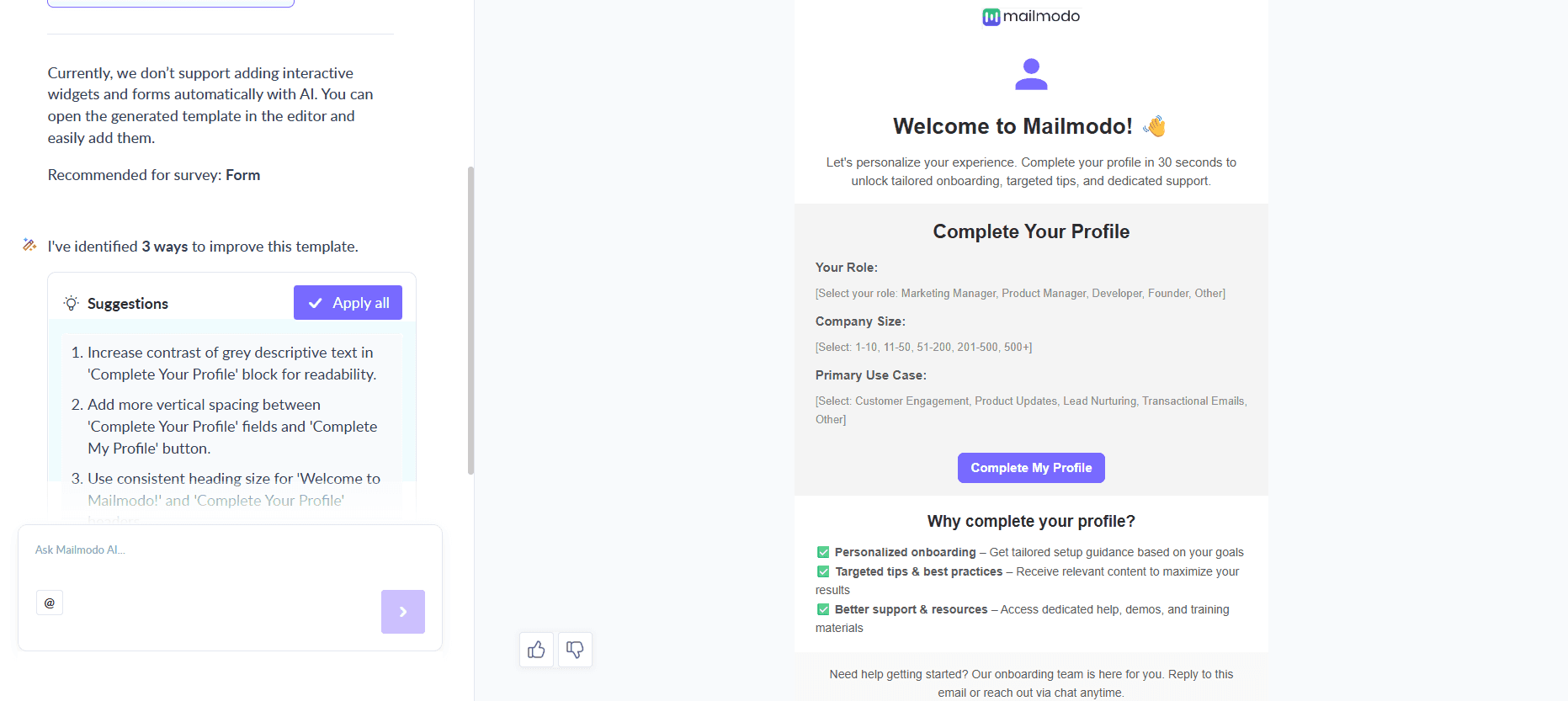
Email #2: Complete profile
When it’s sent: 1–2 days after signup
Purpose: Collect essential details to personalize onboarding
What it should include:
A request for key info (name, role, company size, use case)
A brief explanation of why this helps
A short form inside the email or a link to an external form to complete the profile
Here’s a sample prompt to generate this kind of email, along with the output it will produce.
Generate an email template for new SaaS users to complete setting up their profile. Keep it short and ask only for essential details like role, company size, and primary use case. Add an interactive form inside the email itself to collect the necessary information.
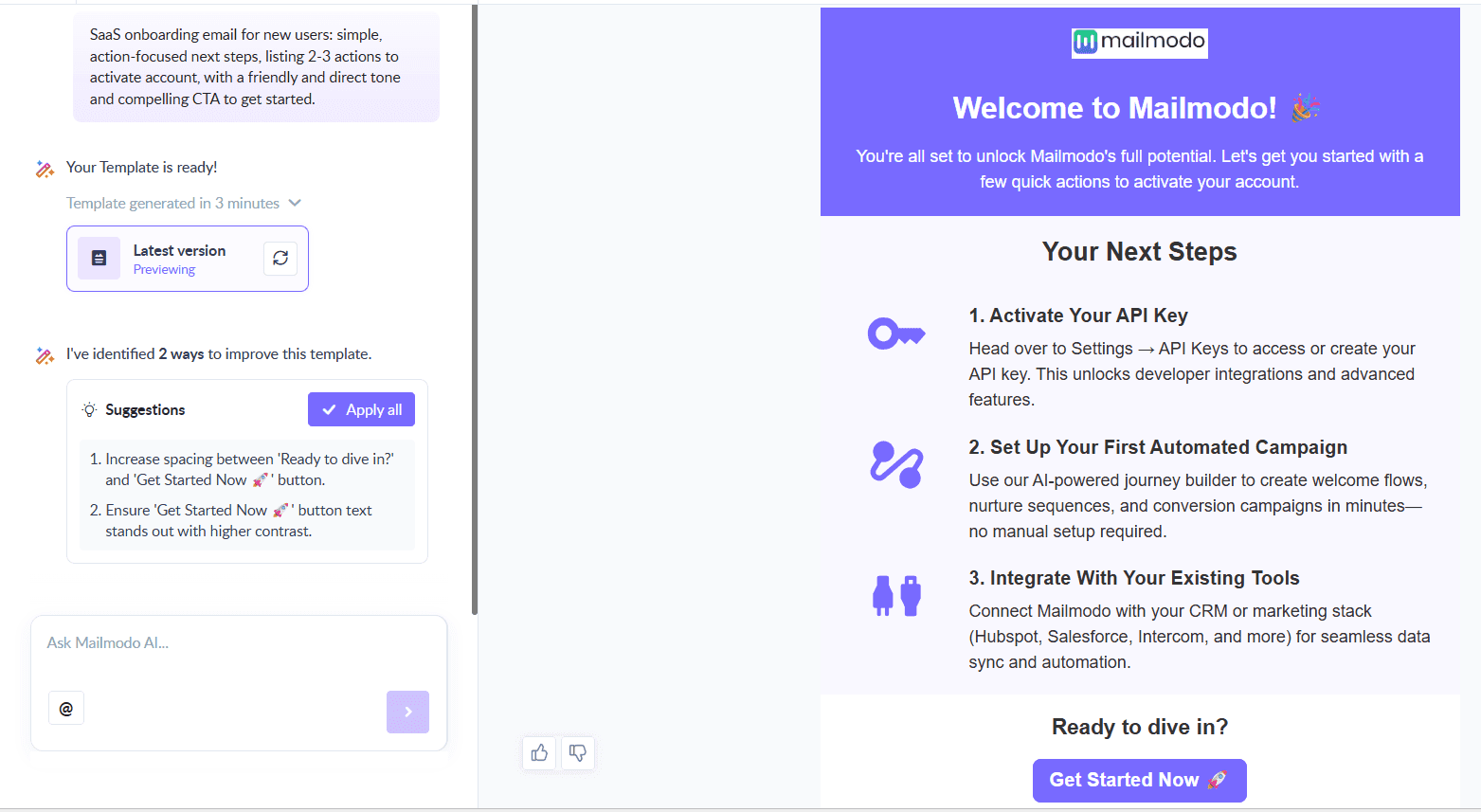
Email #3: Next steps email
When it’s sent: 3-4 days after sign up
Purpose: Guide users toward the most important actions to take
What it should include:
A short explanation of what to do next
A list of 2–3 recommended steps
Why these steps matter
A single CTA to continue onboarding
Here’s a sample prompt to generate this kind of email, along with the output it will produce.
Generate a SaaS onboarding next-steps email template listing 2–3 actions a new user should take to activate their account. Keep the content simple and action-focused and include a compelling CTA for them to take action.
Email #4: Introduce the product features
When it’s sent: 5-7 days after sign up
Purpose: Highlight a helpful feature that accelerates value
What it should include:
A simple explanation of the feature
Examples or mini use cases
A CTA to try the feature
Some testimonials from existing users
Here’s a sample prompt to generate this kind of email, along with the output it will produce.
Generate an email template introducing a key product feature to new SaaS users. Explain what the feature does, why it's helpful, and encourage them to try it with a clear CTA that leads them to the actual page where they can try out the feature.
Step 4: Build the automated workflow
Once your emails are ready, the next step is to automate them so every new user receives them at the right moment.
Your welcome email sequence should include:
Trigger: User signs up
Delays: 0 days → 1 day → 2–3 days → 2–3 days
Branching logic: If active → skip to feature email; if inactive → send a follow-up email
Exit criteria: User becomes active or moves to the adoption flow
We used Mailmodo AI to set up a welcome email sequence. It generated a complete workflow, mapping triggers, timing, and conditions. Once the output was ready, we just had to review the overall journey following a setup checklist and ask the AI to make the tweaks we wanted in the workflow.
Take a look at the prompt that we used and the output we received.
Generate a complete automated workflow for a SaaS welcome email sequence. Include triggers, delays, conditions, branching logic, and exit criteria.
Step 5: Analyze and improve
Once your sequence is live, track how users respond. You can monitor important SaaS metrics, including:
Open rate: Are users noticing your emails?
Click-through rate: Are CTAs compelling?
Activation rate: Are users completing key onboarding steps?
Time-to-value: How long does it take users to experience the benefit?
Drop-off points: Which email loses the most users?
We asked Mailmodo AI to analyze one of our past campaigns and it not only summarized the results but also highlighted top-performing elements and suggested data-backed improvements for our future campaigns.
Take a look at the prompt that we used and the output we received.
Analyze my last three emails from the welcome email sequence and suggest how to improve them to get more conversions.
Conclusion
In SaaS, a strong welcome sequence helps users understand your product faster and reach value sooner. Email gives you a direct and reliable way to guide them, educate them, and move them toward activation across multiple touchpoints.
With Mailmodo AI, you can plan, create, automate, and optimize this entire sequence without hassle. Once your flow is in place, every new user will get a smoother, more helpful onboarding experience.


 Learn more about Mailmodo