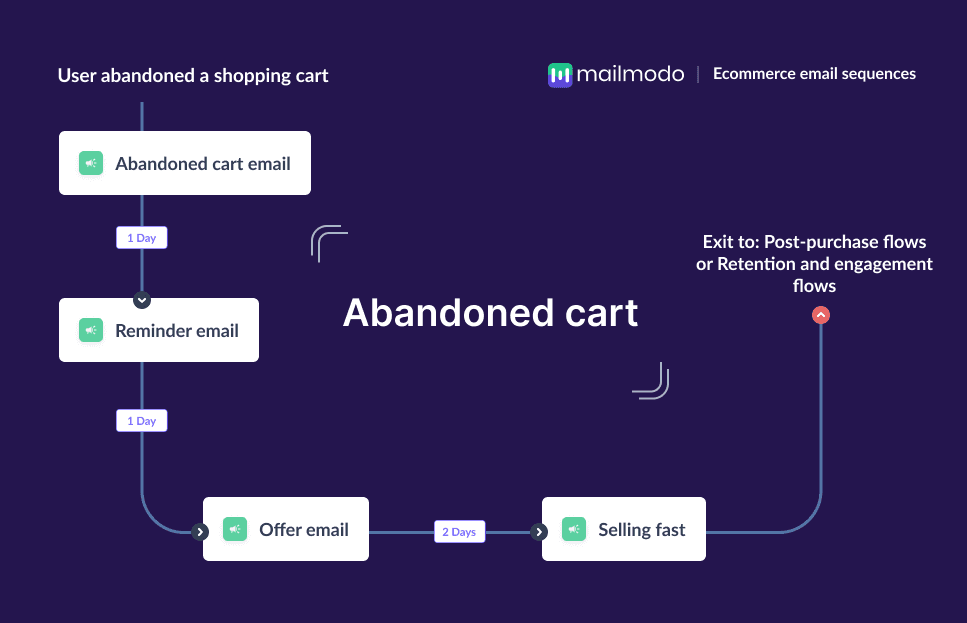
Abandoned carts hurt the most because they represent lost revenue. Shoppers browse products, add items to their cart, and then leave without completing the purchase, for reasons ranging from distraction and price sensitivity to lack of urgency or trust.
This problem matters because these users are not cold leads. They’ve already shown clear buying intent. They like the product enough to add it to their cart, but need an extra push to convert.
That’s where an abandoned cart email sequence becomes essential. Instead of relying on a single reminder, a structured email flow helps you reconnect with shoppers, address hesitation, and nudge them back at the right moments.
In this guide, we’ll walk through how to build a complete abandoned cart email sequence for ecommerce.
Why should you use an email flow?
Email works exceptionally well for abandoned cart recovery in ecommerce because it reaches users in a personal, distraction-free space. Unlike ads or push notifications, email allows you to deliver contextual reminders directly tied to what the shopper left behind.
With email, you can:
Show the exact products abandoned in the cart
Personalize content using user behavior and cart value
Automate timely follow-ups without manual effort
Add urgency, social proof, or incentives when needed
Cart abandonment rarely happens because of a single reason, which is why one email isn’t enough. Some shoppers forget, some compare prices, and others wait for a deal. A sequence lets you address each of these mindsets across multiple touchpoints.
This is why abandoned cart recovery is best handled through a thoughtfully designed email sequence rather than a one-off message.
What is an abandoned cart email sequence?
An abandoned cart email sequence is a series of automated emails sent to shoppers who add products to their cart but leave without completing the purchase.
These emails usually include:
A reminder of the abandoned items
Follow-up nudges if no action is taken
Incentives like discounts or free shipping
Urgency-based messages highlighting limited stock or demand
How to build an abandoned cart email sequence
Building an email sequence can be easy if you’re following a well-defined set of steps. Here are the steps for you to follow:
Step 1: Plan your campaign
Planning sets the foundation for a high-performing abandoned cart flow. Without a clear plan, emails can feel repetitive or poorly timed. You can start by outlining the following:
Objective: Recover abandoned carts and drive completed purchases
Audience: Shoppers who added products to the cart but didn’t check out
Messaging: Reminder → reassurance → incentive → urgency
Number of emails: 3–4 emails
Timeline: Spread across 3–4 days
To speed this up, we used Mailmodo AI to generate a complete abandoned cart campaign plan. It gave us a structured outline covering email goals, timing, and CTAs, which we could easily refine.
Take a look at the prompt we used. Click on the arrow to see the output we received.
Create an abandoned cart email campaign plan for an ecommerce brand. Include objectives, number of emails, delays between emails, message theme for each email, and the primary CTA.
Step 2: Create audience segments
Not all cart abandoners are the same. Segmenting users helps you send more relevant and effective emails. For abandoned cart flows, segmentation is usually based on behavior and attributes such as:
Cart activity (added to cart but no purchase)
Time since abandonment
Cart value
Product category
Returning vs first-time shoppers
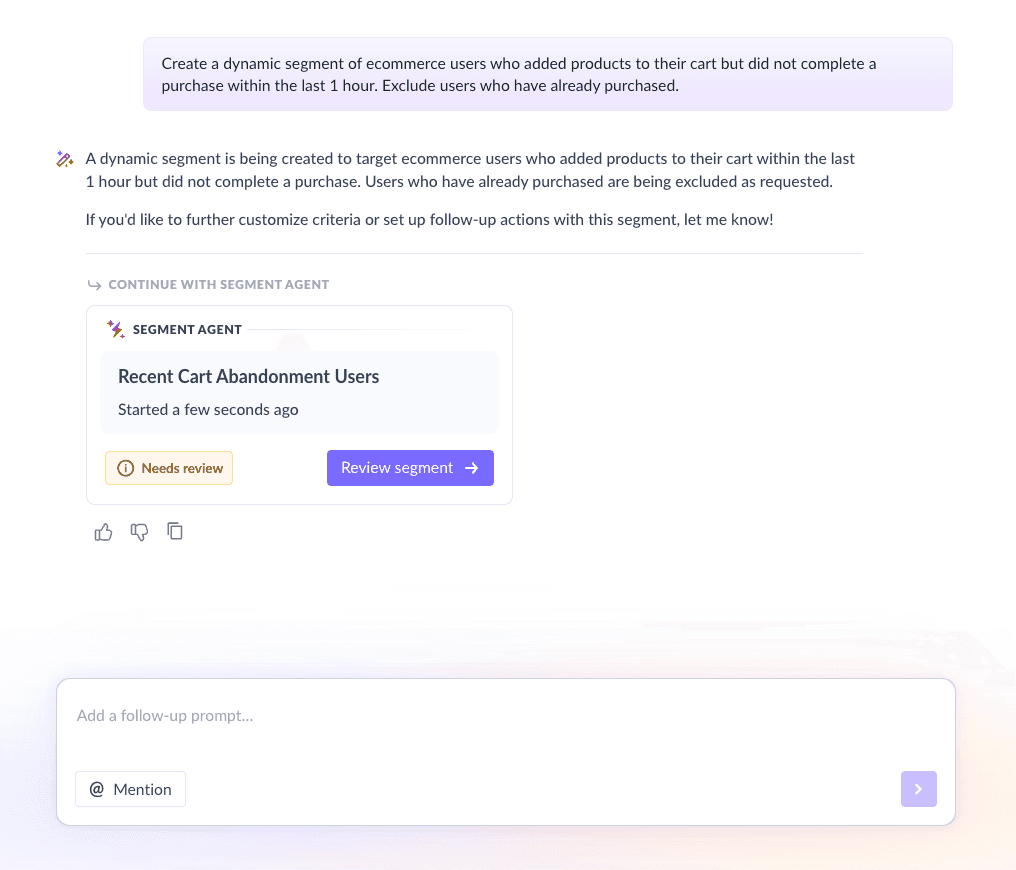
We used Mailmodo AI to quickly create an audience segment. Once it was done, we got the option to review, make edits using the builder, or ask AI to carry out the changes we wanted. Once we confirmed, Mailmodo AI created the segment instantly and it was ready to use for our campaign.
We created a segment of:
Users who added at least one product to cart
Did not complete checkout within the last 1 hour
Have an email address available
Create a dynamic segment of ecommerce users who added products to their cart but did not complete a purchase within the last 1 hour. Exclude users who have already purchased.
Step 3: Create the email templates
Once the plan and segment is ready, the next step is creating the emails that make up the abandoned cart sequence. Each email has a distinct role and should feel intentional.
Here’s a sample list of emails you should be creating for your email sequence. We’ve also included sample prompts that you can use in Mailmodo AI to generate these email templates in minutes instead of having to spend hours creating them.
Email #1: Abandoned cart reminder
When to send: Within the first hour of abandoning
Purpose: Remind shoppers about the items they left behind
What to include:
Product images and names
Cart summary
Clear “Return to cart” CTA
Reassurance around checkout or shipping
Here’s a sample prompt to generate this kind of email, along with the output it will produce.
Generate an abandoned cart email template for an ecommerce brand. Include product details, images, a reminder message, and a primary CTA to return to the cart.
Email #2: Abandoned cart reminder follow-up
When to send: 12–24 hours after Email #1
Purpose: Re-engage shoppers who didn’t act on the first email
What to include:
Reminder of cart items
Benefits of completing the purchase
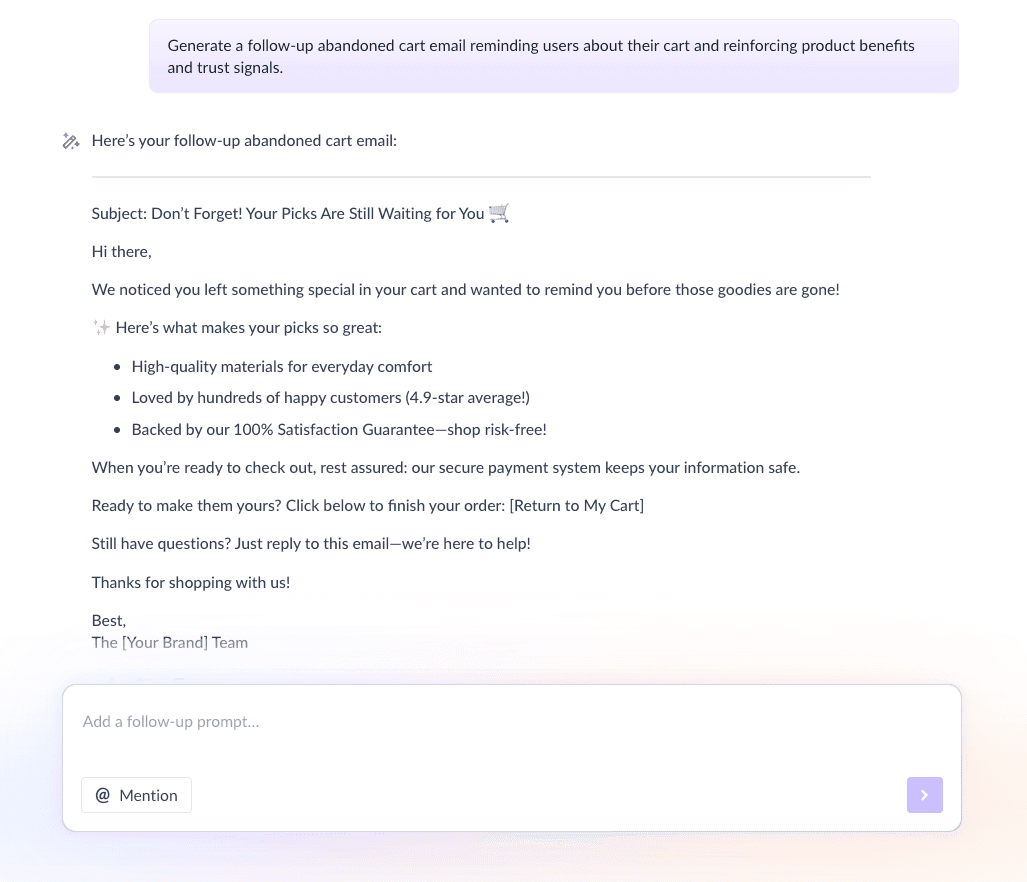
Trust signals like reviews or guarantees
Here’s a sample prompt to generate this kind of email, along with the output it will produce.
Generate a follow-up abandoned cart email reminding users about their cart and reinforcing product benefits and trust signals.
Email #3: Abandoned cart offer email
When to send: 2–3 days later
Purpose: Reduce price hesitation
What to include:
Limited-time discount or free shipping
Clear expiry or condition
Strong CTA to complete purchase
Here’s a sample prompt to generate this kind of email, along with the output it will produce.
Create an abandoned cart offer email with a limited-time discount to encourage users to complete their purchase.
Email #4: Selling fast / FOMO email
When to send: 1 day later
Purpose: Create urgency as a last push
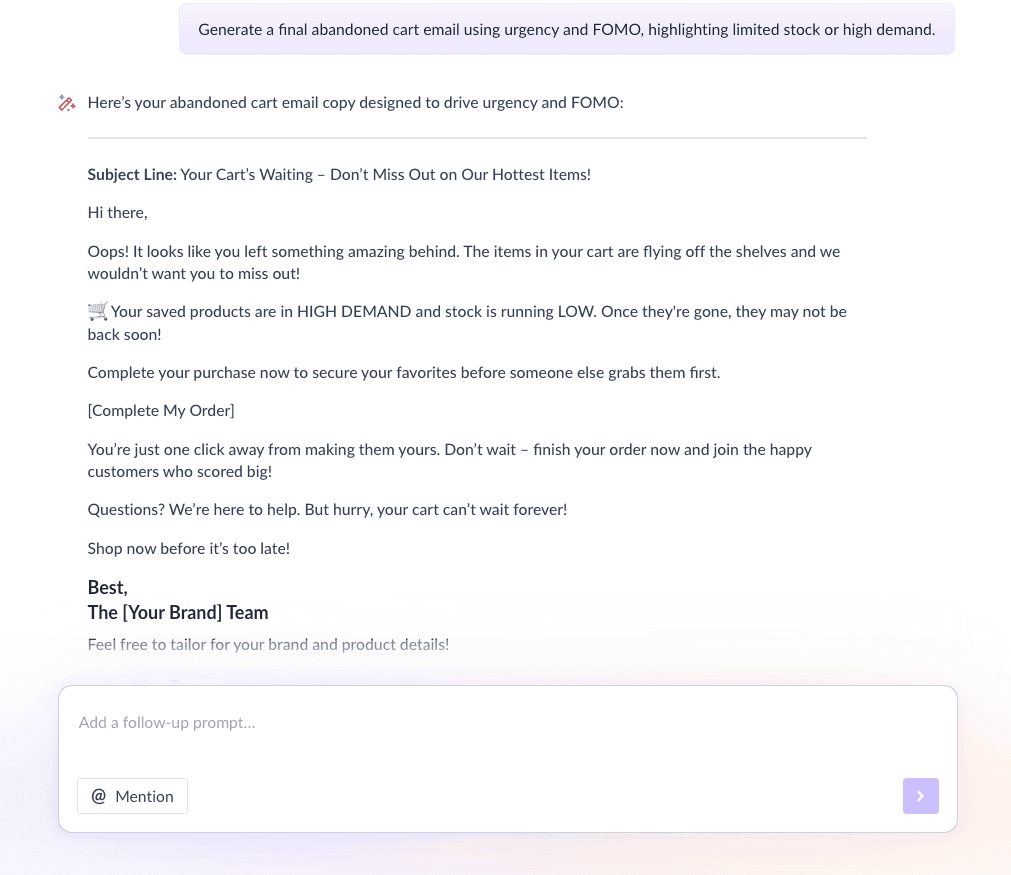
What to include:
Low stock or high demand messaging
Phrases like “Selling fast” or “Limited availability”
Final reminder CTA
Here’s a sample prompt to generate this kind of email, along with the output it will produce.
Generate a final abandoned cart email using urgency and FOMO, highlighting limited stock or high demand.
Step 4: Build the automated workflow
Once your emails are ready, the next step is to automate them so every new user receives them at the right moment. A typical workflow would look like this:
Trigger: User adds product to cart but doesn’t purchase
Delays: 1 hour → 12–24 hours → 2 days → 1 day
Branching logic: If purchase made → exit flow; If no purchase → continue sequence
Exit criteria: User completes purchase or reaches end of flow
We used Mailmodo AI to generate this entire workflow from scratch. It mapped triggers, delays, conditions, and exits, making setup quick and easy. Once the output was ready, we just had to review the overall journey following a setup checklist and ask the AI to make the tweaks we wanted in the workflow.
Take a look at the prompt that we used and the output we received.
Generate a complete abandoned cart email workflow for an ecommerce store. Include triggers, delays, branching logic, and exit criteria.
Step 5: Analyze and improve
Optimization is what keeps your abandoned cart flow profitable over time. Tracking the right metrics helps you understand what’s working and what needs improvement. Key metrics to track include:
Open rate
Click-through rate
Revenue recovered
Unsubscribe rate
Take a look at this sample prompt that you can use in Mailmodo to analyze your email sequence and get insights and recommendations for optimization.
Analyze my abandoned cart email sequence and recommend improvements to increase conversions and revenue recovery.
Conclusion
An abandoned cart email sequence allows you to address different buyer objections across multiple touchpoints instead of relying on a single message. When combined with automation and personalization, email becomes one of the most effective recovery channels.
With tools like Mailmodo, planning, creating, automating, and optimizing abandoned cart sequences becomes significantly easier, helping you turn lost carts into completed purchases.


 Learn more about Mailmodo