Repeat purchases are what separate fast-growing brands from one-time sellers. Many ecommerce businesses sell products that run out after a predictable period, like shampoo, skincare, supplements, pet food, or household essentials.
The challenge is simple but real: customers often forget to come back, even when they like the product. They don’t actively decide not to repurchase. It just slips their mind or they switch to another brand out of convenience.
This is where a product refill email sequence supports your ecommerce store. Instead of waiting for customers to remember you, you reach out at the moment they’re likely to need the product again. In this guide, we’ll walk through how to build a complete product refill email sequence.
Why should you use an email flow?
Email works exceptionally well for product refills in ecommerce because timing and relevance matter more than novelty. You already know what the customer bought, when they bought it, and roughly how long it lasts.
With email, you can:
Reach customers directly without relying on ads
Personalize messages based on past purchases
Schedule emails based on product usage cycles
Automate reminders without manual effort
Nudge customers multiple times without being intrusive
A single reminder often isn’t enough. People miss emails, open them at the wrong time, or intend to buy later and forget again. Multiple touchpoints spaced over a short period ensure your brand stays top of mind right when the need arises.
That’s why ecommerce brands use email sequences, not one-off messages, to drive refills consistently.
What is a product refill email sequence?
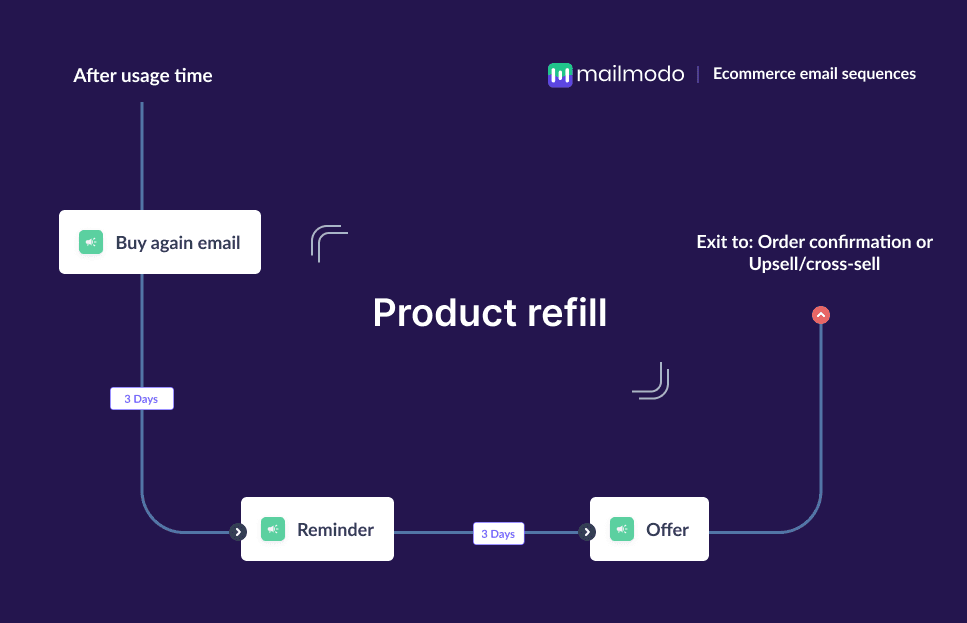
A product refill email sequence is a set of automated emails sent to customers after a purchase, timed around the expected usage period of the product, to encourage them to buy it again.
It usually includes:
A refill reminder
A follow-up or nudge
A final email with an incentive
How to build a product refill email sequence
Building an email sequence can be easy if you’re following a well-defined set of steps. Here are the steps for you to follow:
Step 1: Plan your campaign
Planning ensures your refill emails feel helpful, not spammy. Since timing is critical, you need clarity before setting anything live. Start by defining:
Objective: Drive repeat purchases for consumable products
Target audience: Customers who bought refillable or consumable items
Core message: “You’re running low—here’s an easy way to restock”
Number of emails: 3 emails
Timeline: 5–7 days around the estimated usage end
Once the basics are clear, execution becomes much smoother.
We used Mailmodo AI to create a refill campaign plan with clear objectives, email themes, timing, and CTAs. The output gave us a structured plan we could quickly review and customize before moving ahead.
Take a look at the prompt we used. Click on the arrow to see the output we received.
Create a product refill email campaign plan for an ecommerce brand. Include objectives, number of emails, theme of each email, timing between emails, and the main CTA.
Step 2: Create audience segments
Segmentation makes sure refill emails go only to customers who actually need them. This avoids irrelevant messaging and improves engagement. You can segment customers based on:
Product purchased
Purchase date
Estimated usage duration
Order frequency
Repeat vs first-time buyers
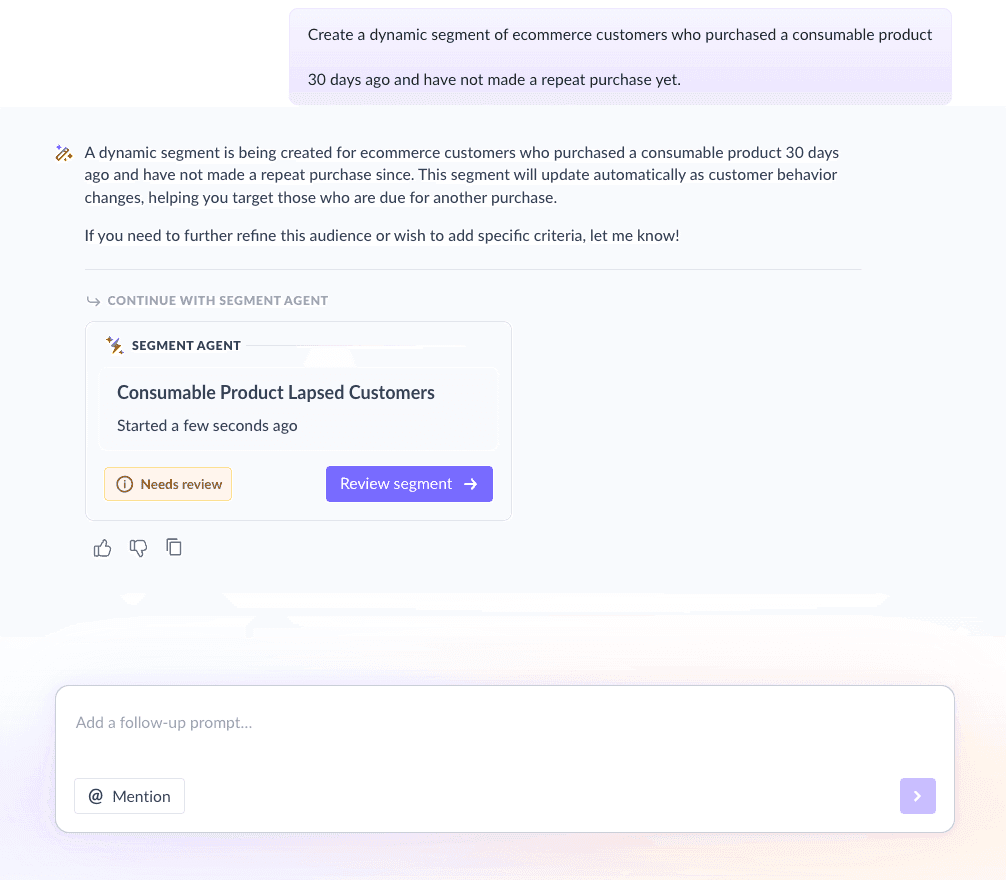
For this sequence, we used Mailmodo AI to create a segment of customers who:
Purchased a consumable product
Have not repurchased it
Are nearing the estimated end of usage
Take a look at the prompt we used, along with the output we got:
Create a dynamic segment of ecommerce customers who purchased a consumable product 30 days ago and have not made a repeat purchase yet.
Step 3: Create the email templates
Once the audience and timing are set, the next step is creating emails that feel timely and useful. Here’s a sample list of emails that you should be creating for your welcome email sequence. We’ve also included sample prompts that you can use in Mailmodo AI to generate these email templates in minutes instead of having to spend hours creating them.
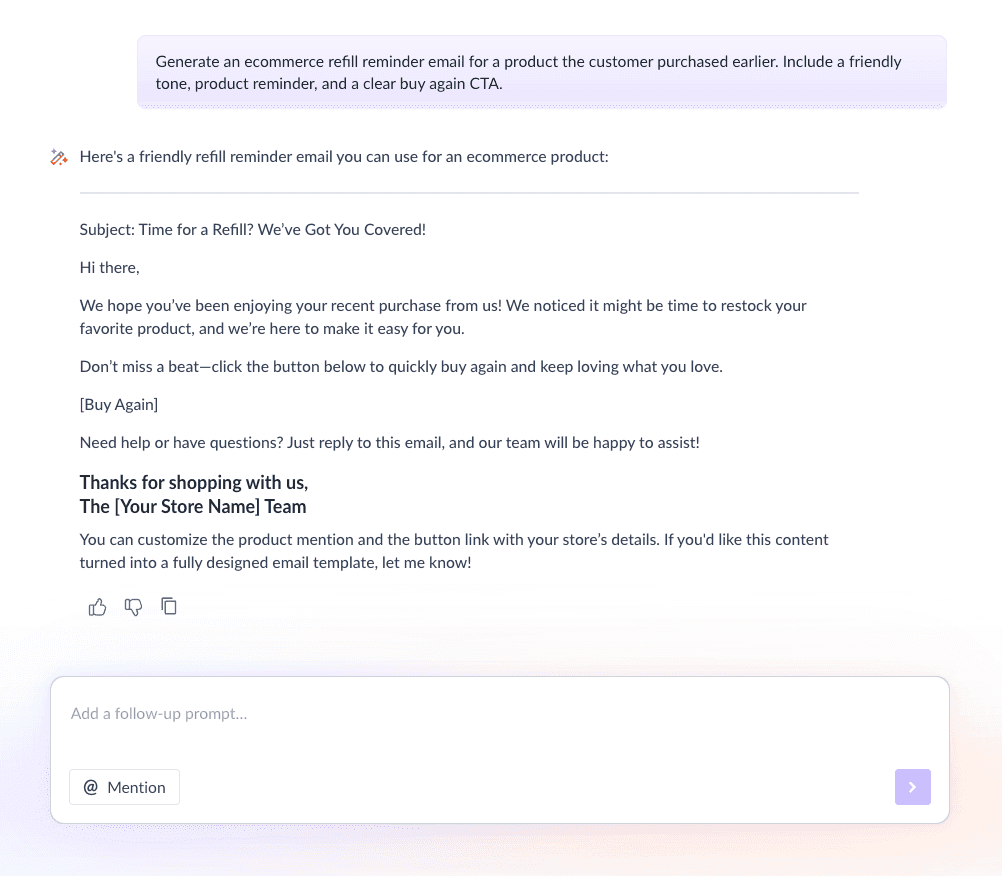
Email #1: Buy again
When to send: Around the estimated end of product usage
Purpose: Remind customers they may be running low
What to include:
Product name and image
Gentle reminder messaging
Quick “Buy again” CTA
Easy access to the product page
Here’s a sample prompt to generate this kind of email, along with the output it will produce.
Generate an ecommerce refill reminder email for a product the customer purchased earlier. Include a friendly tone, product reminder, and a clear buy again CTA.
Email #2: Reminder
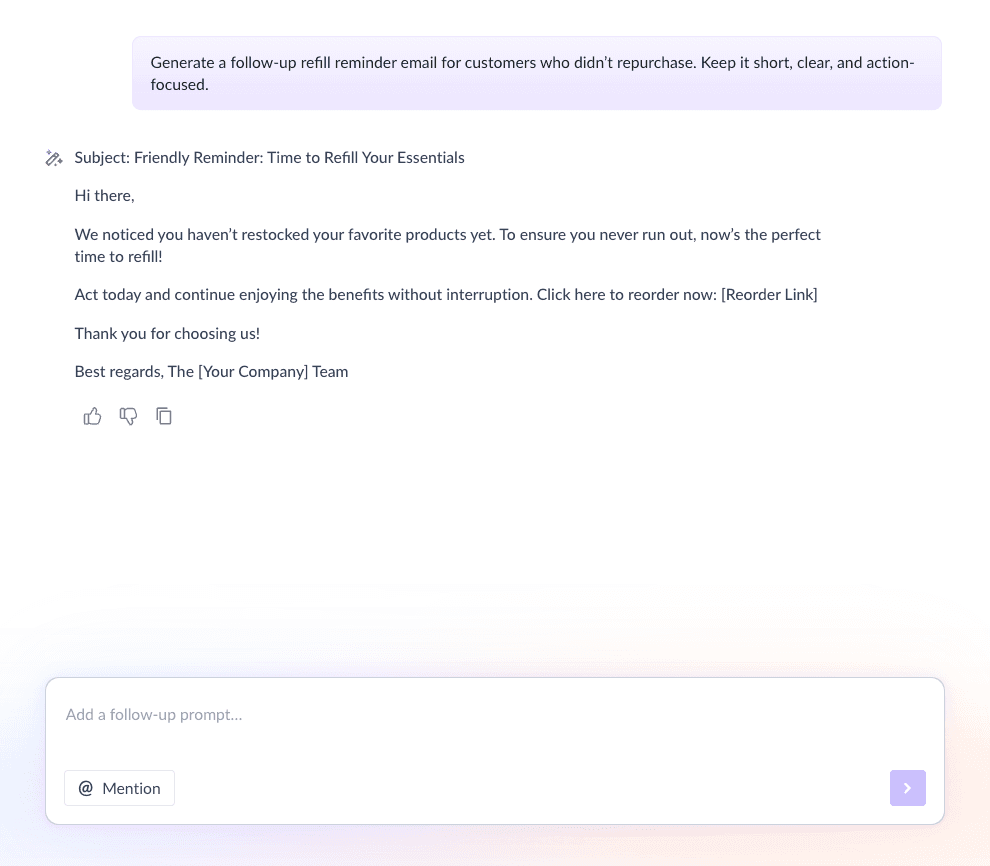
When to send: 2–3 days after Email #1
Purpose: Retarget customers who missed or ignored the first email
What to include:
Short reminder copy
Reinforcement of product benefits
Clear CTA to repurchase
Here’s a sample prompt to generate this kind of email, along with the output it will produce.
Generate a follow-up refill reminder email for customers who didn’t repurchase. Keep it short, clear, and action-focused.
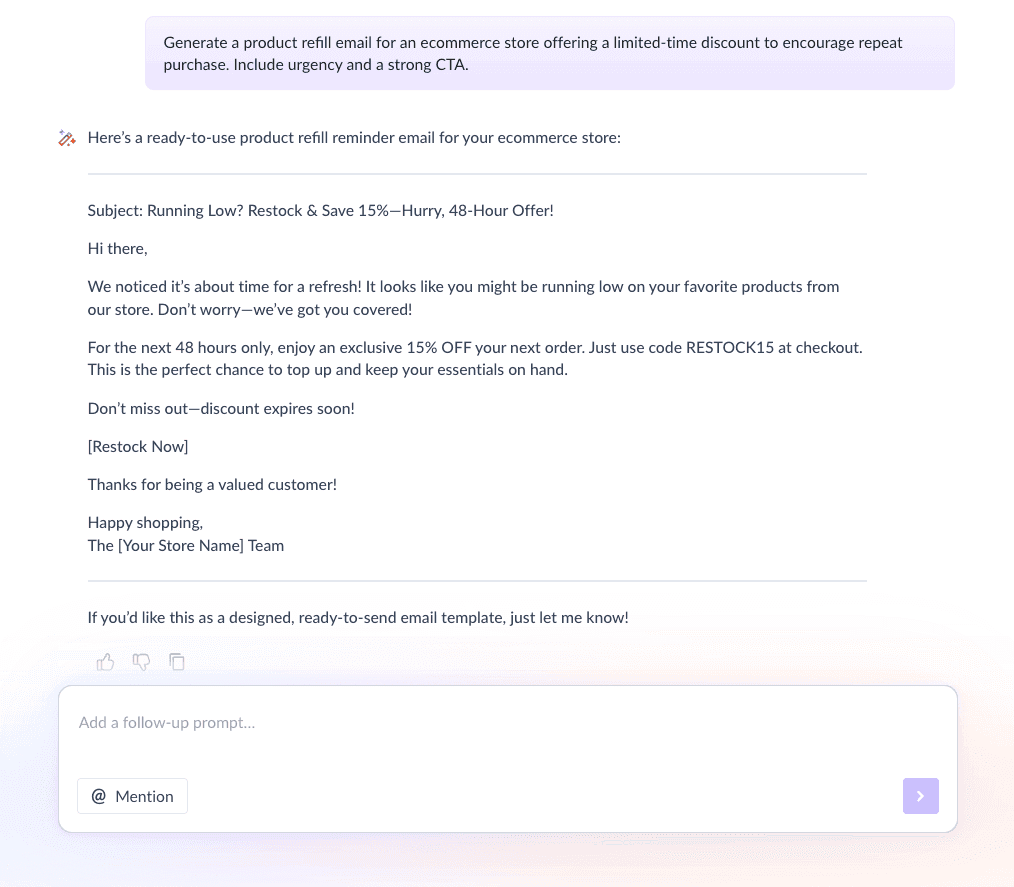
Email #3: Offer email
When to send: 2–3 days after Email #2
Purpose: Reduce friction with an incentive
What to include:
Limited-time discount or free shipping
Urgency-driven copy
Strong CTA
Here’s a sample prompt to generate this kind of email, along with the output it will produce.
Generate a product refill email for an ecommerce store offering a limited-time discount to encourage repeat purchase. Include urgency and a strong CTA.
Step 4: Build the automated workflow
Once your emails are ready, the next step is to automate them so every new user receives them at the right moment. Your email sequence should include:
Trigger: Customer purchases a consumable product
Delays: 0 days → 2–3 days → 2–3 days
Branching logic: If repurchased → exit flow; If not purchased → continue sequence
Exit criteria: Customer makes a repeat purchase
You can use Mailmodo AI to generate the full workflow, including triggers, delays, and exit rules. Once generated, review the journey and adjust the timing for different product categories. Take a look at this sample prompt, for instance:
Generate a complete automated workflow for an ecommerce product refill email sequence. Include triggers, delays, branching logic, and exit criteria.
Step 5: Analyze and improve
Tracking performance helps you fine-tune timing, messaging, and incentives. You should monitor key metrics like:
Open rate
Click-through rate
Repeat purchase rate
Revenue per email
Time to repurchase
You can use this sample prompt in Mailmodo AI to do this analysis and get suggestions for improvement.
Analyze my product refill email sequence and suggest improvements to increase repeat purchases and engagement.
Conclusion
For ecommerce brands selling consumable products, refill flows are one of the easiest ways to boost retention and lifetime value. Customers already trust your product; they just need a timely reminder.
A well-planned email sequence ensures the right message reaches the right customer at the right moment. With automation, segmentation, and continuous optimization, refill emails become a reliable revenue driver.
Mailmodo helps simplify the entire process, from planning and writing to automating and improving your product refill email sequences, so you can focus on growing your ecommerce business.


 Learn more about Mailmodo