- Platform

- Resources
Learn Marketing

Guides

Email Templates

Email Flows

Ebooks & Reports

Marketing Videos

Newsletter
See More Resources ->
Free Tools
Email Marketing 101 FREE
Read Now ->






Omnisend Vs SendPulse Comparison (2026)
Hey there, if you’re deep in research to find the best email marketing platform for your brand, you’ve come to the right place. To make this easier for you, below table has a detailed overview of Omnisend vs SendPulse, to help you choose the right platform. If you want to talk to an expert to help you decide, feel free to book a demo.
How Omnisend compares with SendPulse
Here’s a summary and non-biased comparison between Omnisend and SendPulse on the basis of email marketing features
| TL;DR |  |  |
|---|---|---|
| Email editing and creation | Provides a basic email editor, HTML editor and a text editor. Editor can create HTML emails only. | Provides an HTML + drag-and-drop editor. Allows building coded or template-based emails |
| Automation | Automations have restricted email handling cabability along conditions to perform basic logics. The big blockage is due to connection with a store. And has ecommerce focused features only. | Automation with basic triggers conditions and actions and they have webhook in actions and triggers |
| Integration | 80 integrations | 100+ integrations |
| Transactional emails | Not available. | Yes, available in all plans |
| Ease of Access | Ecommerce focused email marketing software with requirement for ecommerce industry. This makes it frustating for users to get a hands on all fuctionality. | Easy handling, and no prior education required to create campaigns |
| Customer Support | Email Support, In-App dedicated support, In-App Knowledge base, Customer Support. | Telephonic support, Email Support, Chat Support, Video Tutorials, Knowledge base |
| Interactive emails | No | Allows you to send interactive AMP mails through uploading code |
| Other marketing features | Provides an AI subject line and preheader generator for emails, and Content assistance for writing emails | Includes AI-powered tools for generating and refining email copy. |

Why not consider an email marketing tool that gets 3x conversions?

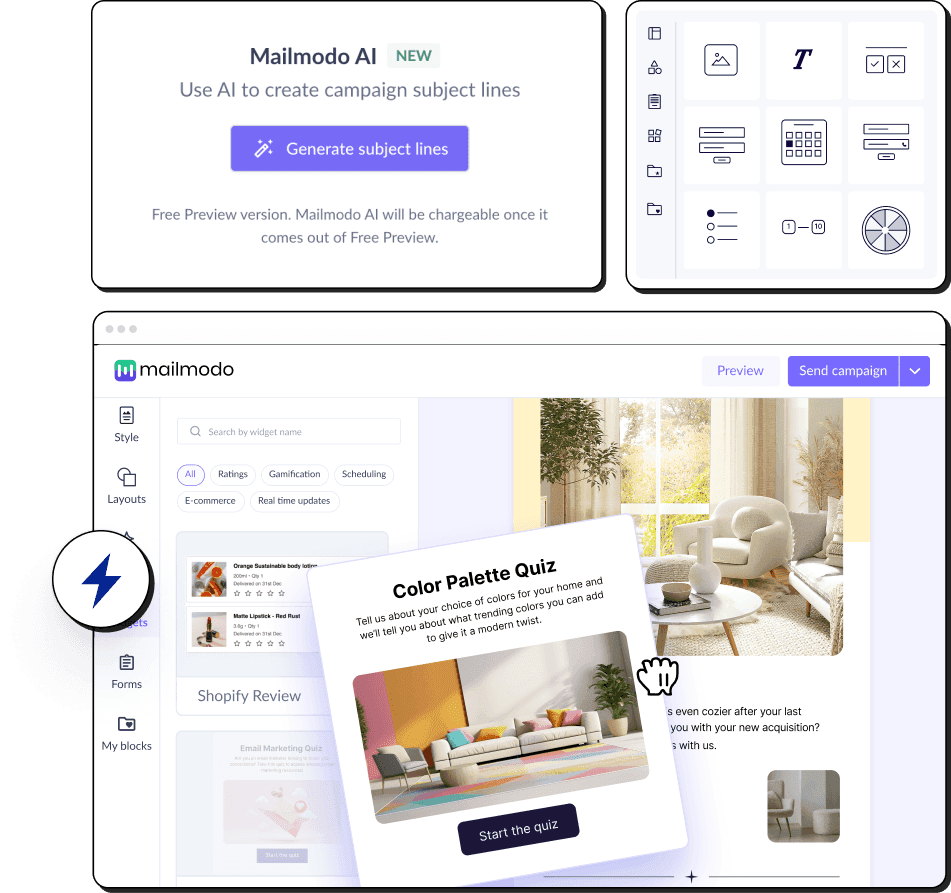
Interactive Emails
Create & send dynamic forms for customer feedback, product reviews, NPS surveys, and so much more.

Dedicated Human Support
Get support whenever you need it via email, live chat, slack, or calls.

Automate pre-built user journeys
Trigger emails based on Webhooks, conditional logic, time delays, and more.
Detailed comparision of SendPulse, Omnisend, and Mailmodo
Email Creation
When a tool has features like a drag-and-drop editor, pre-made templates, and interactive widgets, creating emails is quick and fun.
| Feature | omnisend | sendpulse | Mailmodo |
|---|---|---|---|
| AI Email Automation Assistant | Provides an AI content writer, a segment builder | Provides an AI writing assistant for generating email content. | Provides an AI Email Assistant to plan campaigns, create templates, build segments, set automations, and analyze performance |
| Template editor | Can create from scratch or select template from library | Can create from scratch or select from pre-designed templates | Can create from scratch or select a pre-built template from the library. Can also use Mailmodo AI to generate email templates. |
| Drag and Drop | Elements can be dragged and dropped any where within the email | Elements can be dragged and dropped any where within the email | The selection-based template editor allows stacking new layouts |
| Email Dimensions | Have width from 600-700 px | Width can be modified between 500 px - 700 px | 3 Width options(600px, 700px, 800px) are provided(that resemble industry standards). Rich text emails can be sent with full width email |
| Pre-made layouts | Not Applicable | 6 variations of layouts to select from | 7 variations of layouts to select from |
| Pre-made blocks/modules |
| NA |
|
| Ability to save & reuse blocks | Can save any layout block and element | NA | Can save any layout block |
| Design Options | Common options like email bg color options are provided |
| Common options like pading, email body and email bg color options are provided |
| Supported Email Fonts | Total 53 fonts
| 13 fonts | Total 46 fonts
|
| If non-standard font is used | No prompt | No prompt message | Prompts are provided for Web Safe fonts while editing. In case, non-email safe font is use, then Mailmodo replaces it with a fallback font for clients where the fonts are not supported |
| Template preview | Only HTML email with side by side display of desktop and mobile screens | HTML and text are displayed together with toggle between desktop and mobile screens | HTML and AMP are displayed together with toggle between desktop and mobile screens |
| Template testing | Only HTML. Supports unlimited testing. | Supports testing. | HTML and AMP versions are different, supports unlimited testing |
| Adding custom HTML code | Yes | Yes | Yes |
| Rich text editor | Yes | Yes | Yes |
| Feature | omnisend | sendpulse | Mailmodo |
|---|---|---|---|
| In-product templates | 35 and growing templates | 73 and growing templates | 100+ and growing templates |
| Has a template inspiration gallery | Yes, free inspiration gallery | Yes, free HTML templates | Yes, free inspiration gallery |
| Inspirational Templates count | 80 templates | 62 templates | 300+ templates |
| Feature | omnisend | sendpulse | Mailmodo |
|---|---|---|---|
| AMP email creation | No | Yes | Supports AMP email creation with no code WYSIWYG editor. |
| Whitelisting support | No | No | Provides dedicated whitelisting support |
| Automatic HTML fallback | Yes | No | Yes |
| Customize HTML fallback | Yes | Yes | Yes |
| Sending AMP emails | No | Yes | Yes |
| Feature | omnisend | sendpulse | Mailmodo |
|---|---|---|---|
| Interactive AMP widgets | No AMP elements | AMP supported, but no widgets | 25 AMP elements |
| Carousel/Image Carousel | No | No | Yes |
| Accordion | No | No | Yes, on request |
| Basic Event invitation | No | Yes, through Eventbrite integration via zapier | Yes,with forms |
| Add to calendar | No | No | Yes |
| Calendly | No | Yes,through integration via Zapier | No |
| Zoom Webinar | No | No | Yes |
| Shopify Card Abandoment | No | Yes,through Shopify integration via Zapier | Yes |
| Shopify Product Recommendation | No | Yes,through Shopify integration via Zapier | Yes |
| Poll | No | Yes | Yes |
| Live Price Ticker | No | No | Yes |
| Star Rating | No | No | Yes |
| NPS Rating | No | No | Yes |
| Thumbs up or down | No | No | Yes |
| Emoji Rating | No | No | Yes |
| Chip selection | No | No | Yes |
| Spin the Wheel | No | No | Yes |
| Quiz | No | No | Yes |
| Gokwik | No | No | Yes |
| Form | Yes, has website forms | Yes, subscription form available | Yes |
| Star Rating | No | No | Yes |
| Thumbs up or down | No | No | Yes |
| Thumbs up or down | No | No | Structured for case specific |
| Star Rating | No | No | Yes |
| Form Submission capture | Collects form submission data as contacts | SendPulse doesn't have interactive email forms but has subscription forms | Automatic collection and storage of form submission data. Export options available |
| Conditional forms | Not Applicable | Yes | Yes |
| Step wise forms | Yes | Yes | Yes |
| Hidden field | Not Applicable | No | No |
| Form fields | 9 field options Also have spin the wheel | 8 field options | 15 field options |
| Dropdown | Yes | Yes | Yes |
| Radio | Yes | Yes | Yes |
| Checkbox | Yes | Yes | Yes |
| Emoji | No | No | Yes |
| Thumbs up or down | No | No | Structured for case specific |
| Text | Yes | Yes | Yes |
| Multiline | Yes | Yes | Yes |
| Image Link | Yes | No | Structured for case specific |
| Date picker | Yes | No | Yes |
| Time picker | Yes | No | Yes |
| Phone number | Yes | Yes | Yes |
| Single chip | No | No | Yes |
| Multichip | No | No | Yes |
| Star Rating | No | No | Yes |
| Nps Rating | No | No | Yes |
Contact & Campaign
Your email campaigns perform better when your tool monitors your subscriber’s behavior. You can use it to create dynamic segments and optimize for open rates.
| Feature | omnisend | sendpulse | Mailmodo |
|---|---|---|---|
| Triggered/Transactional emails | Yes | Yes | Yes |
| Automation Campaigns | Yes | Limited | Yes |
| Bulk Campaigns | Yes | Yes | Yes |
| Feature | omnisend | sendpulse | Mailmodo |
|---|---|---|---|
| Smart AI segmentation | Yes | No | Yes |
| Dynamic segments | Yes | Yes | Yes |
| Static segments | No | No | Yes |
| Segment on basis of campaign activity | Yes | Yes | Yes |
| Pre-built segments | Yes | Yes | Yes |
| Contact-level campaign data | Yes | Yes | Yes |
| Add contacts via | Add single contact, Paste contact's details, File import, Mailchimp data import tool, Klaviyo data import tool | Manually, import from other apps, copy paste, upload files(CSV,XLS,XLSX) | Manually, CSV, API, Apps, CRM, etc. |
Automation
You are more productive when you have set up automations to trigger emails based on a contact’s activity - clicks, opens, submissions, and more.
| Feature | omnisend | sendpulse | Mailmodo |
|---|---|---|---|
| End-to-end AI automation | Provides limited AI-assisted features, not AI-run end-to-end automation. | Provides limited AI-assisted features, not AI-run end-to-end automation. | Yes, Mailmodo’s AI Agents streamline the full email workflow from strategy to journey building for efficient, optimized execution. |
| Journey Advancement | Basic email handling with very limited trigger and automations | basic email handling, webhooks. SMS and CRM activities | Offers advanced journey features, AI-enhanced journey features with powerful triggers, conditions, actions, and full webhook support. |
| Drag & drop journey builder | No | Yes | Yes |
| Trigger options | 13 trigger options
| 11 types of trigger options and 3 types start points
| 12 trigger options and 5 Categories of start point
|
| Rules/Conditions | 4 Rules
| 3 rules Delivery, Opens, Clicks | 9 Rules
|
| Actions | 3 Actions Email, messages, push notifications | 4 types of Action:
| 8 Actions Send campaign, Webhook, Add contact to a list, Remove contact from a list, Update contact property, Update Subscription journey, exit journey |
| Limitations | Needs to have ecommerce store to start with | Trigger points are not properly defined, conditions are also vague | Only one trigger point, also post webhook you cannot proceed further with journey. There is only API entry point and no webhook trigger |
| Web/App/External event triggers | Yes | Yes | Yes |
| CRM triggers | Yes | Yes | Yes |
| Pre-made email flows | Yes, 18 flows available | Yes, Total 20 inspirations | Yes |
| Email flows Inspiration | Yes | No | Yes, have a dedicated industry wise research to send engaging drips. |
Analytics
What your email marketing tool can track, you can improve. Data on opens, clicks, bounces, and unsubscribes are a must-have. Some tools also have advanced features like click heatmap.
| Feature | omnisend | sendpulse | Mailmodo |
|---|---|---|---|
| Opens | Yes | Yes, also last time for activity is stored | Yes |
| Clicks | Yes | Yes, also last time for activity is stored | Yes |
| CTOR | No | Yes | Yes |
| Submissions | No | Yes | Yes |
| Bounces | Yes | Yes | Yes |
| Blocked | Yes | No | Yes |
| Unsubscribe | Yes | Yes | Yes |
| Spam complaints | Yes | Yes | Yes |
| Forwards | No | No | Yes |
| Device usage | Yes | No | Yes |
| Email clients | Yes | Yes | Yes |
| Link click tracking | Yes | Yes, aka clicks map | Yes |
| Click heatmap | No | No | Yes |
| Custom analytics dashboard | No | No | No, upcoming |
| Graphical representation | No | No | No |
Customer Support
Most email platforms provide chat and email support, while a few also help you with human customer support. You can choose a tool based on your preferred mode of communication.
| Feature | omnisend | sendpulse | Mailmodo |
|---|---|---|---|
| Trial Period | Has free plan | Free plan available | Free forever plan available |
| Customer support | Includes 24/7 live-chat, Email Support, Help Center | Provides Knowledge base, documentation & video tutorials, email support, live chat support | Includes video tutorials, knowledge base, ticketing system, live chat, email support, personalised kick-off call and a dedicated onboarding manager for paid plans |
| Account activation | No verification | Email verification | Email verification |
| Onboarding form | Onboarding form requires:
| Onbaording form requires:
| Onboarding form requires:
|
| Product education | Prompts to connect store or ecommerce account. More focused towards ecommerce | Stepwise instructions(basic and advanced) are provided to send out the first email |
|
| Feature | omnisend | sendpulse | Mailmodo |
|---|---|---|---|
| Dynamic data | Yes | Yes | Yes |
| Spam testing | No | No | No |
| Integrations | 80 integrations More details. | 65 integrations More details. | 21 integrations More details. |
| Content optimization | No | No | Yes |
| AB testing subject line | Yes | Yes | Yes |
| Sending Schedule | Send and Schedule are two different options | Send now,Send later- date and time specified by sender | Supports email sending by send now, schedule later and fragmented scheduling |
| Fragmented/Batch Scheduling | No | No | Yes |
| Send time optimization | No | No | Yes |
| Product theme | Light theme | Light theme | Light Theme |
| REST API | Yes Has contro over contacts, orders and carts Refer this page to understand in detail. | Has basic email marketing properties, and Campaign and automation level details Refer this page to understand in detail. |
Frequently asked questions
Everything you need to know about the product and billing.
You can sign up for Omnisend’s free plan and send up to 500 emails monthly. However, if you find the trial plan too limiting, you can consider taking advantage of Mailmodo’s free trial plan.
If you’re not able to build complex workflows with Omnisend, it is likely that you’re among the many customers who have complained about its limited automation capabilities. If you’re looking for an automation solution that offers you pre-made workflows, custom triggers, and endless integrations, try Mailmodo. It’s a great Omnisend alternative.
Omnisend has a poor deliverability rate, which leads to your users’ low inbox placement rates. Want to achieve better email deliverability? You can rely on Mailmodo's dedicated servers, warmed up domain, and suppression management strategies.
SendPulse has a free plan for upto 500 contacts, however it has several restrictions on analytics and automation features you can access. If you want to avail unlimited email templates, advanced reporting and automation features, we suggest considering SendPulse alternatives like Mailmodo. Mailmodo has affordable pricing plans, which you can check out here.
Drip has a low number of integrations and limited reporting features. If you’re looking for a full-stack email marketing solution to measure campaign metrics such as open rates, click rates, submissions, and bounces using a visual reporting dashboard and get access to A/B testing and exporting analytics data, consider using Drip alternatives like Mailmodo.
Getting the automation feature to work well in SendPulse requires practice because it's a complex platform. If you’re looking for an intuitive and user-friendly email automation platform, use Mailmodo.



Mailmodo customers have seen legendary growth




Easiest to use email marketing software in 2026
Get 3X email conversion
with Mailmodo

Create & send interactive emails without coding
Put revenue on auto-pilot with pre-built journeys
Save time with AI-powered email content creation
Experience world’s only interactive email marketing platform
Trusted by 10000+ brands